tousek / E_PULL-T24-T24speed_49002410 / 06. 08. 2019 - 11 -
A
T
• Before starting the programming, please choose the language. Use the buttons
+
or - to choose menu lan-
guage and conrm with .
•
Note: Language selection can also be chosen by pressing the ESC button ( ) for 5s, from any position in menu.
• The program menu is divided into “BASIC SETTINGS” and “MENU CONTROL”
The dierent menu points are indicated as follows:
= selectable setting = factory settings = status display
G
shows the menu points which are in the “ BASIC SETTINGS”
BASIC SETTINGS
• When entering the programming of the control unit for the rst time you will see the BASIC SETTINGS
• Here the necessary adjustments which are necessary for the use of the operator/gate can be set quickly.
• For advanced settings/programming please choose the menu point “menu (control)”.
MENU CONTROL
• For futher programming you will reach immediatly the MENU (CONTROL) (Basis settings are skipped)
• The menu control includes all kinds of settings.
Programming buttons Adjustment - overview
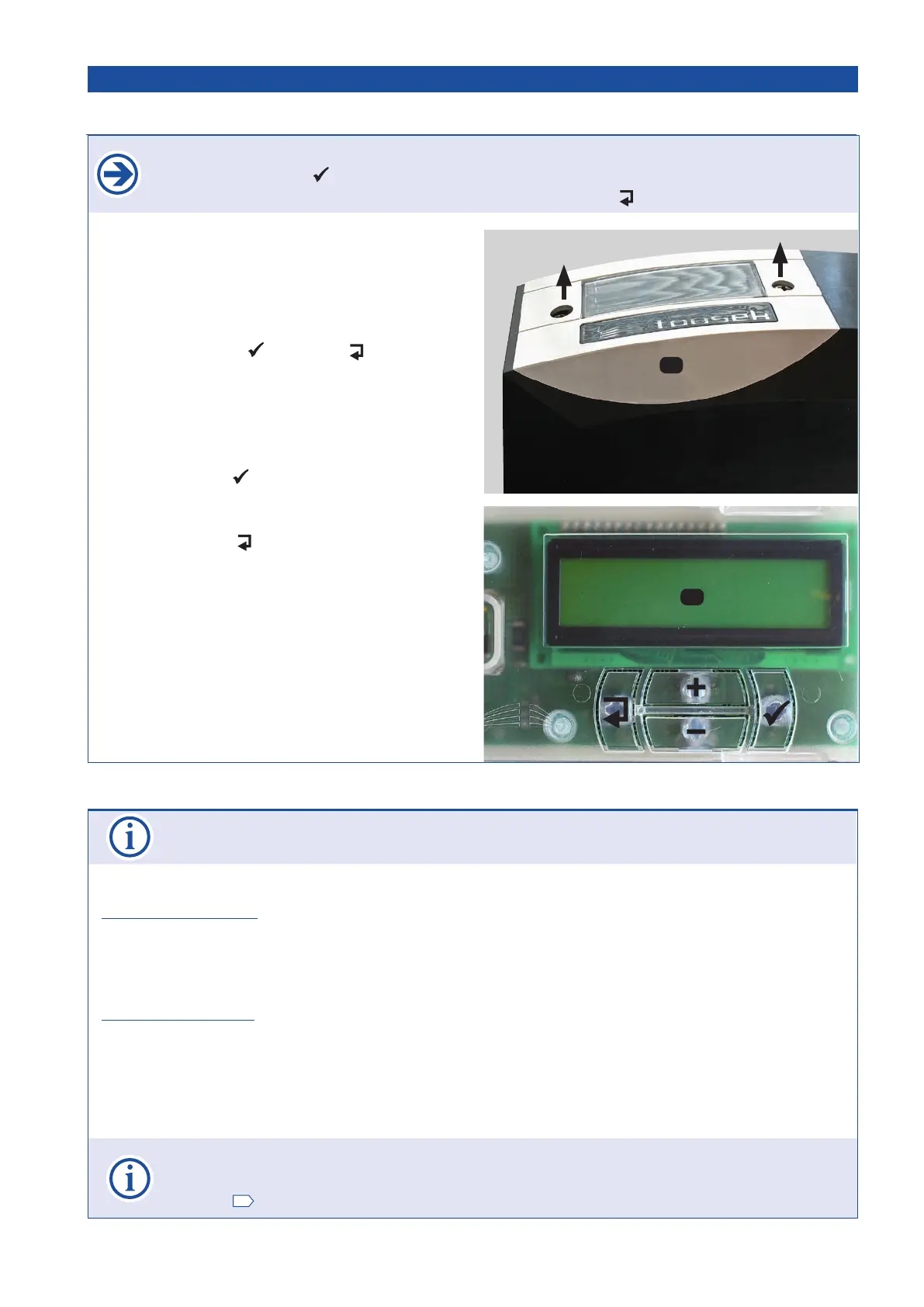
• For programming please remove cover (A) of control device
(loosen 2 bolts).
• The text display (T) informs you about operating status,
chosen menus and the adjustment of various parameters..
• The programming of the control is carried out with the help
of four buttons (
+
, -
, (=Enter) and (=Escape).
• Scrolling through the available menu points (up/
down) or the adjustment of a parameter (value in-
crease/decrease) is carried out with buttons + and –.
AUTO-COUNT: when holding one of the buttons the value
changes automatically.
• When pressing the
-button ea conrmation for entering
the shown menu point, resp. for accepting the shown value
of a parameter is given.
• When pressing the
-button you return to the superior
menu point. Possibly changed adjustments of a parameter
are rejected with this button (the former values will remain).
• AUTO-EXIT: if no button is pressed during 1 min. then the
menu switches automatically to the “ready” menu (wihtout
saving changed parameters).
Programming menu Adjustment - overview
3.2 Adjustments - overview Sliding gate operator PULL T24, -T24speed


 To Next Page