28
4.6 Safety Mode / Dead-Man-Mode
If no control pulse is send for 60 seconds, the remote control switches to a Secure Mode. If this is
activated, the aircraft tug will not respond to any command. To unlock the remote control again,
press the white button on the right side of the remote control („Reactivate from Secure Mode“).
If the input is accepted, an audio signal will be given from the unit.
4.7 Turntable Gate and Lock
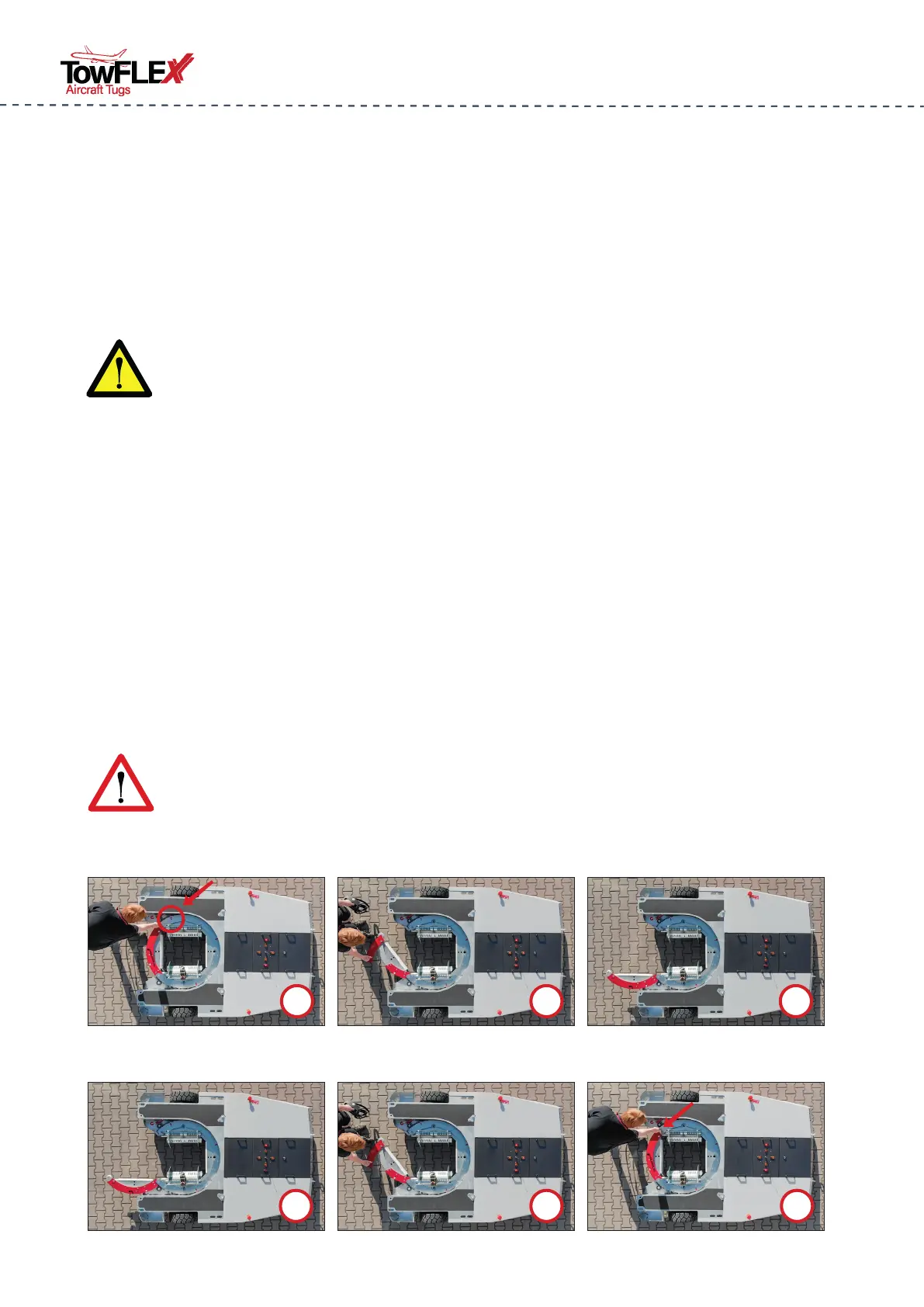
For the nose wheel cradle a gate is incorporated in the turntable of the lifting platform. This
allows the aircraft nosewheel to be received (for more details to this process see 5.6 Capturing
the Aircraft, Page 34) . Opened and closed, the gate is as follows:
4.5 Manual channel change
The radio remote control has a safety channel feature. This automatically selects a trouble-free
channel when switching on. Should there nevertheless be more interruptions in the radio con-
nection, the channel can be changed manually. To do this, press the „Channel change“ buttons
on the left and right at the same time. The display then shows the new channel.
Open
Unlock the Gate
Make sure the Gate is alligned with the Marker
Open the Gate with the Handle
Close the Gate with the Handle until it snaps in
Open the Gate completely
Secure and lock the Gate with the locking pin
1
3
2
2
3
1
ATTENTION: The channel change may only be carried out when the aircraft is at
a standstill, otherwise the aircraft tractor will suddenly be braked.
DANGER: An improperly closed turntable door can cause the aircraft to slip out
of the cradle while being towed! This is a danger to life! In addition, it is im-
parative to pay attention to the locking pin engagement of the gate.



 To Next Page