30
Solid blue: AC power available
Flashing green: Low state of charge
Solid Red: Charger fault
Solid Amber: External error condition - caution
Flashing green: High state of charge
Flashing green: USB Port active
Solid green: High state of charge
Solid green: Charge complete
Solid green: Safe to remove USB ash drive
4.9 Direction Indicators
In the front part of the aircraft tug is a direction indicator which indicates the direction in which
the aircraft tug moves depending on the driving mode. The LED indicates the direction before
the tug starts to move, the joystick reects the users input.
4.10 Status-LED
Two status LEDs are located directly next to the direction indicator. The left, red LED in the
moving direction indicates the operational readiness of the aircraft tug. After the radio
connection has been established, this is indicated by the right, white LED in the moving
direction. If the aircraft tug is switched o, none of the LEDs is lit.
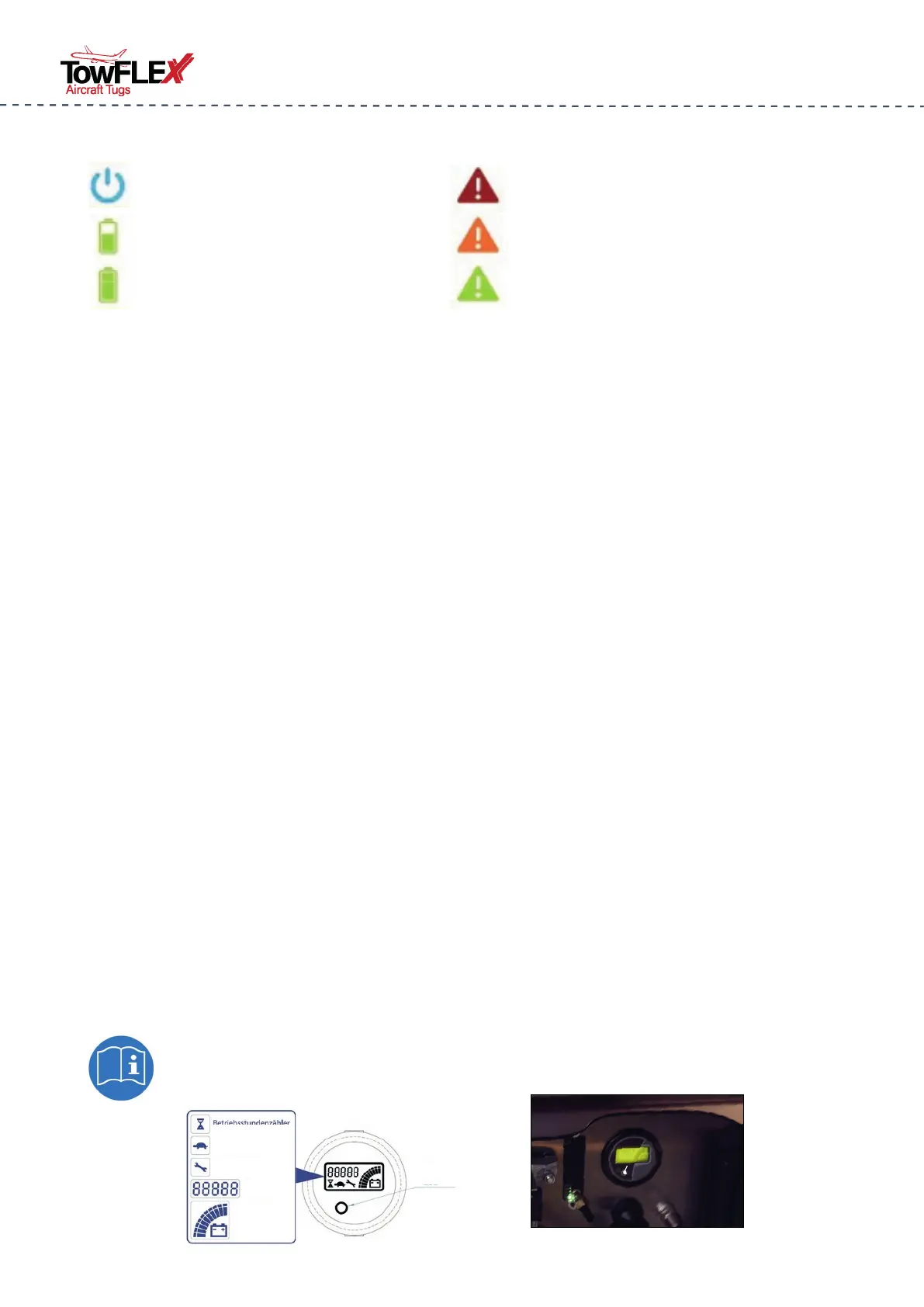
4.11 MDI Display
The multifunction display communicates with the drive control and shows the operating hours
in normal operation. During the start up, the software version of the drive control is shown in
the display saying EP019 or similar - THIS IS NO ERROR CODE
If there is a malfunction in the aircraft tug, this is indicated by the red LED and an error code in
the display.
The MDI indicator is located inside the front storage compartment.
MDI Display
Operating Hours
speed reduction
maintenance interval
battery charge
Alarm LED
Errors/
Hours
Note: When leaving the factory the MDI already shows 4 - 12 operating hours
due to production processes and operating tests.



 To Next Page