56
Chapter 8
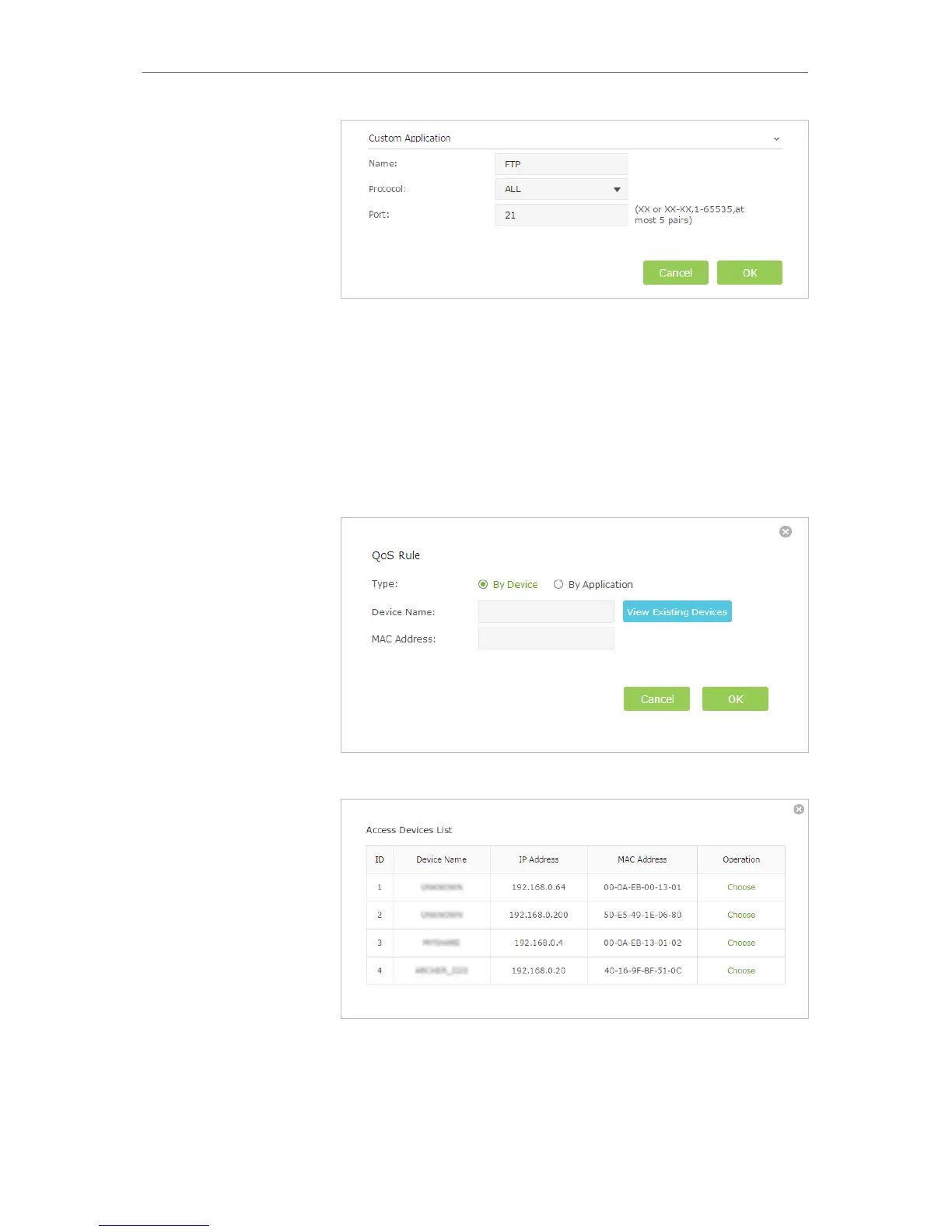
• Name: Enter a name for your applicaiton.
• Protocol: Select the protocol for your application, if your are not sure, select
ALL.
• Port: Enter the destination port for your application, usually each application
has a fixed port, please ensure you enter the correct the port. In this case, the
destination port for ftp is 21.
2 ) Set a Middle Priority rule for the phone.
a . Click Add in the Middle Priority section.
b . Select By Device and then click View Existing Devices.
c . Choose the respective device from the list.
d . Click OK.



 To Next Page