Archer C50 AC1200 Wireless Dual Band Router
- 107 -
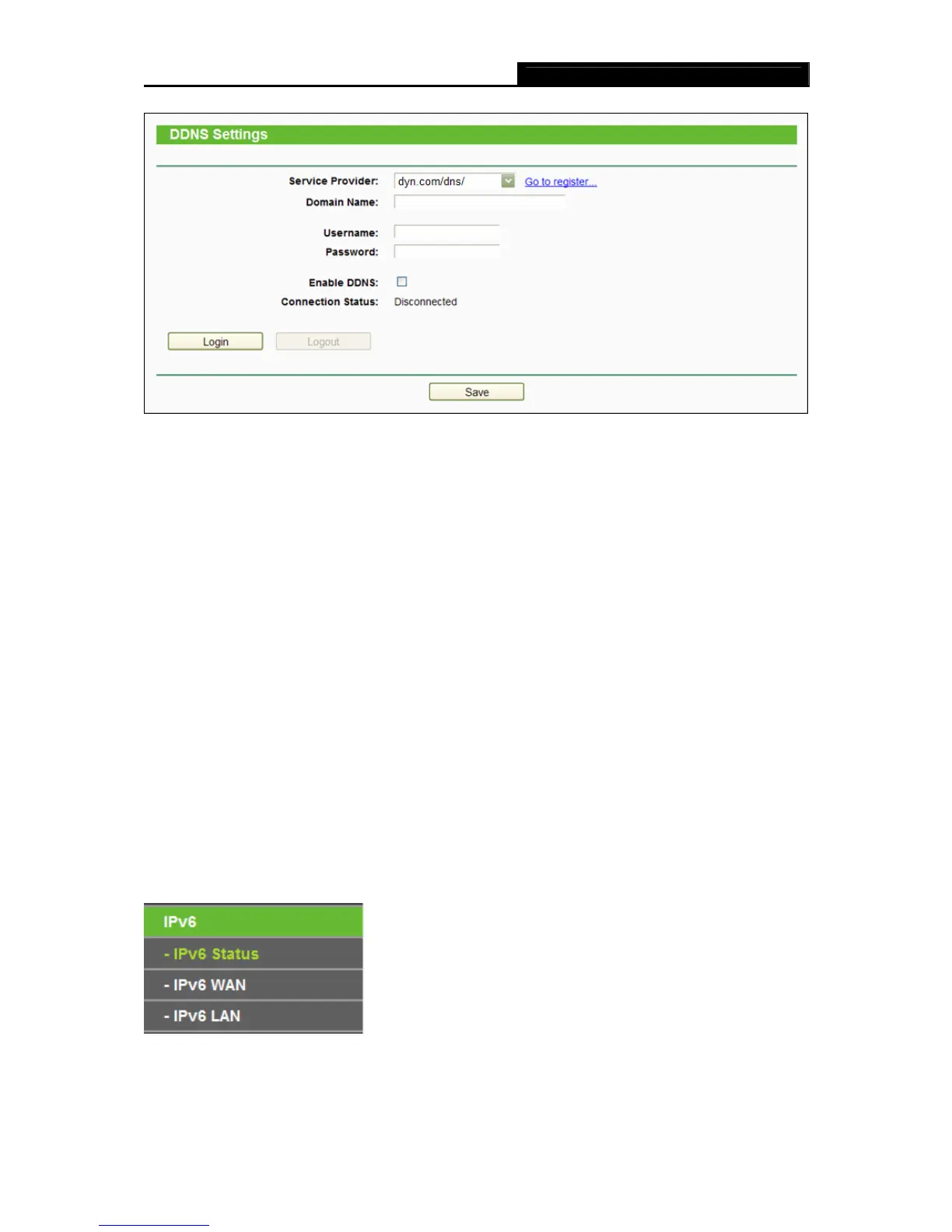
Figure 4-99 Dyn.com/dns DDNS Settings
To set up for DDNS, follow these instructions:
1. Enter the Domain Name you received from dynamic DNS service provider.
2. Enter the Username for your DDNS account.
3. Enter the Password for your DDNS account.
4. Enable DDNS.
5. Click the Login button to login to the DDNS service.
Connection Status -The status of the DDNS service connection is displayed here.
Click Logout to logout of the DDNS service.
Note:
If you want to login again with another account after a successful login, please click the Logout
button, then input your new username and password and click the Login button.
4.20 IPv6
Figure 4-100 IPv6 Support














 To Next Page