Archer C50 AC1200 Wireless Dual Band Router
- 90 -
4.15 Access Control
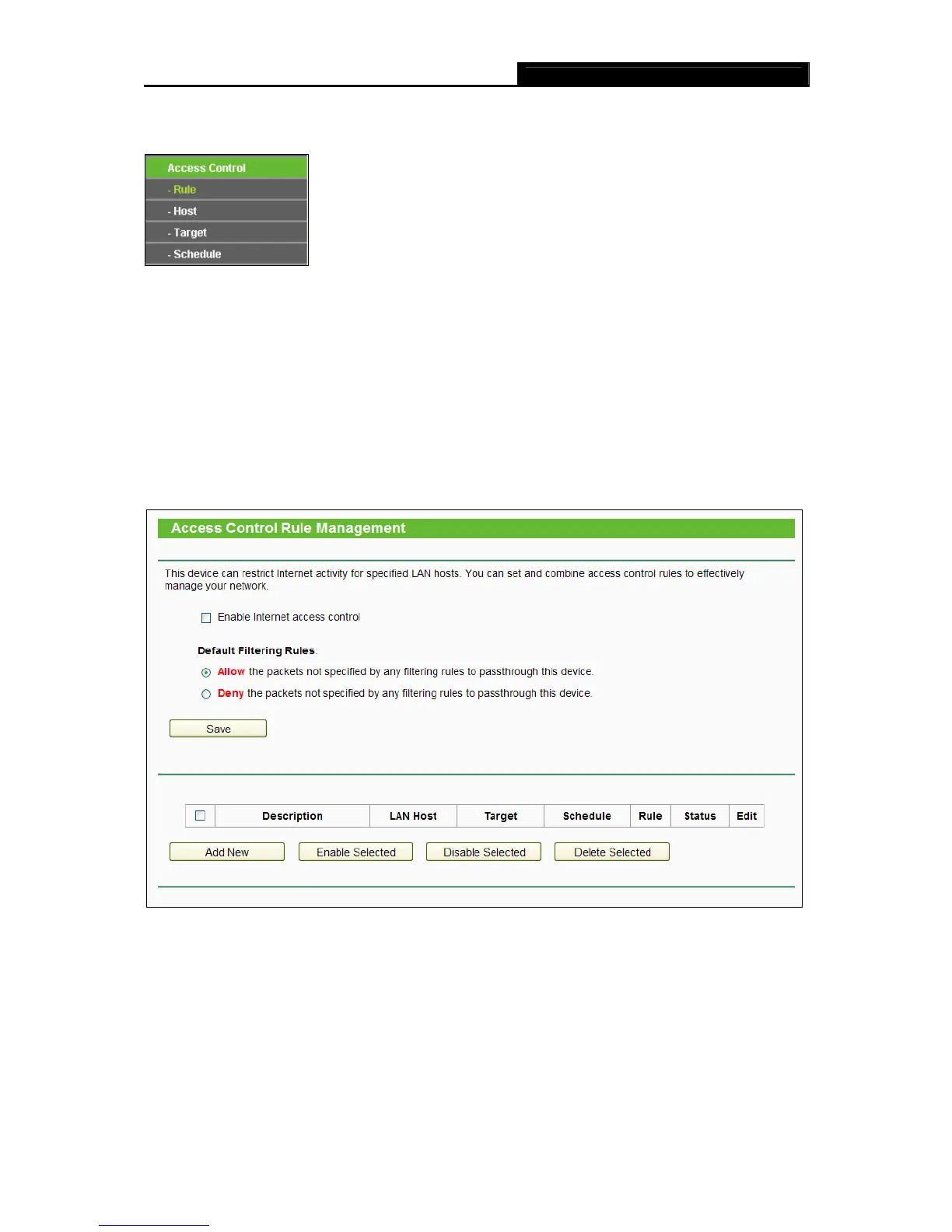
Figure 4-75 Access Control
There are four submenus under the Access Control menu: Rule, Host, Target and Schedule (as
shown in Figure 4-75). Click any of them, and you will be able to config
ure the corresponding
function.
4.15.1 Rule
Choose menu “Access Control → Rule”, and then you can view and set Access Control rules in
the screen as shown in Figure 4-76.
Figure 4-76 Access Control Rule Management
Enable Internet Access Control - Select the check box to enable the Internet Access
Control function, so the Default Filter Policy can take effect.
Description - Here displays the name of the rule and this name is unique.
LAN Host - Here displays the host selected in the corresponding rule.
Target - Here displays the target selected in the corresponding rule.














 To Next Page