Archer C50 AC1200 Wireless Dual Band Router
- 5 -
2. The router is set to work concurrently in 2.4GHz and 5GHz by default. If you desire to choose
the working frequency, please go to 4.5 Dual Band Selection.
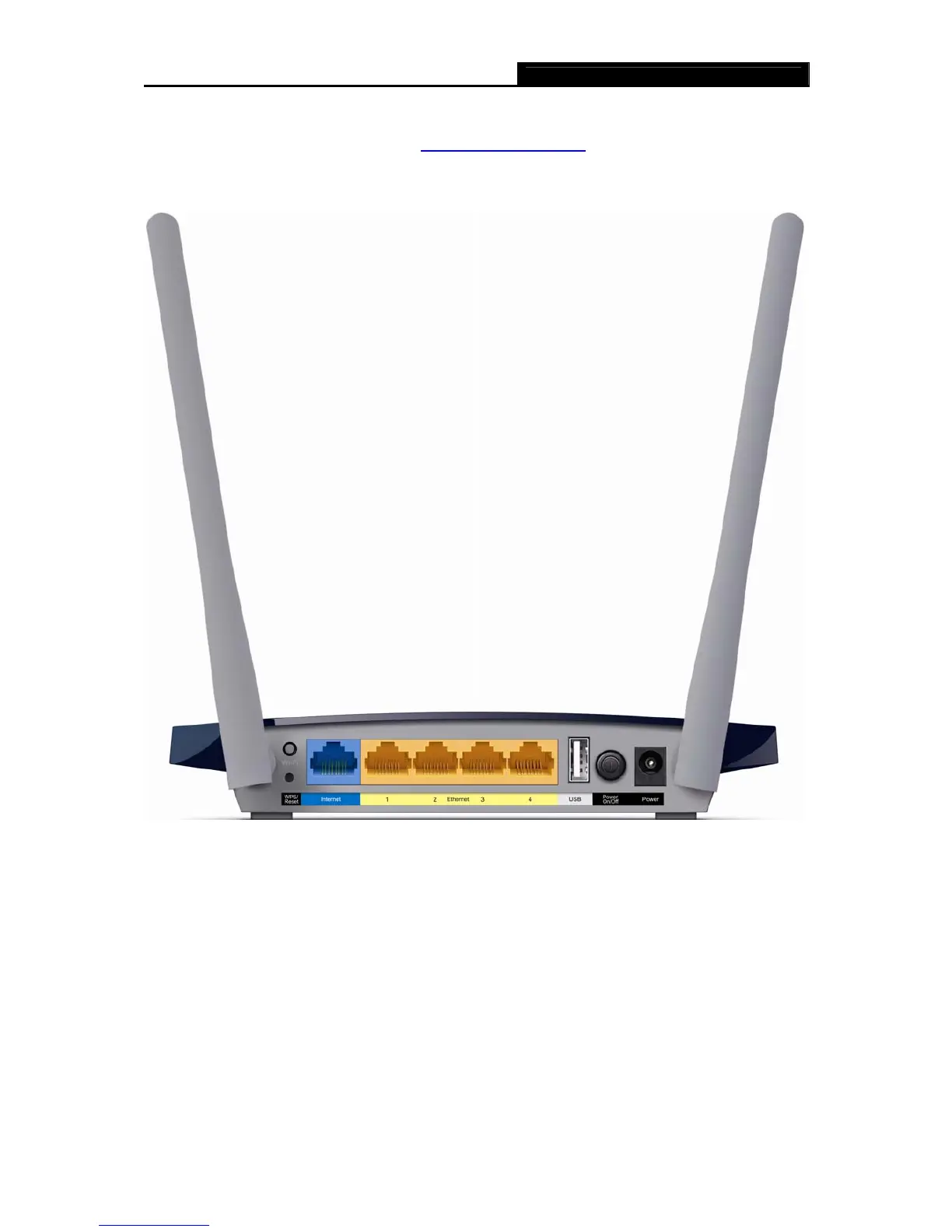
1.4.2 The Rear Panel
Figure 1-2 Rear Panel sketch
The following parts are located on the rear panel (View from left to right).
WPS/Reset:
Pressing this button for less than 5 seconds enables the WPS function. If your client devices,
such as wireless adapters, support Wi-Fi Protected Setup, then you can press this button to
quickly establish a connection between the router and client devices and automatically
configure wireless security for your wireless network.
Pressing this button for more than 5 seconds enables the Reset function. With the router
powered on, press and hold the WPS/Reset button (approximately 8 seconds) until all LEDs














 To Next Page