Archer C50 AC1200 Wireless Dual Band Router
- 119 -
5) The upgrade process takes a few moments and the router restarts automatically when the
upgrade is complete.
4.21.4 Factory Defaults
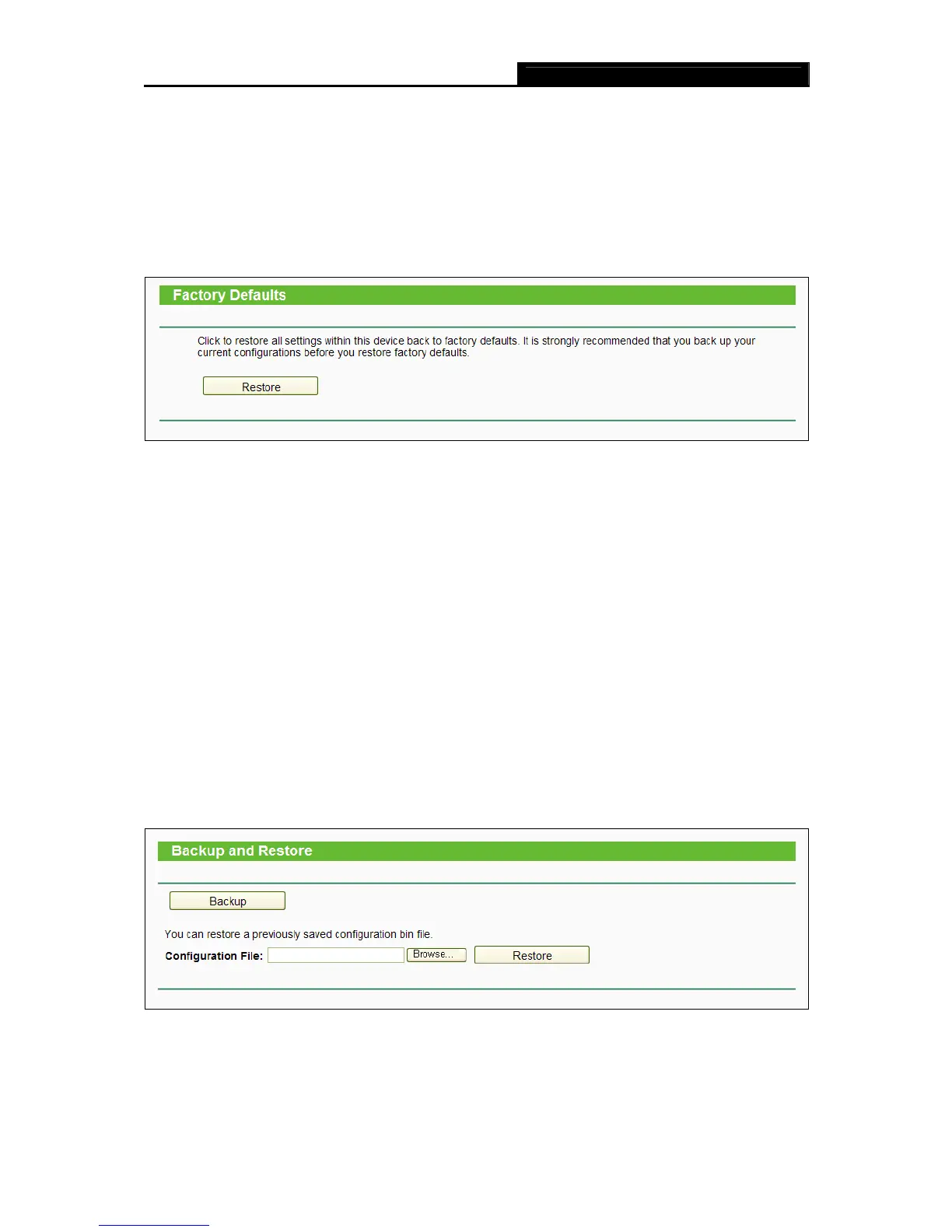
Choose menu “System Tools → Factory Defaults”, and then and you can restore the
configurations of the router to factory defaults on the following screen
Figure 4-114 Restore Factory Default
Click the Restore button to reset all configuration settings to their default values.
The default User Name: admin
The default Password: admin
The default Subnet Mask: 255.255.255.0
Note:
All changed settings will be lost when defaults are restored.
4.21.5 Backup & Restore
Choose menu “System Tools → Backup & Restore”, and then you can save the current
configuration of the router as a backup file and restore the configuration via a backup file as
shown in Figure 4-115.
Figure 4-115 Backup & Restore Configuration
Click the Backup button to save all configuration settings as a backup file in your local
computer.














 To Next Page