Archer C50 AC1200 Wireless Dual Band Router
- 35 -
Note:
If you don't know how to choose the appropriate connection type, click the Detect button to allow
the router to automatically search your Internet connection for servers and protocols. The
connection type will be reported when an active Internet service is successfully detected by the
router. This report is for your reference only. To make sure the connection type your ISP provides,
please refer to the ISP. The various types of Internet connections that the router can detect are as
follows:
PPPoE - Connections which use PPPoE that requires a user name and password.
Dynamic IP - Connections which use dynamic IP address assignment.
Static IP - Connections which use static IP address assignment.
The router cannot detect PPTP/L2TP/Big Pond connections with your ISP. If your ISP uses one
of these protocols, then you must configure your connection manually.
4.4.2 LAN
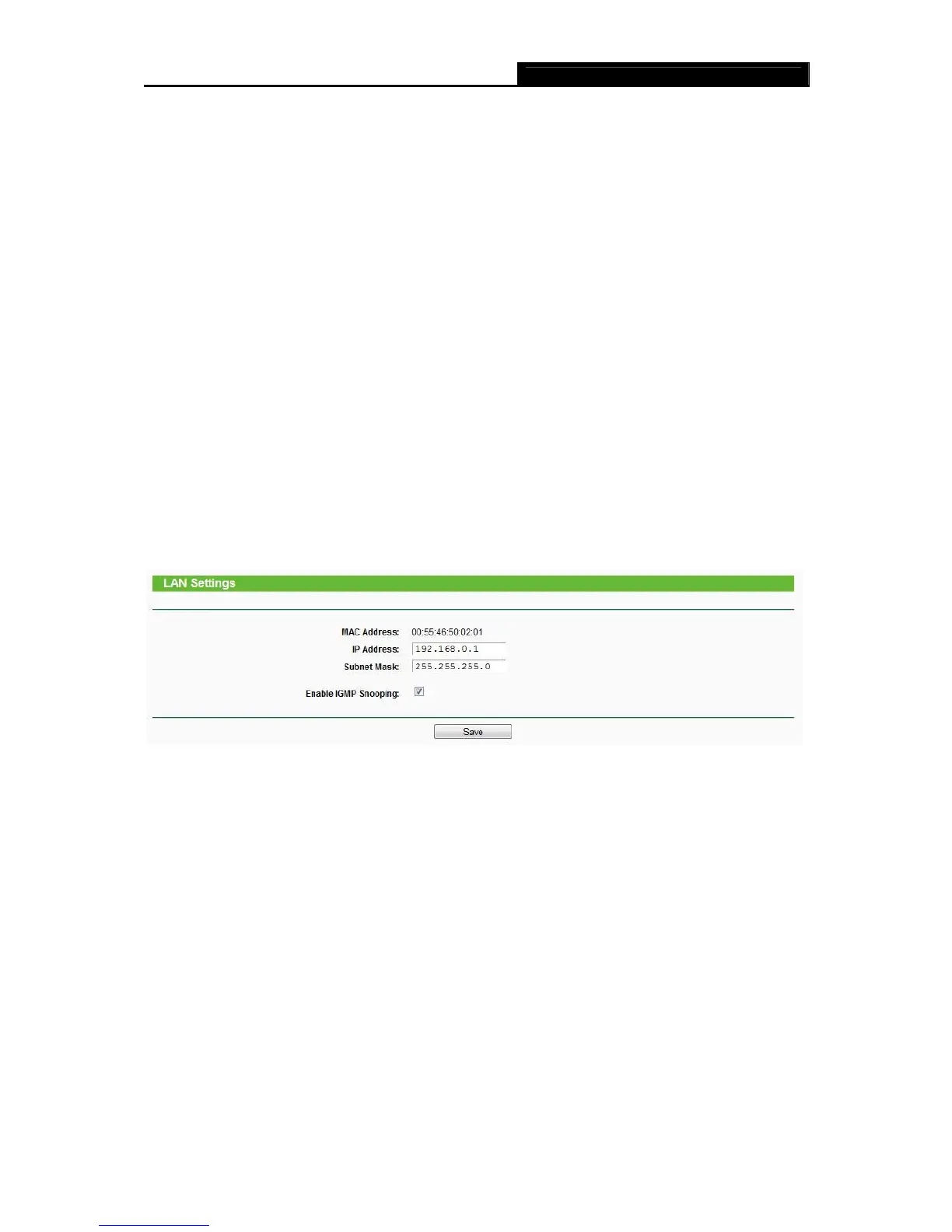
Choose menu “Network → LAN”, you can configure the IP parameters of the LAN on the screen
as below.
Figure 4-10 LAN Settings
MAC Address - The physical address of the router, as seen from the LAN. The value can't
be changed.
IP Address - Enter the IP address of your router or reset it in dotted-decimal notation
(factory default: 192.168.0.1).
Subnet Mask - An address code that determines the size of the network. Normally use
255.255.255.0 as the subnet mask.
Enable IGMP Snooping –Check this box to enable IGMP. IGMP snooping is designed to
prevent hosts on a local network from receiving traffic for a multicast group they have not
explicitly joined. IGMP snooping is especially useful for bandwidth-intensive IP multicast
applications such as IPTV.














 To Next Page