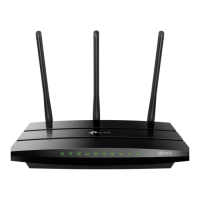
Archer C50 AC1200 Wireless Dual Band Router
- 7 -
Chapter 2. Connecting the router
2.1 System Requirements
Broadband Internet Access Service (DSL/Cable/Ethernet)
One DSL/Cable Modem that has an RJ45 connector (which is not necessary if the router is
connected directly to the Ethernet)
PCs with a working Ethernet Adapter and an Ethernet cable with RJ45 connectors
TCP/IP protocol on each PC
Web browser, such as Microsoft Internet Explorer, Mozilla Firefox or Apple Safari
2.2 Installation Environment Requirements
Place the router in a well-ventilated place far from any heater or heating vent
Avoid direct irradiation of any strong light (such as sunlight)
Keep at least 2 inches (5 cm) of clear space around the router
Operating Temperature: 0℃~40℃ (32℉~104℉)
Operating Humidity: 10%~90%RH, Non-condensing
2.3 Connecting the Router
Before installing the router, make sure your PC is connected to the Internet through the
broadband service successfully. If there is any problem, please contact your ISP. After that, please
install the router according to the following steps. Don't forget to pull out the power plug and keep
your hands dry.
1. Power off your modem (if the modem has a backup battery, please remove it too.), and
disconnect your existing router if you have one.
2. Connect the Internet port on your router to the modem’s LAN port with an Ethernet cable.
3. Connect your computer to one of the Ethernet ports labeled 1~4 on the router with an
Ethernet cable. Or connect your computer to the router wirelessly by using the default
network name (SSID) and password printed on the product label at the bottom of the router.
4. Power on the modem and wait for 2 minutes.
5. Then plug the provided power adapter into the Power jack and the other end to a standard
electrical wall socket. Press the Power On/Off button to power on the router. (Before you














 To Next Page