Archer C50 AC1200 Wireless Dual Band Router
- 8 -
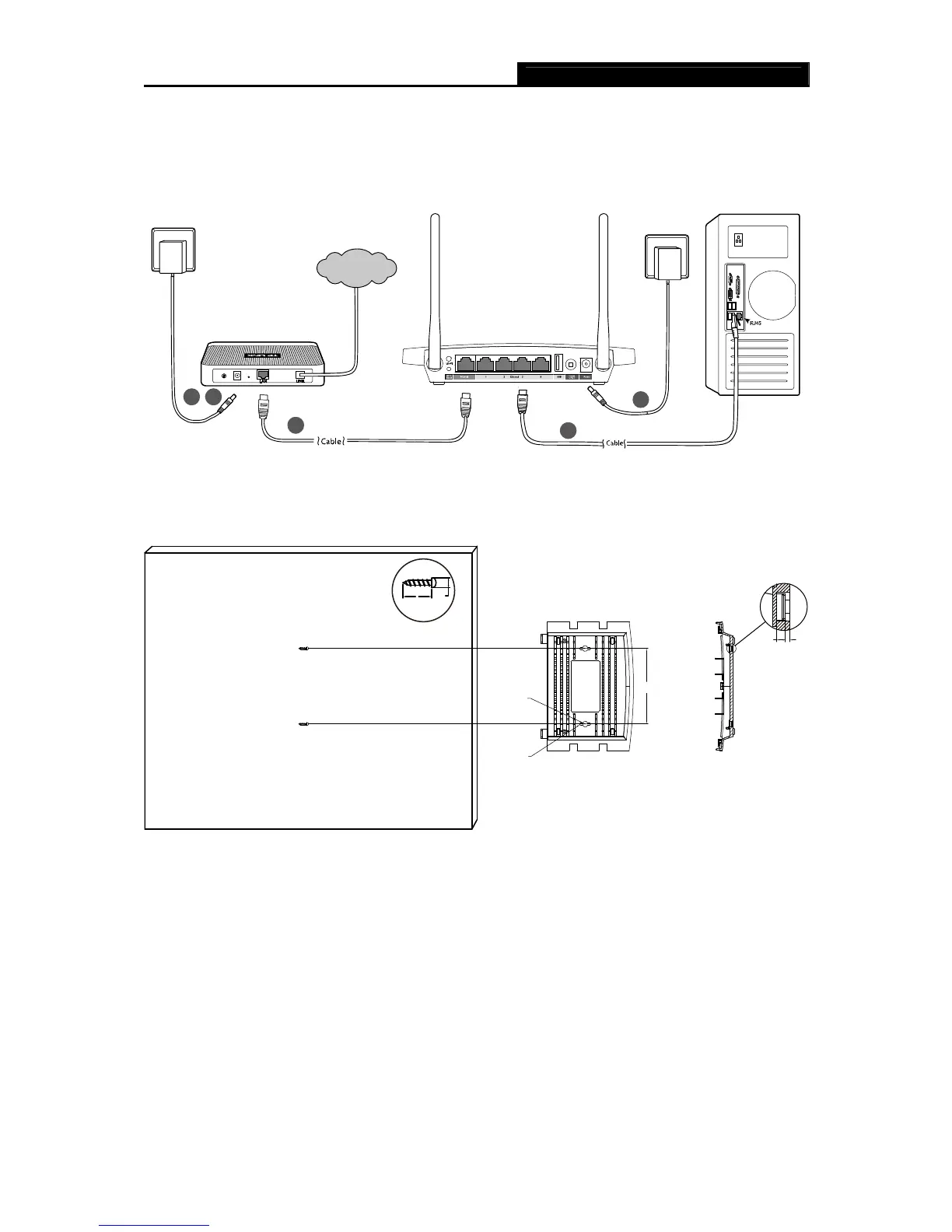
power on the router, please make sure your computer is NOT connected to any other
wireless network.)
3
Computer
4
Wall Socket
2
Wall Socket
5
1
Modem
Internet
Figure 2-1 Hardware Installation
105
8
3.5
2.5 1.2
D
X
X>=20mm
Figure 2-2 Wall-mount Installation
Note:
The diameter of the screw ranges from 3.5 mm to 8 mm, and the distance between two screws is
105 mm. The screw that projects from the wall needs around 4.5 mm base, and the length of the
screw needs to be at least 20 mm to withstand the weight of the product.














 To Next Page