Archer C50 AC1200 Wireless Dual Band Router
- 38 -
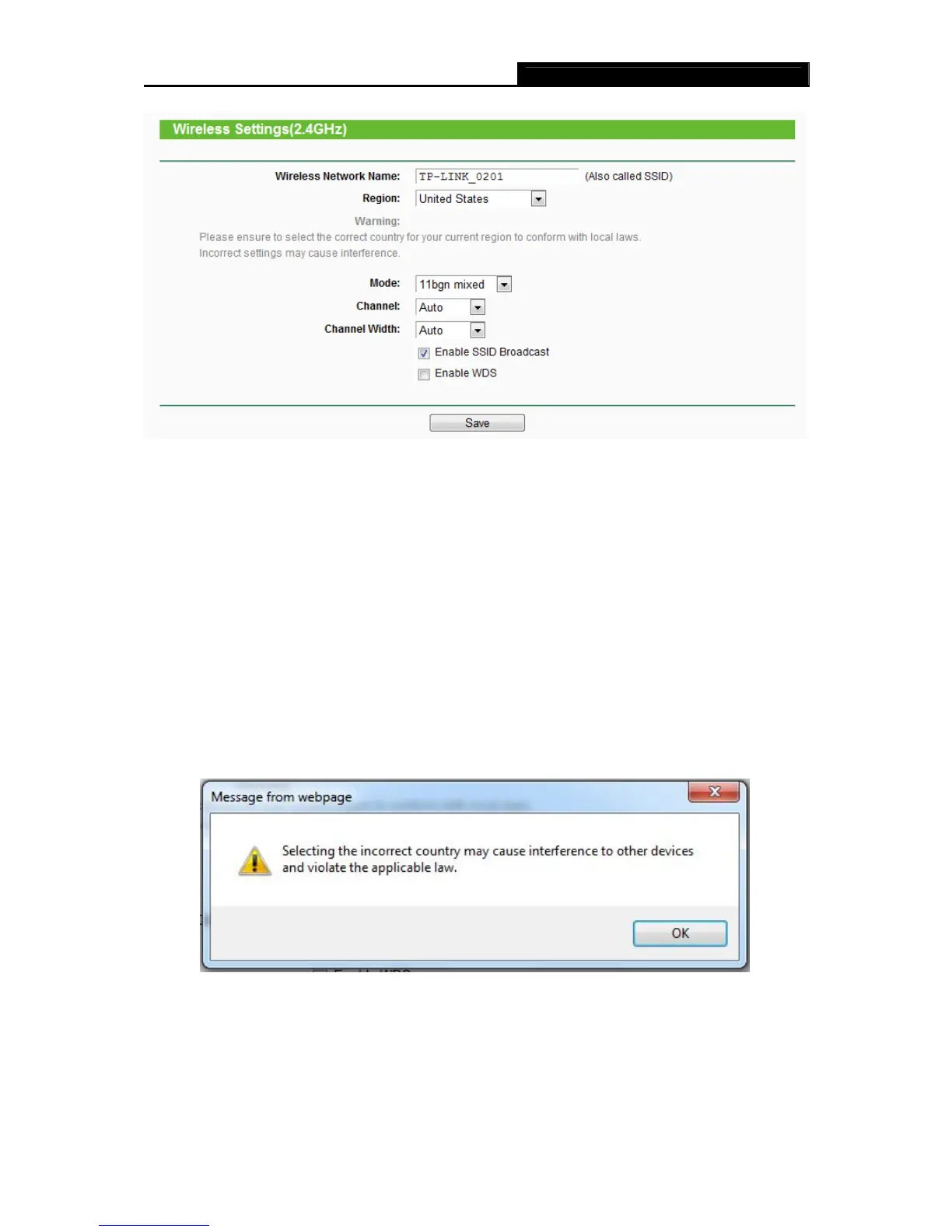
Figure 4-14 Wireless Settings – 2.4GHz
Wireless Network Name - Also called the SSID (Service Set Identification). Enter a value of
up to 32 characters. The same name must be assigned to all wireless devices in your
network. Considering your wireless network security, the default SSID is set to be
TP-LINK_XXXX. This value is case-sensitive. For example, TEST is NOT the same as test.
Region - Select your region from the drop-down list. This field specifies the region where the
wireless function of the router can be used. It may be illegal to use the wireless function of
the router in a region other than one of those specified in this field. If your country or region
is not listed, please contact your local government agency for assistance.
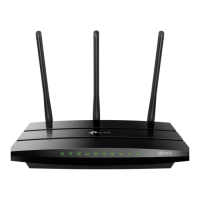
When you select your local region from the drop-down list, click the Save button, then the
Note Dialog appears. Click OK.
Note Dialog
Note:
Per FCC regulations, all Wi-Fi products marketed in the U.S. must be fixed to the U.S. region
only.














 To Next Page