61
Chapter 11
Specify Your Network Settings
1 ) Visit http://tplinkmodem.net, and log in with the password
you set for the router.
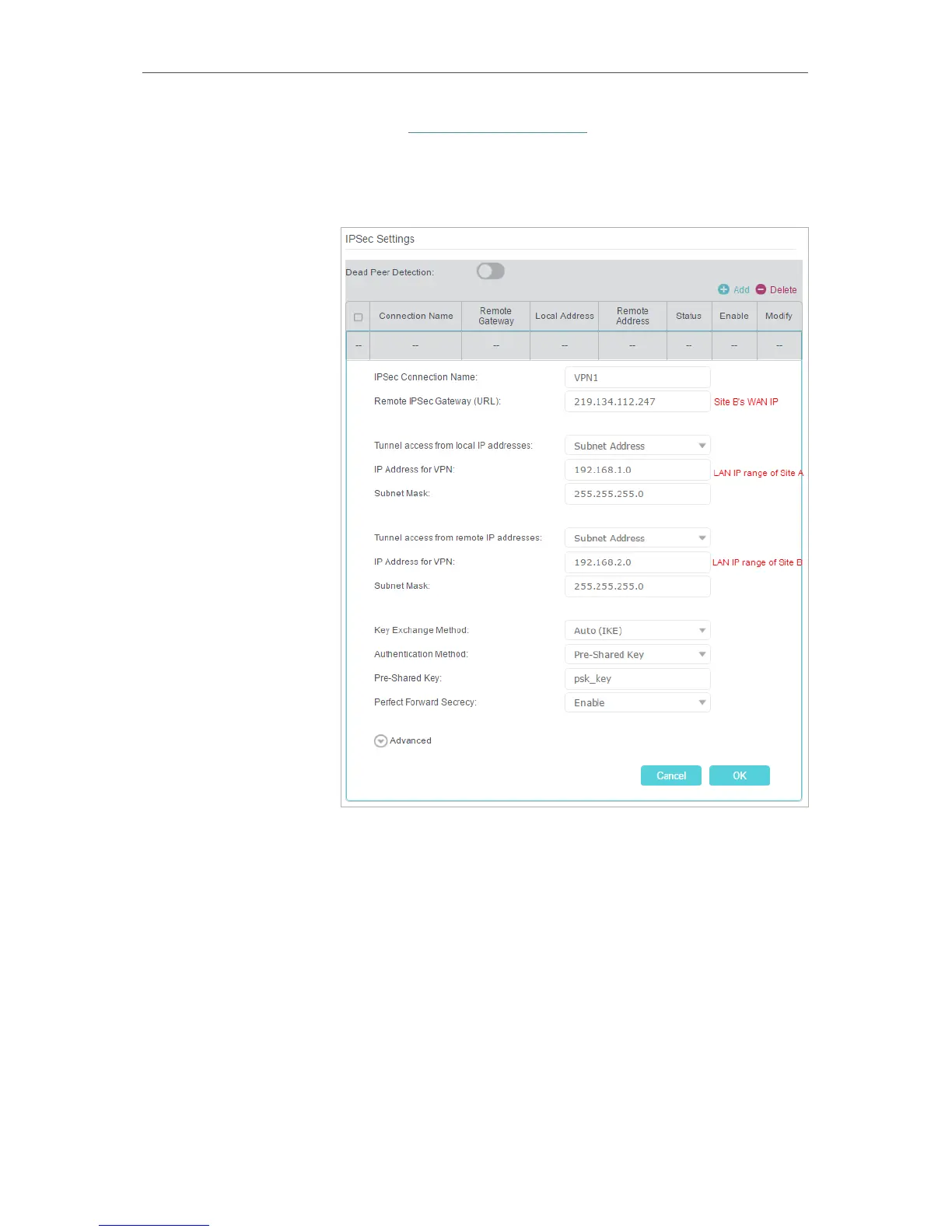
2 ) Go to Advanced > VPN > IPSec VPN to open the
configuration page. Click Add to set up a VPN tunnel.
3 ) In the IPSec Connection Name column, specify a name.
4 ) In the Remote IPSec Gateway (URL) column, Enter Site
B’s WAN IP address.
5 ) To configure Site A’s LAN:
In the Tunnel access from local IP addresses column, here
we take Subnet Address as an example. Then input the LAN
IP range of Site A in the IP Address for VPN column, and input
Subnet Mask of Site A.
6 ) To configure Site B’s LAN:
In the Tunnel access from local IP addresses column, here
we take Subnet Address as an example. Then input the LAN
IP range of Site B in the IP Address for VPN column, and input















 To Next Page