82
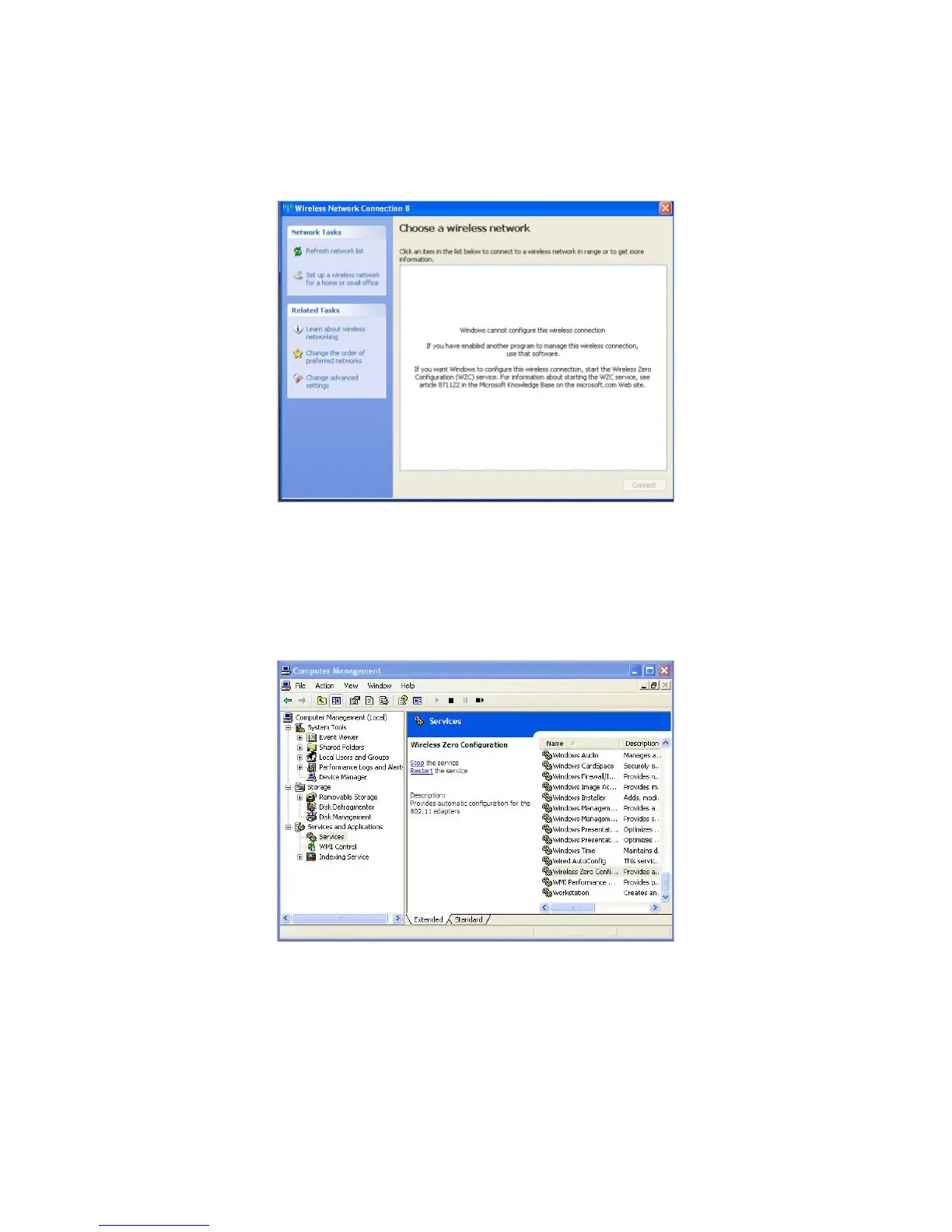
1 ) If you see the message Windows cannot configure this wireless connection,
this is usually because windows configuration utility is disabled or you are
running another wireless configuration tool to connect the wireless.
2 ) Exit the wireless configuration tool (the TP-Link Utility, for example);
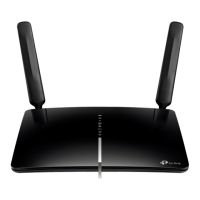
3 ) Select and right click on My Computer on desktop, select Manage to open
Computer Management window;
4 ) Expand Services and Applications > Services, find and locate Wireless Zero
Configuration in the Services list on the right side;


 To Next Page