82
Chapter 11
Customize Your Network Settings
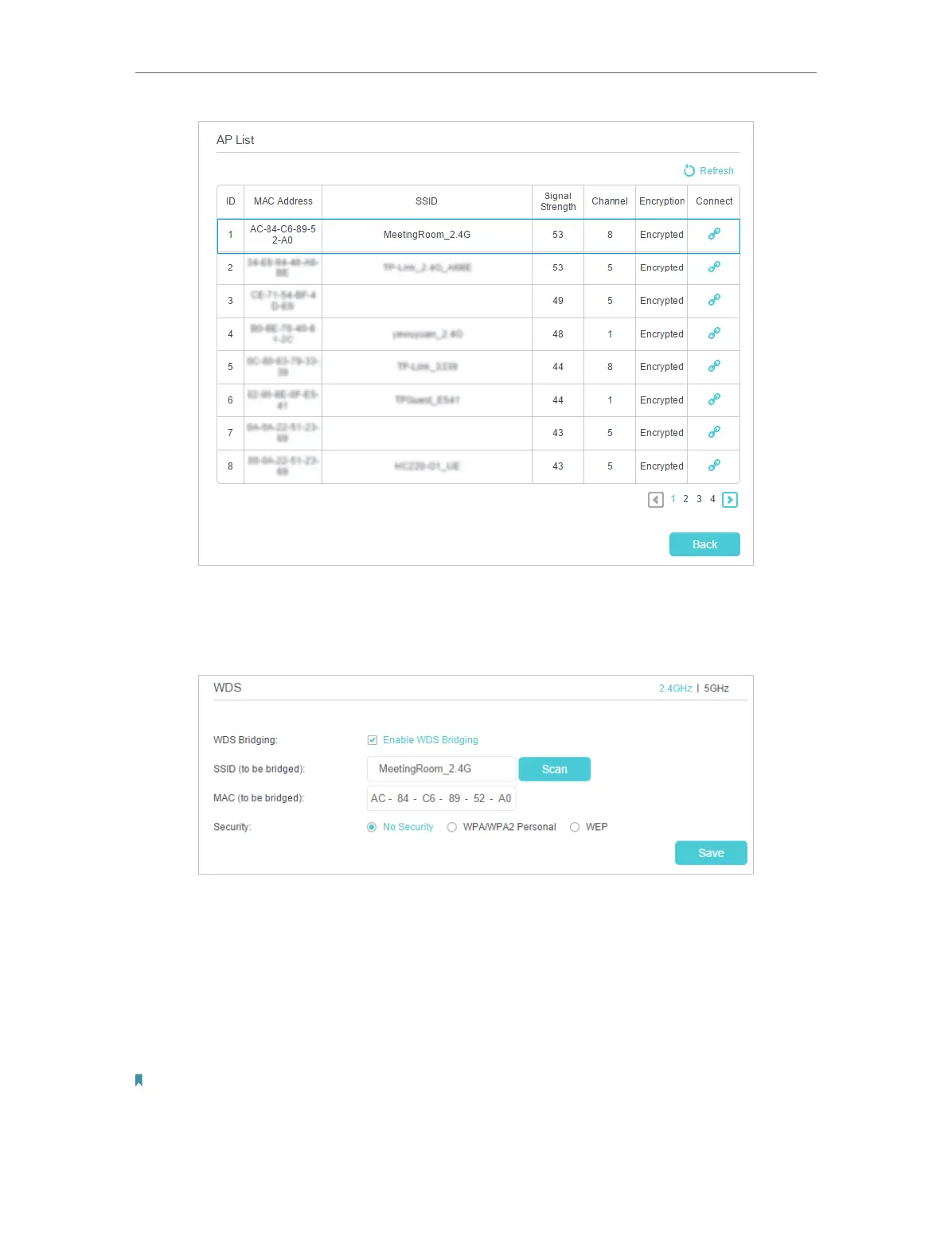
3 ) Click the Connect icon, and then the SSID and MAC and security will be
automatically filled in, select the security options of the wireless network you
selected and enter the password if it has one.
4 ) Click Save to make the settings effective.
3. Disable DHCP:
1 ) Go to Advanced > Network > LAN Settings page.
2 ) Clear the Enable check box of DHCP Server and click Save.
Now, the root’s wireless network is extended and you can use the router’s SSID and
password to enjoy the network.
Note:
1. The extended router can have different SSID and password from the root router, you can change your router’s SSID
and password on Basic > Wireless page.
2. You can also bridge a network manually: enter the SSID (network name) and MAC Address of the network to be
bridged. Select a security type and enter related parameters, which should be the same as the network to be bridged.



 To Next Page