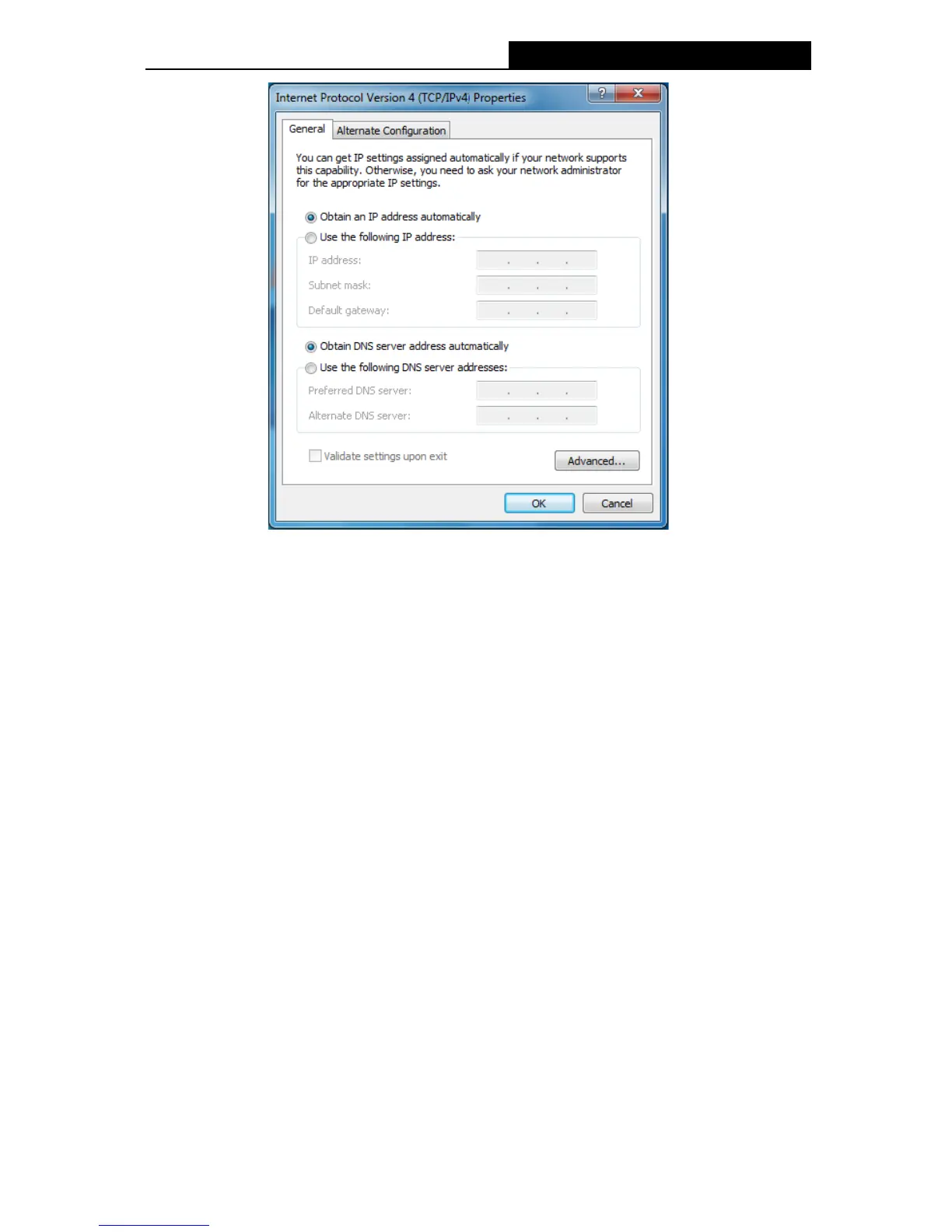
Setting IP address manually
1 Select Use the following IP address radio button. And the following items available.
2 If the Device's LAN IP address is 192.168.1.1, type IP address is 192.168.1.x (x is
from 2 to 254), and Subnet mask is 255.255.255.0.
3 Type the Device’s LAN IP address (the default IP is 192.168.1.1) into the Default
gateway field.
4 Select Use the following DNS server addresses radio button. In the Preferred DNS
Server field you can type the DNS server IP address, which has been provided by
your ISP.
-128-



 To Next Page