2.2 Installation Notes
2.1 Item list
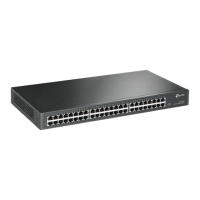
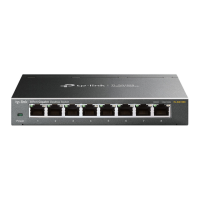
The TL-ST2008 item list is as follows:
TL-ST2005 item list is as follows:
Chapter 2 Product Installation
Full 10 Gigabit Cloud Management Switch Installation Manual
06Product installation
ÿ Power adapter (1 piece)
ÿ 4 foot pads, 2 L-shaped angle irons and other accessories
ÿ Keep the power turned off during the installation process, wear an anti-static bracelet at the same time, and ensure that
the anti-static bracelet is in good contact with the skin to avoid potential safety hazards;
ÿ The switch can only work properly under the correct power supply. Please make sure that the power supply voltage is consistent
with the voltage indicated on the
switch. ÿ Before powering on the switch, please make sure that it will not cause overload of the power circuit to avoid affecting the switch.
ÿ Power adapter (1 piece)
ÿ Switch (1 unit) ÿ
Installation manual (1 copy)
ÿ Installation manual (1 copy)
ÿ Switch (1 unit)
ÿ Before cleaning the switch, unplug the switch first. Do not wipe it with wet fabrics or liquids.
ÿ To avoid the risk of electric shock, do not open the casing while the switch is operating.
Normal operation may even cause unnecessary damage;
Do not open it by yourself when it is powered on;
WARNING: In a residential environment, operation of this equipment may cause radio interference.
Note: If
you find any parts are missing or damaged, please contact your local dealer in time.
ÿ Installation safety precautions
Machine Translated by Google



 To Next Page