65
Chapter 4
&RQƮJXUHWKH5RXWHULQ6WDQGDUG:LUHOHVV5RXWHU
2. Select the start time from the drop-down list in the Start field.
3. Select the end time from the drop-down list in the
End field.
4. Click
Save.
Note:
This setting will be used for some time-based functions such as firewall. You must specify your time zone once you log
in to the router successfully; otherwise, time-based functions will not take effect.
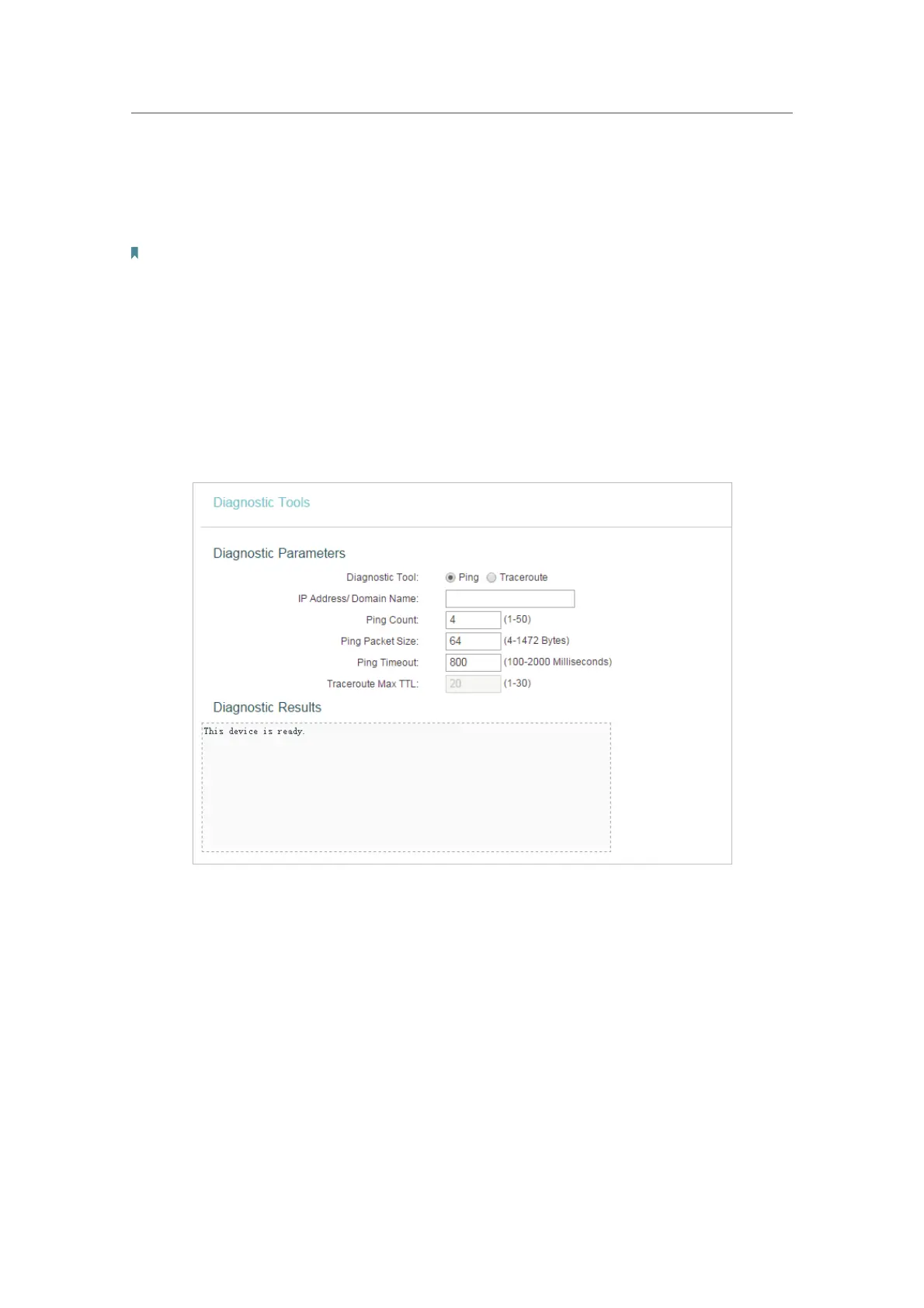
4. 17. 2. Diagnostic
Diagnostic is used to test the connectivity between the router and the host or other
network devices.
1. Visit http://tplinkwifi.net, and log in with the username and password you set for the router.
2. Go to
System Tools > Diagnostic.












 To Next Page