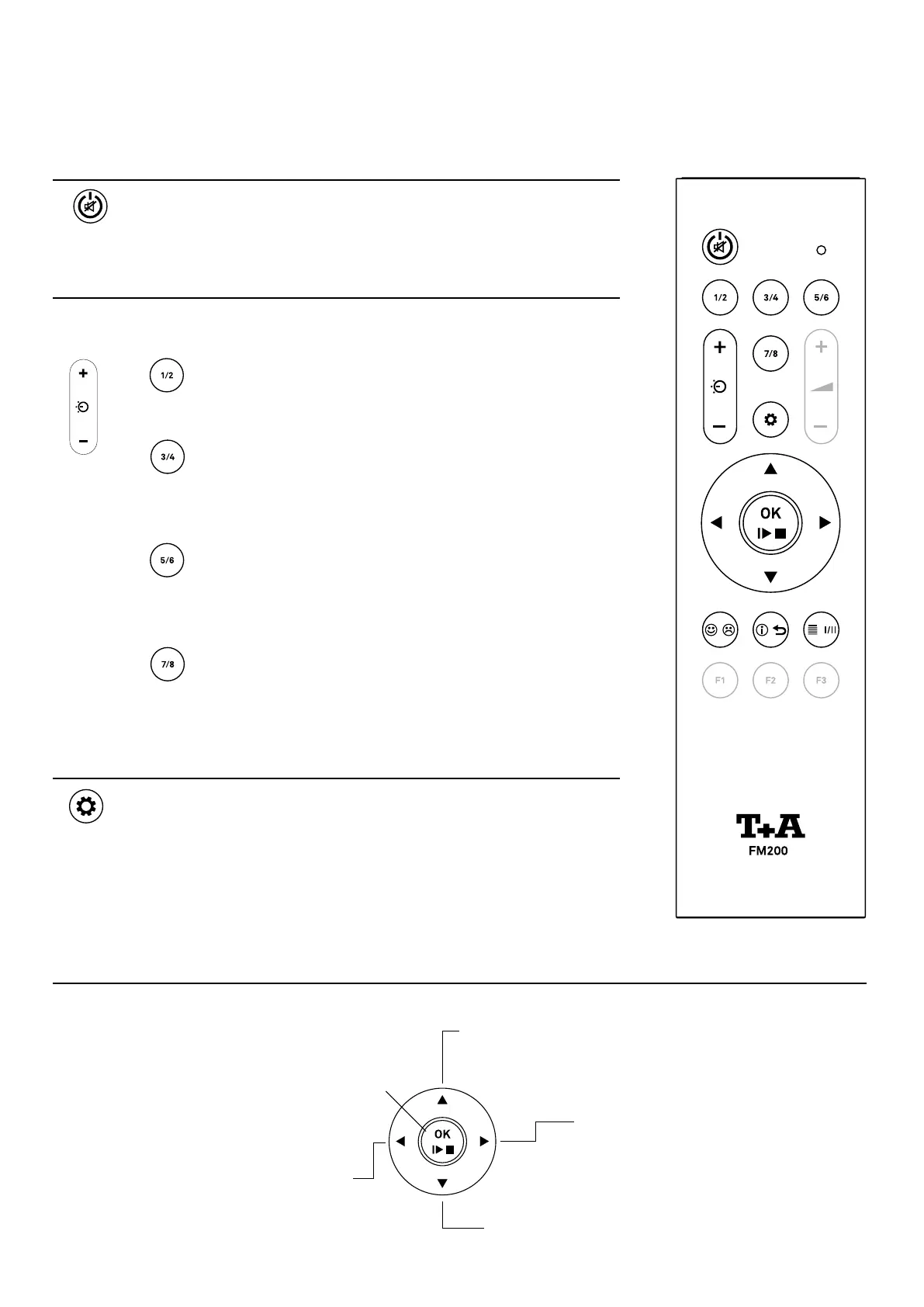
• Selects the previous item within a list.
• Selects the next track/station during
playback.
• Conrmation button in lists.
Starts playback.
• Pauses the current playback
• A long press stops playback and
ejects the CD.
• Selects the next item within a list.
• Selects the previous track / station
during playback.
• Returns to list navigation du-
ring playback.
• Press and hold to search
backwards.
• Enter the next list level.
• Starts playback.
• Press and hold to search forward.
On / Off Switch
A brief press switches the MP 200 on.
Hold the button pressed in to switch the device off.
Source selection
System
network
Stand-Alone Source
To select the desired
source, press the corre-
sponding source select
button if necessary
repeatedly.
NOTE
Not required sources can
be deactivated in the sys-
tem settings for an even
more comfortable source
selection.
DISC
UPNP
DEEZER
QOBUZ
TIDAL
ROON READY
FM
DAB
INTERNET RADIO
PODCAST
BLUETOOTH
USB MEDIA
DIGITAL IN 1
DIGITAL IN 2
DIGITAL IN 3
Settings
A brief press
Opens the menu for system settings (see page 28).
A long press
Opens the menu with settings for the currently active source (not
available for all sources).
Remote control
Playback and menu operation
24



 To Next Page