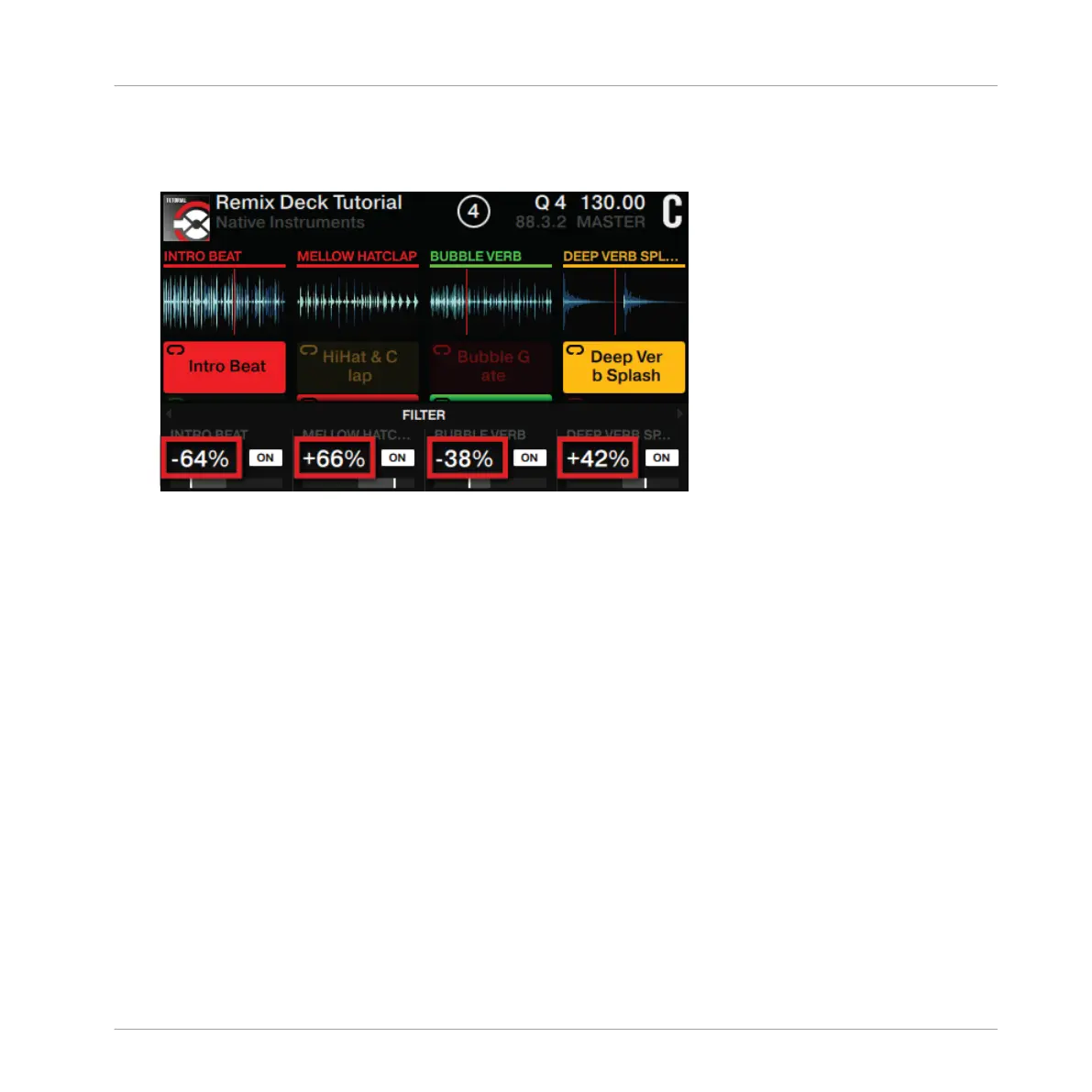
2. Turn a Performance knob clockwise to apply hi-pass filtering to the playing sample. Turn
a Performance knob counterclockwise to apply the low-pass filter to the playing samples
individually.
→
You will hear the result in the audio and see the values change in the FILTER parameters
overview.
3.9.4 Using Performance Mode FX SEND
The Performance Mode FX SEND allows you to send signal from each Remix slot to the as-
signed FX Unit/s. In this case, Deck C is assigned to FX Unit 2, which is set up as a Reverb. As
soon as the ON Buttons are enabled in this Performance Mode, the audio effect from FX Unit
2 should become audible.
When Performance Mode FX SEND is enabled:
Using Your S8—Getting Advanced
Using Performance Modes on Remix Decks
TRAKTOR KONTROL S8 - Manual - 136


 To Next Page