4.6 The Front Panel
This section gives an overview of the elements on S8's front panel, then describes the connec-
tors, switches, and knobs in more detail.
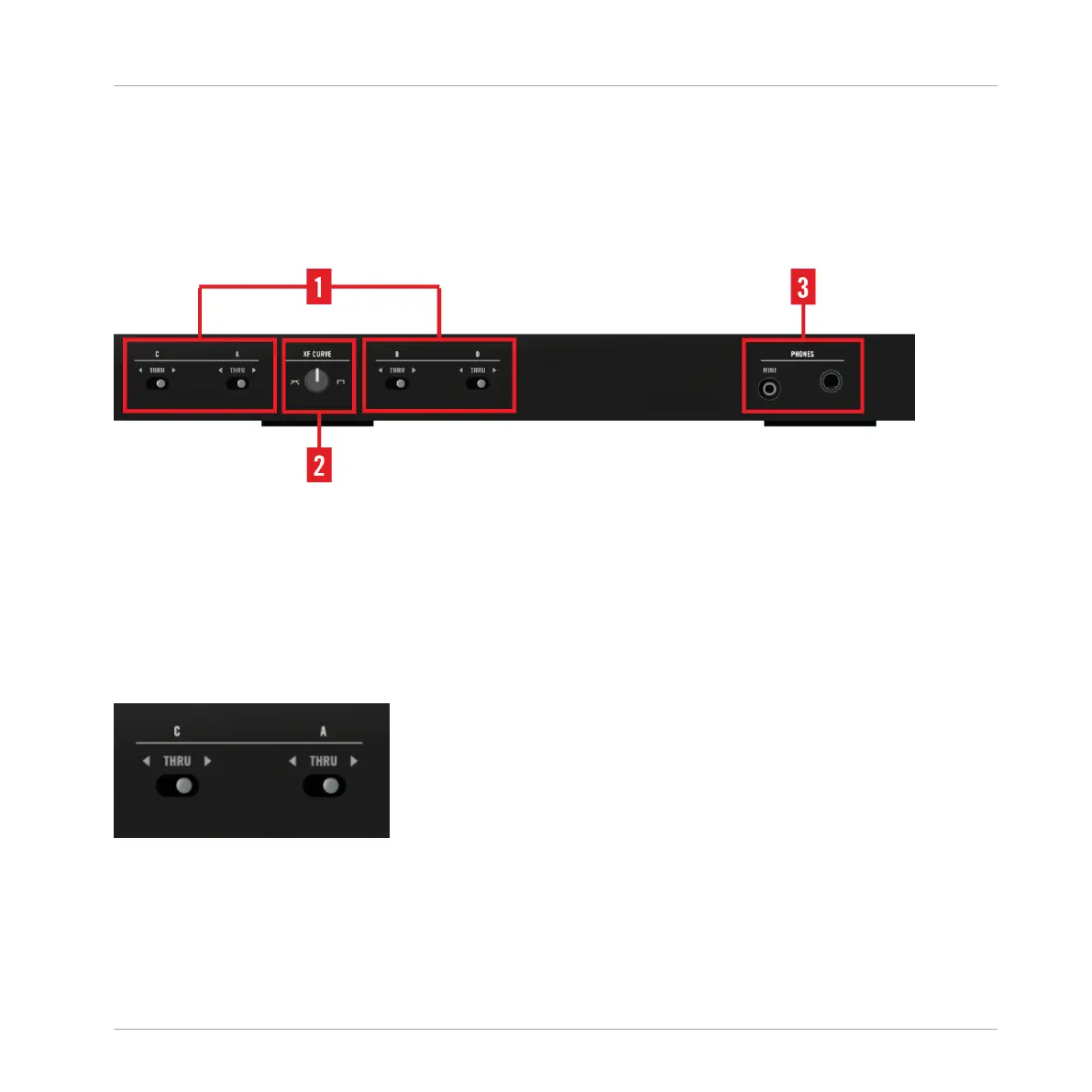
S8's Front Panel
(1) Crossfader Assign switches: assigns a channel to either side of the Crossfader.
(2) Crossfader Curve Knob: adjusts the cross-fading behavior.
(3) PHONES Section. connect headphones here.
4.6.1 Crossfader Assign Switches
Crossfader Assign Switches
Each channel can be assigned to either the left or right side of the Crossfader. The center posi-
tion (THRU) lets the channel bypass the Crossfader altogether.
Hardware Reference
The Front Panel
TRAKTOR KONTROL S8 - Manual - 228


 To Next Page