3 Using Your S8—Getting Advanced
3.1 Using Touch Strip
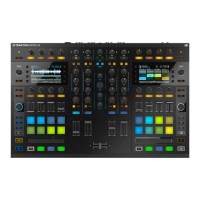
S8 doesn't feature the conventional Jog Wheels of a regular DJ controller. Functions usually
associated with Jog Wheels are instead controlled by the intuitive Touch Strips. Each of S8's
Deck sections contains a Touch Strip, which always control just the focused Deck, indicated by
the DECK button's backlight color; Blue indicates a focus on a primary Deck (Decks A or B),
white indicates a focus on a secondary Deck (C or D). This tutorial explains how to use the
Touch Strip for the following actions:
• Seek/navigate through the entire track.
• Tempo bend (nudge).
• Create a scratch effect.
Prerequisites
We assume here that the S8 is in the following state:
• The track “Techno 1” is loaded on Deck A and is not playing.
• The Crossfader is set all the way to the left.
• The channel fader A is raised to the top.
• The MAIN knob is set at an adequate level.
3.1.1
Using the Touch Strip to Seek
Seeking within a track using Touch Strip
1. On the left Deck, press the PLAY button.
Using Your S8—Getting Advanced
Using Touch Strip
TRAKTOR KONTROL S8 - Manual - 72


 To Next Page