►
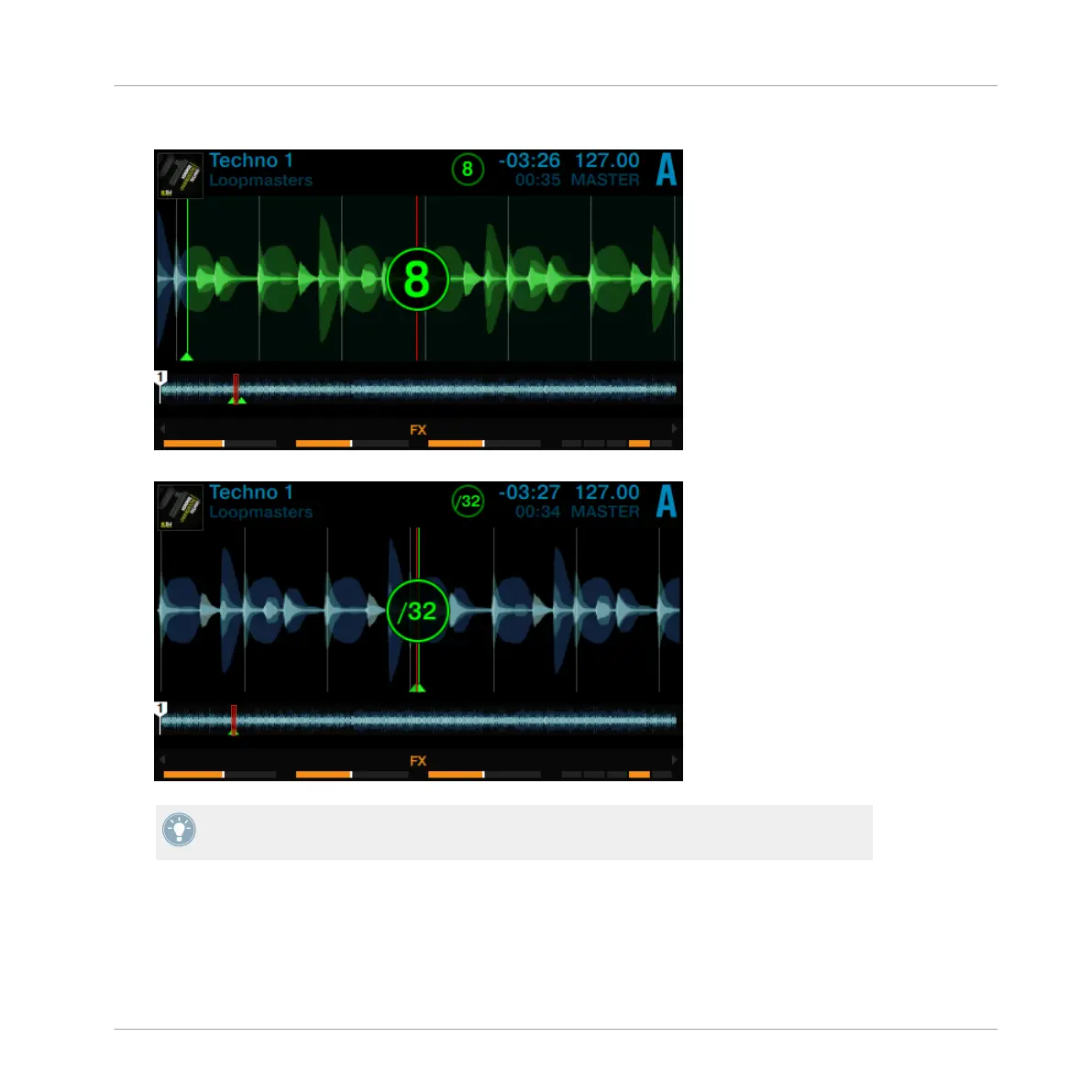
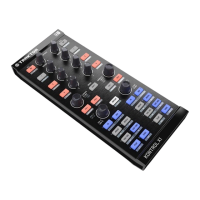
Turn the Deck's LOOP encoder to change the loop size.
You can choose a loop size of 32 beats down to a loop size of 1/32 of a beat.
Note that you can adjust the loop size either before or after you’ve set the Loop! If you ad-
just the loop size beforehand, the next loop you set will acquire the set loop size value.
To deactivate the active Loop:
►
Press the LOOP encoder again.
Using Your S8—Getting Advanced
Playing with Loops in HOTCUE Mode
TRAKTOR KONTROL S8 - Manual - 85


 To Next Page