15
Record Sound
The T.sonic
™
630 has advanced recording features and is capable of recording audio from 4 different sources:
FM Radio, Built-In Microphone, External Microphone, or Line-In (e.g. CD Player), all are capable of making
very high quality Audio Recordings.
The FM Radio recording feature has been covered in the previous section “Record a Radio Station.”
If you want to make a recording using the T.sonic
™
630’s Built-In Microphone you must select the “MIC” as the
recording source.
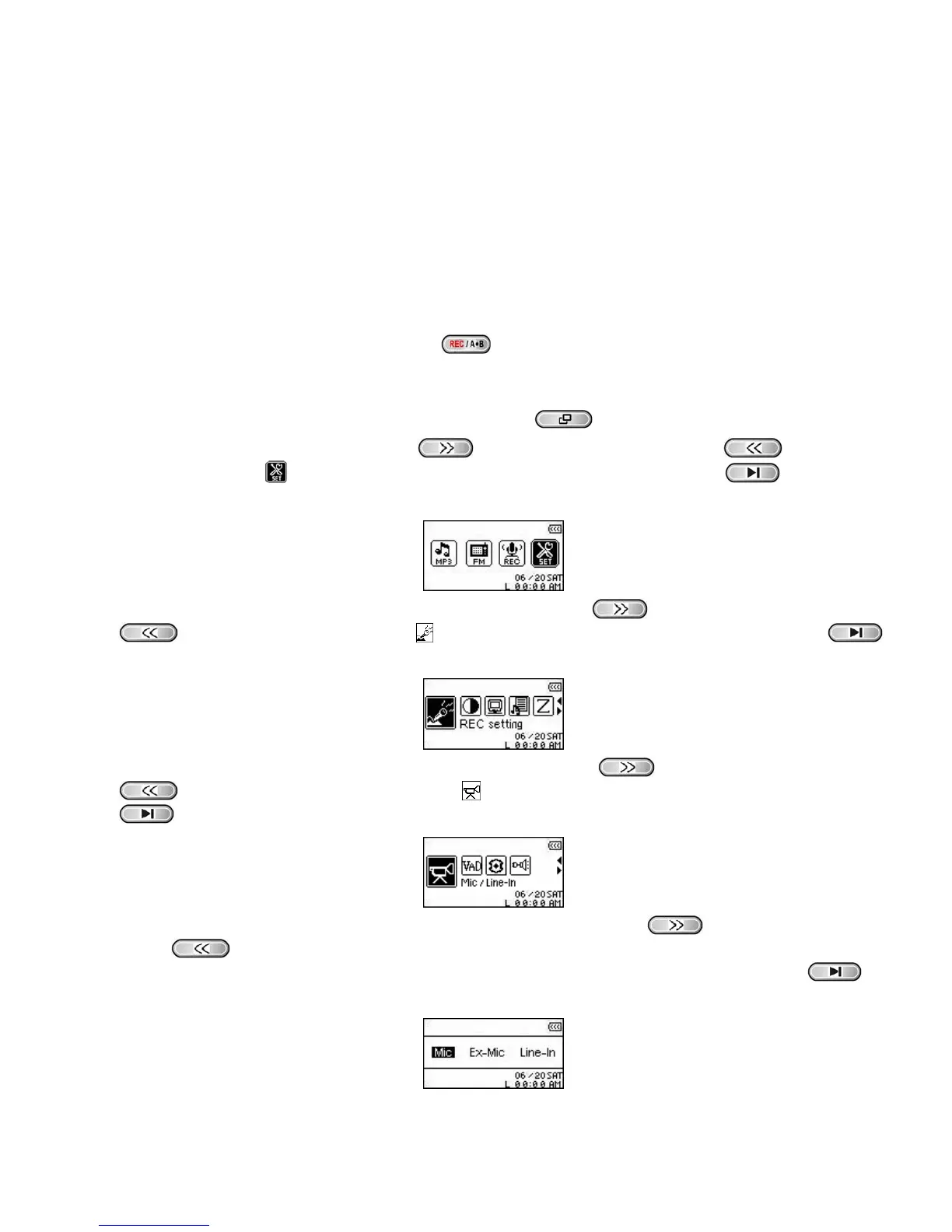
Select a Recording Device
The default Audio Recording method for the T.sonic
™
630 is its Built-In Microphone. However, you have the
option of selecting an External Microphone, or Line-In Device to make a recording.
1. Pressing and Holding the “A-B/REC” button
for more than 2 seconds (even when Powered OFF) in
any Mode except the RADIO Mode will begin an audio recording using the T.sonic
™
630’s Built-in
Microphone.
2. Select a recording device by Pressing the “Menu” button
to enter the Main Menu.
3. Press the “Next-Fast Forward” button
, or “Back-Fast Rewind” button to select the
“SETTINGS” icon
, then press the “PLAY/PAUSE/PWR ON-OFF” button to enter the
SETTINGS Mode.
4. In the SETTINGS Mode, Press the “Next-Fast Forward” button , or “Back-Fast Rewind” button
to select the REC Settings icon , then press the “PLAY/PAUSE/PWR ON-OFF” button
to enter the REC Settings Menu.
5. In the REC Settings Menu, Press the “Next-Fast Forward” button , or “Back-Fast Rewind” button
to select the REC Input Device icon , then press the “PLAY/PAUSE/PWR ON-OFF” button
to enter the REC INPUT DEVICE Mode.
6. In the REC INPUT DEVICE Mode, Press the “Next-Fast Forward” button , or “Back-Fast Rewind”
button
to select the MIC (Built-in Microphone), Ext MIC (External Microphone), or Line-In (e.g.
CD Player) as the recording device, then press the “PLAY/PAUSE/PWR ON-OFF” button
to
confirm the selection.















 To Next Page