24
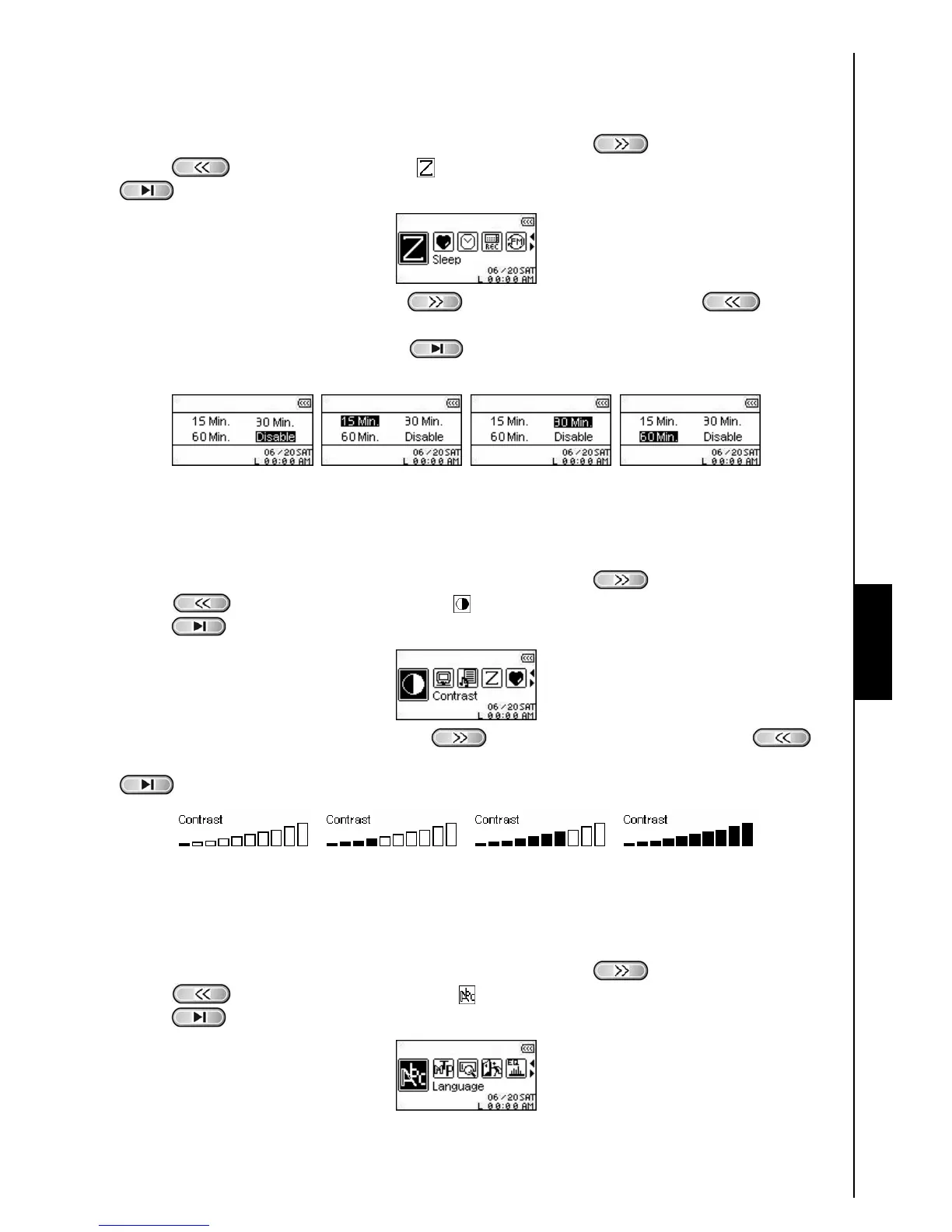
Sleep
Sets a time delay to automatically Power OFF the T.sonic
™
630 even during operation.
1. In the SETTINGS Menu, press the “Next-Fast Forward” button
, or “Back-Fast Rewind”
button
to select the Sleep icon , then press the “PLAY/PAUSE/PWR ON-OFF” button
to enter the SLEEP Mode.
2. Press the “Next-Fast Forward” button , or “Back-Fast Rewind” button to set the
Sleep timer for the unit to automatically Power OFF: OFF – 15 Min – 30 Min – 60 Min. Press the
“PLAY/PAUSE/PWR ON-OFF” button
to select the Sleep timer delay and return to the
SETTINGS Menu.
Contrast
Sets the contrast of the White text OLED display, but the higher the contrast level, the greater the drain on
the battery.
1. In the SETTINGS Menu, press the “Next-Fast Forward” button
, or “Back-Fast Rewind”
button
to select the Contrast icon , then press the “PLAY/PAUSE/PWR ON-OFF”
button
to enter the CONTRAST Mode.
2. Press the “Next-Fast Forward” button , or “Back-Fast Rewind” button to
Increase, or Decrease the OLED’s Contrast. Press the “PLAY/PAUSE/PWR ON-OFF” button
to select the new Contrast level and return to the SETTINGS Menu.
Language
Sets the T.sonic
™
630’s User language, including the display of song and artist titles. The player supports
12 User languages.
1. In the SETTINGS Menu, press the “Next-Fast Forward” button
, or “Back-Fast Rewind”
button
to select the Language icon , then press the “PLAY/PAUSE/PWR ON-OFF”
button
to enter the LANGUAGE Mode.
SETTINGS SETTINGS















 To Next Page