20
Settings
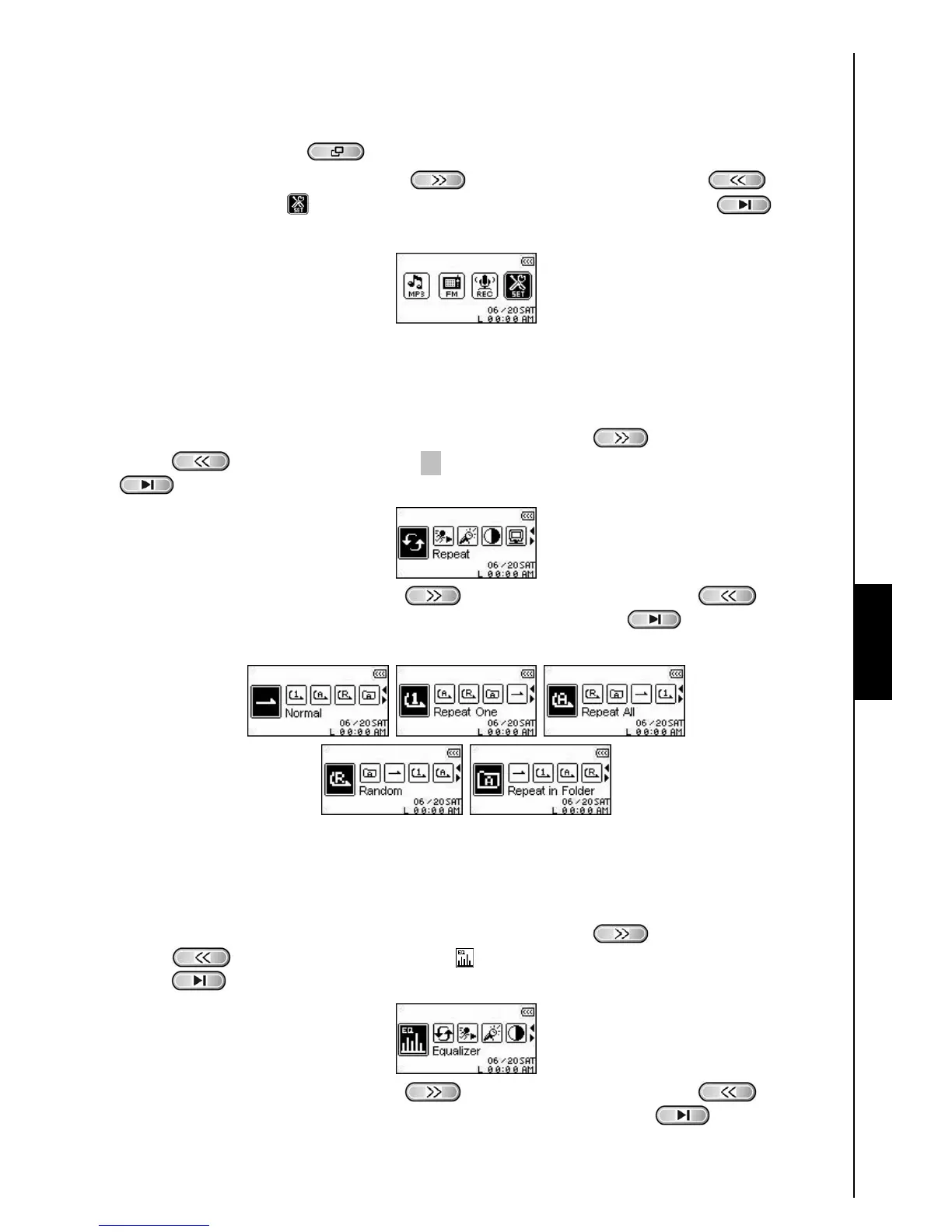
Enter the Settings Menu
1. Press the “Menu” button to enter the Main Menu.
2. Press the “Next-Fast Forward” button
, or “Back-Fast Rewind” button to select
the “SETTINGS” icon
, then press the “PLAY/PAUSE/PWR ON-OFF” button to enter
the SETTINGS Mode.
Repeat Mode
There are several REPEAT Modes to choose from: Normal, Repeat One, Repeat All, Repeat Shuffle and
Repeat Folder.
1. In the SETTINGS Menu, press the “Next-Fast Forward” button
, or “Back-Fast Rewind”
button to select the Repeat icon C, then press the “PLAY/PAUSE/PWR ON-OFF” button
to enter the REPEAT Mode.
2. Press the “Next-Fast Forward” button , or “Back-Fast Rewind” button to change
the REPEAT Mode, press the “PLAY/PAUSE/PWR ON-OFF” button
to select the Repeat
setting and return to the SETTINGS Menu.
Equalizer (EQ) Mode
There are several EQUALIZER Modes to choose from: Normal, Pop, Rock, Classical, Jazz, Bass, or User
EQ.
1. In the SETTINGS Menu, press the “Next-Fast Forward” button
, or “Back-Fast Rewind”
button
to select the Equalizer icon , then press the “PLAY/PAUSE/PWR ON-OFF”
button
to enter the EQUALIZER Mode.
2. Press the “Next-Fast Forward” button , or “Back-Fast Rewind” button to change
the EQUALIZER Mode, press the “PLAY/PAUSE/PWR ON-OFF” button
to select the EQ
SETTINGS SETTINGS















 To Next Page