48
Boot-Up Function
If you are using the Windows
®
98SE* Operating Systems the T.sonic
™
can be configured to act as an
MS-DOS Boot Disk. After you setup the
T.sonic
™
you can use it to boot-up your computer, allowing you to
run MS-DOS programs. This does not make the
T.sonic
™
a Rescue Disk for Windows, nor does it put
Windows Startup files onto your
T.sonic
™
. After booting with the T.sonic
™
, you must start Windows from
your hard drive, or a previously created Rescue Disk.
To use the Boot-Up function, you must log in to the Windows OS with Administrator rights.
A maximum capacity of 512MB is reserved for the Boot-Up disk sector in the USB-HDD (Windows
®
98SE only) formats.
System Requirements for the Boot-Up Function
z A desktop or notebook computer that supports USB-HDD (Windows
®
98SE only) as the First Boot
Device
in its BIOS.
z A computer running Windows
®
98SE.
z Any anti-virus applications that may be running in the background must be turned off.
Enabling the Boot-Up Function
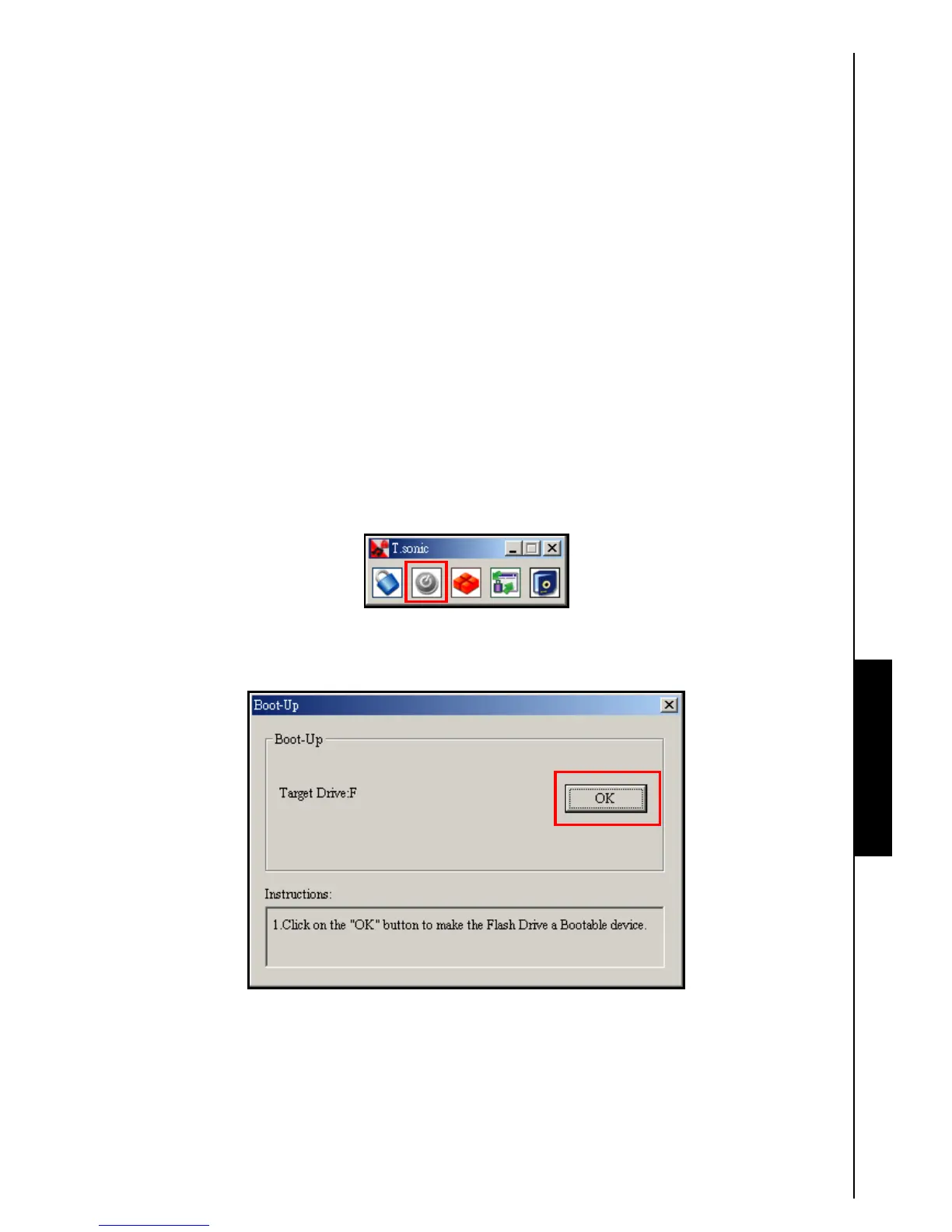
1. Click on the “Boot-Up” button in the “T.sonic Utility” window.
Figure 21. T.sonic Utility Boot-Up
2. Click on the “OK” button to make the T.sonic
™
a Bootable USB-HDD device. The T.sonic
™
USB-HDD Boot-Up device must match the First Boot Device setting in the computer’s BIOS.
Figure 22. Create Bootable device
Boot-Up Function Boot-Up Function Boot-Up Function Boot-Up Function















 To Next Page