EasyManua.ls Logo

Transcend DrivePro 200 - Mounting the Drivepro

Transcend DrivePro 200
69 pages
Print Icon
To Next Page IconTo Next Page
To Previous Page IconTo Previous Page
Loading...
v1.5
45
Mounting the DrivePro
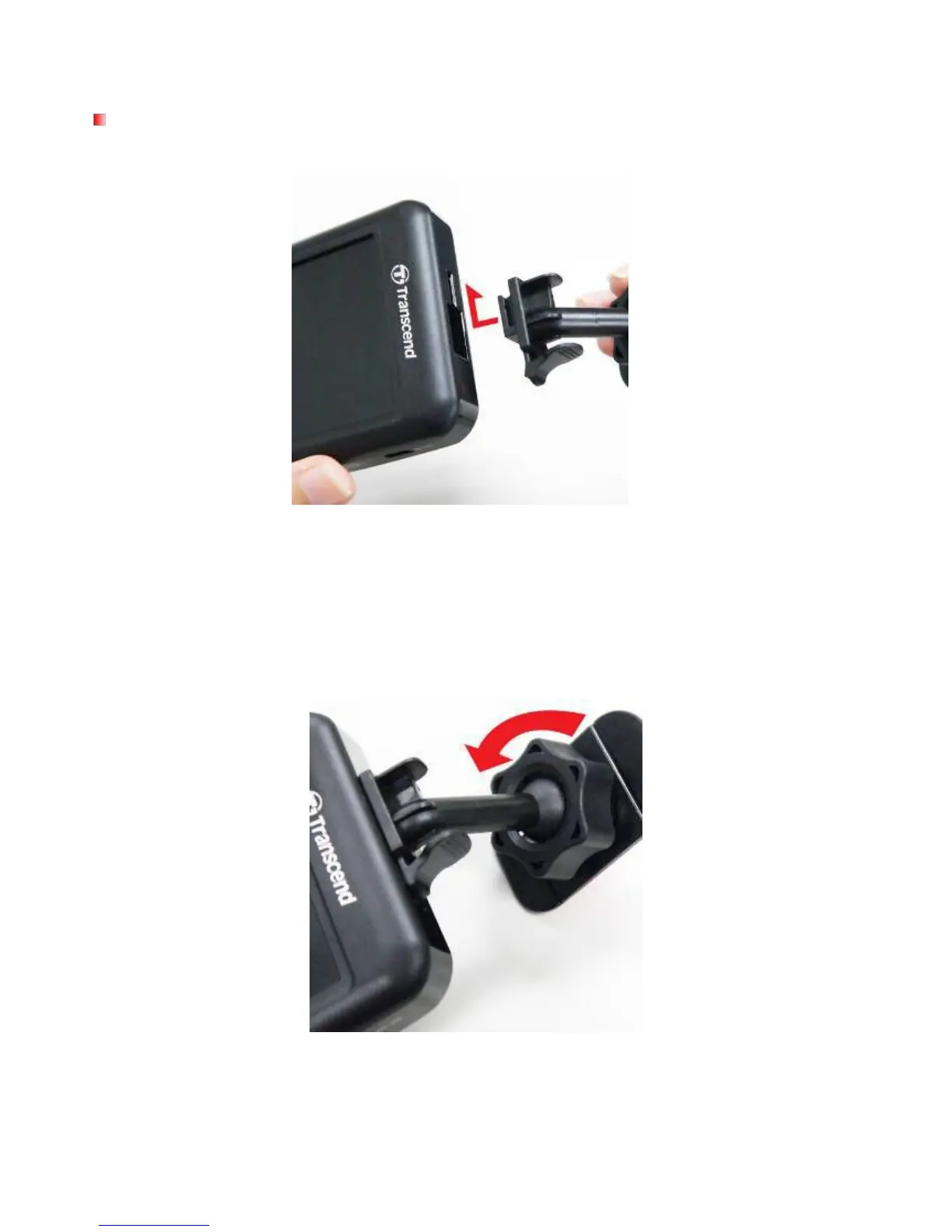
1. Insert the mounting bracket into the top of the DrivePro and slide sideways until you hear a click.
2. Thoroughly clean and dry the area of the windshield you wish to mount the DrivePro. If possible,
mount the DrivePro in the middle of the windshield near the rear-view mirror for the best field of
view.
3. Peel off the protective film from the mounting bracket’s foam sticker and firmly attach the DrivePro
to the windshield.
4. Turn the adjustment knob anticlockwise to loosen and then adjust the DrivePro’s position.
5. When the DrivePro is in the best position, turn the adjustment knob clockwise to make sure the
DrivePro is securely locked in place.

Table of Contents

Related product manuals