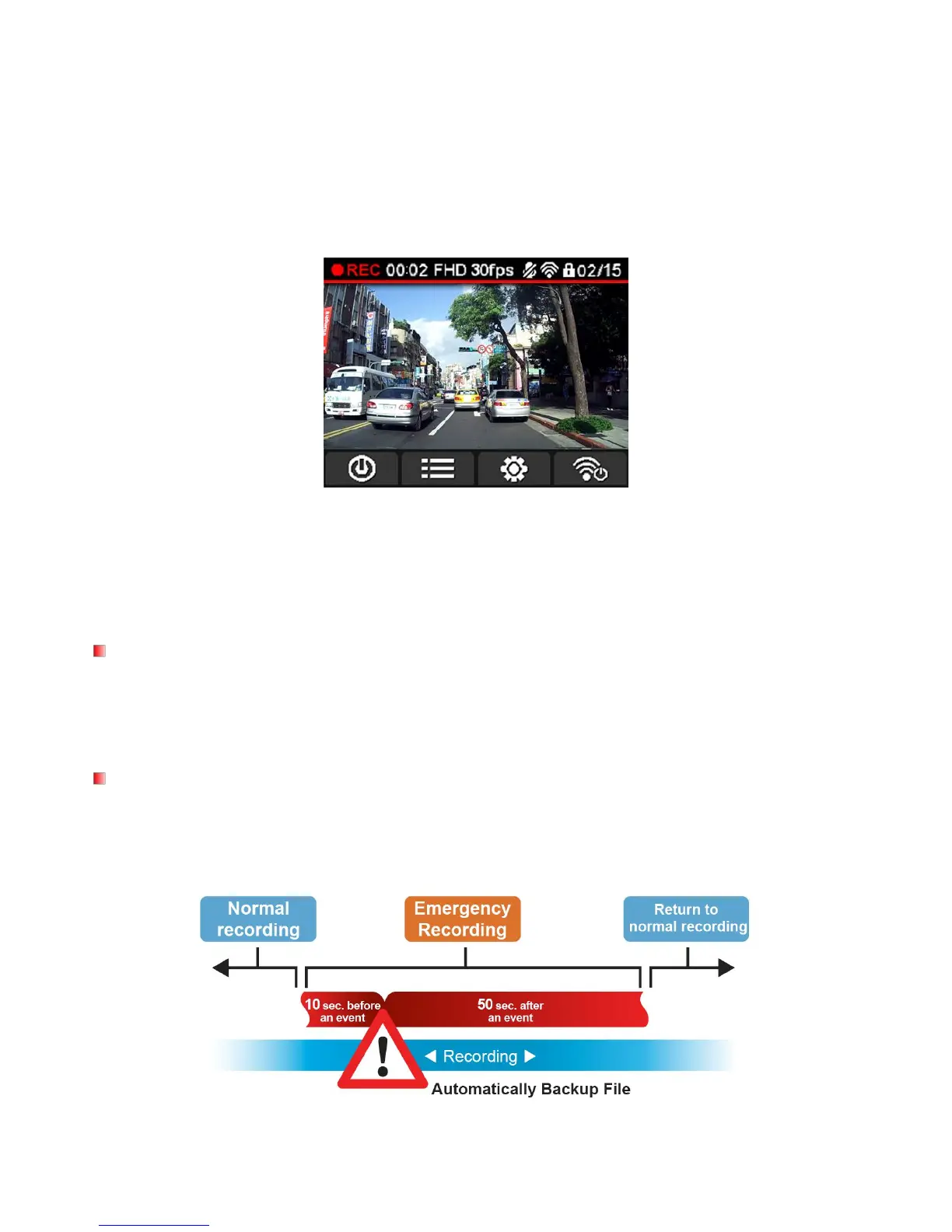
After starting your car, the DrivePro will turn on and start recording automatically.
By default, one video file is saved for every 1 minute of recording. To adjust the recording length, please see
the Settings section of this manual.
After the engine is switched off, the DrivePro will automatically save the current recording and power off.
Note: On some cars, the lighter socket continues to provide power after the engine is switched off. If this
happens, unplug the DrivePro when the engine is off or idling to reduce unnecessary power
consumption and prevent any unexpected problems.
With Loop Recording enabled, the oldest files in the memory card will be overwritten by new video files when
memory card capacity is full. To enable Loop Recording, please see the Settings section of this manual.
In emergency recording mode, the DrivePro records data 10 seconds before and 50 seconds after the event
occurs (total 1 minute). The DrivePro can save up to 15 emergency video files. Video files recorded in
emergency mode are protected from being overwritten.
Manual event recording: During video recording, press the emergency button on the left-hand side of the















 To Next Page