EasyManua.ls Logo

Transcend DrivePro 200 - Recording Screen

Transcend DrivePro 200
69 pages
Print Icon
To Next Page IconTo Next Page
To Previous Page IconTo Previous Page
Loading...
v1.5
47
3. After starting your car, the DrivePro will automatically turn on and start recording.
4. After the engine is switched off, the DrivePro will automatically save the current recording and
power off.
Note: On some cars, the lighter socket continues to provide power after the engine is switched off.
If this happens, unplug the DrivePro when the engine is off or idling to reduce unnecessary
power consumption and prevent any unexpected problems.
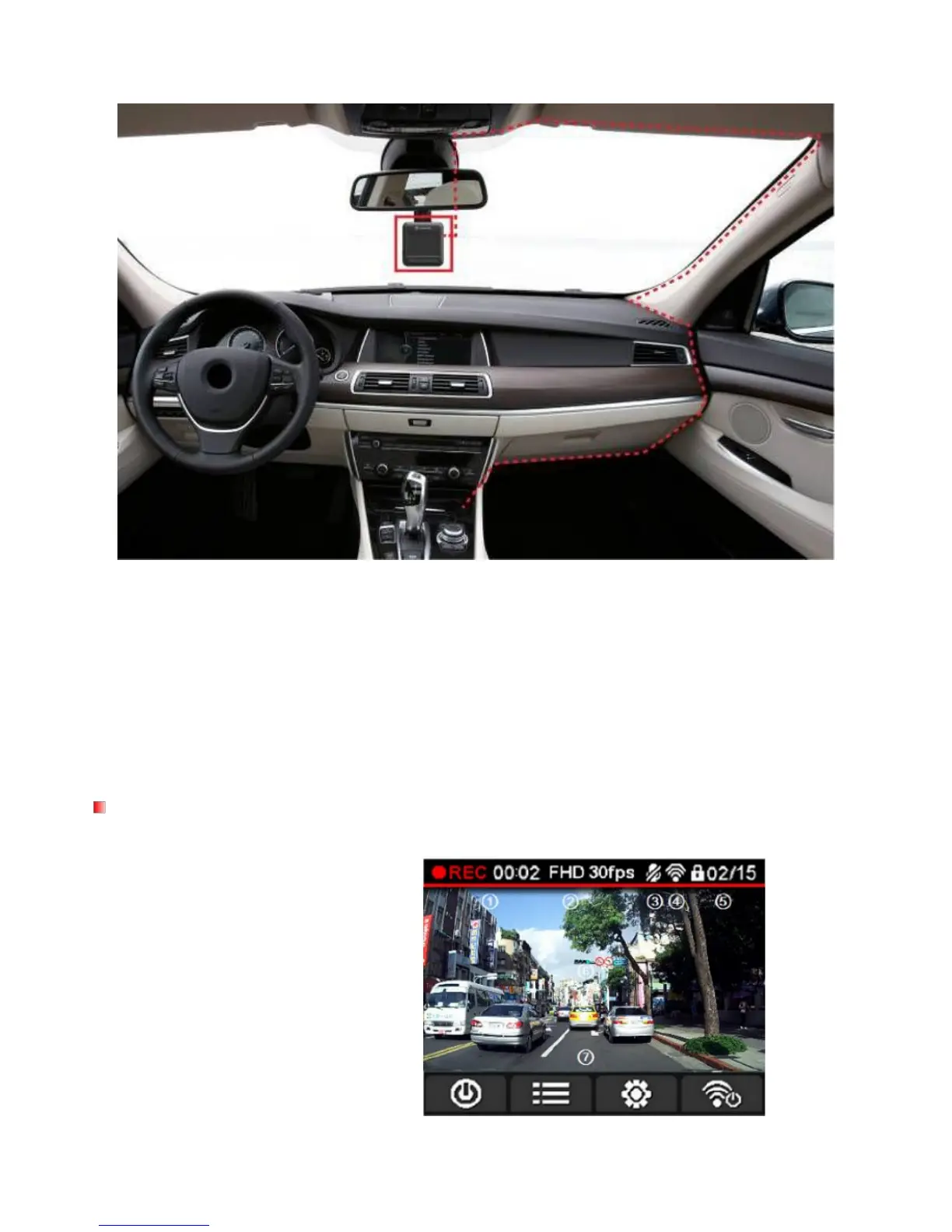
Recording Screen
Recording status indicator
Video resolution
Microphone status indicator
Wi-Fi status indicator
No. of protected files stored out of 15
Record preview
Menu button icons

Table of Contents

Related product manuals