AP4119 Rail Tag Programmer User Guide
TransCore Proprietary
2–14
Ordering a Permissions Tag
Contact TransCore Order Administration to obtain the appropriate Permissions Tag for your system
requirements.
AP4119 Rail Tag Programmer Control Number and Serial Number
The CN is an eight-character alphanumeric string and is printed on a label on the rear panel of the
AP4119 Rail Tag Programmer (e.g., CN: 43213131). The Serial Number is printed on the same label
(e.g.,SerialNo.545445456).
Permissions Tag Expiration Date
The expiration of the permissions tag can vary according to customer requirements. Depending on
customer requirements, a tag permissions period may range from two years to an indefinite programming
period. The expiration date, which is laser-etched into the tag face, should coincide with the expiration
or termination of the tag programming certification or authorization. The expiration date appears in the
following date format EXP: DD/MM/YYYY, e.g., 22/11/2021.
Once validated, the permissions tag settings are stored in the tag programmer. Nonvolatile permissions
tag settings, including expiration settings, will survive power cycles, resets, soft or warm boot, and flash
application code download operations.
Configuring the Rail Tag Programmer Using the Permissions Tag
This section instructs how to configure the AP4119 Rail Tag Programmer using the permissions tag.
To use a Permissions Tag
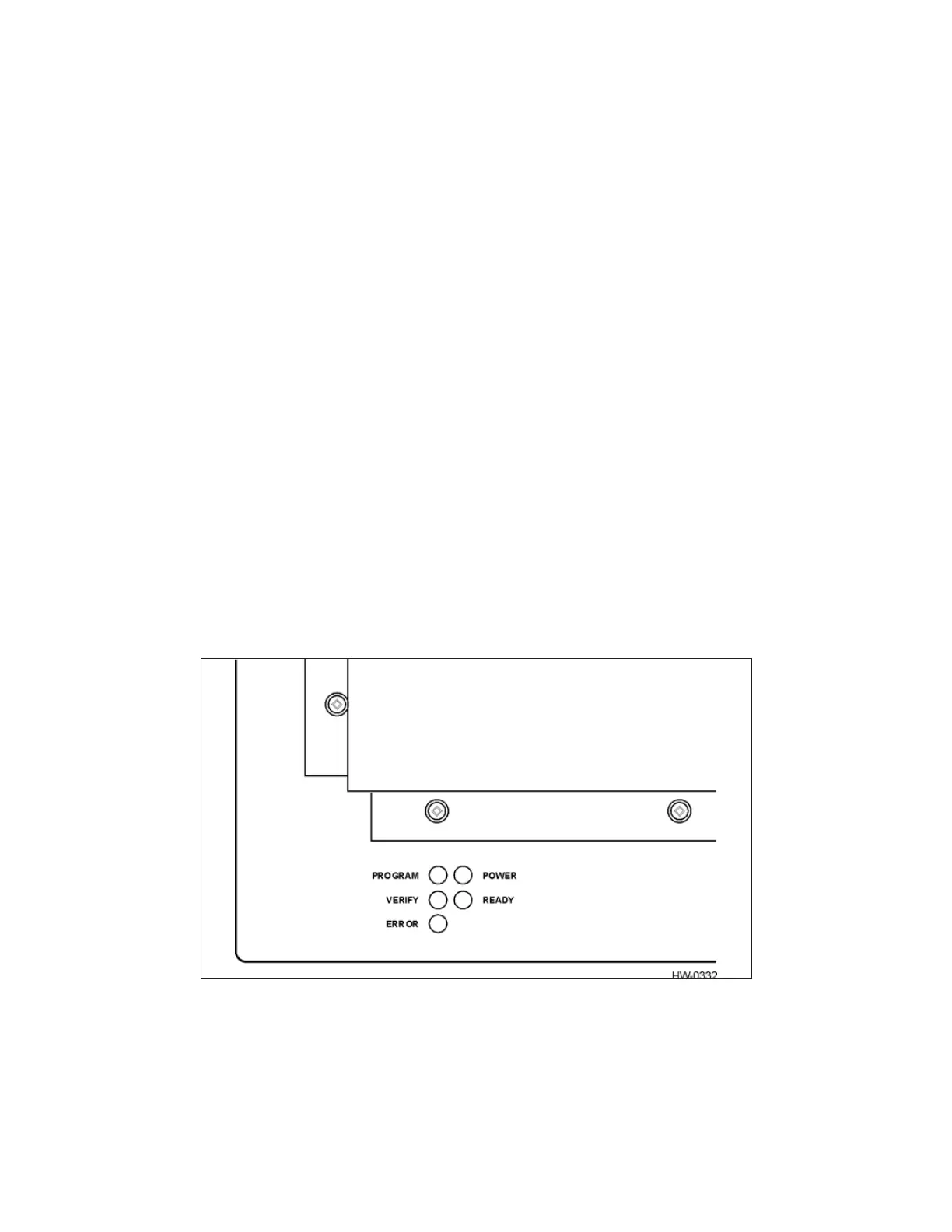
1. Switch on the tag programmer and wait for the READY LED to illuminate (Figure 8).
Figure 8 AP4119 Tag Programmer LEDs


 To Next Page