AP4119 Rail Tag Programmer User Guide
TransCore Proprietary
3–26
If the tag is placed before or during the 10-second period, the programmer programs the user data,
verifies the user data, and sends a response to the host system. If the tag is not placed during the
10-second period, the programmer aborts the command, sends the #Error<cr> response to the
host, and emits a continuous audible tone.
When the tag is successfully programmed, the programmer responds with a triple beep and with the
following response:
xxx...<cr> #Done<cr>
where xxx... is the tag data read from the tag and is encoded in the specified format.
If the tag programming process fails, the programmer responds with a continuous audible tone and
with #Error<cr>.
If this response is received, repeat this sequence beginning at Step 1. Refer to Table 7 for
troubleshooting remedies.
Verifying Tag Data
To verify the data on a tag
1. Send the programmer the appropriate command. Use command #210 if you are using the TransCore
6-bit format for your data, command #211 for the 4-bit hex data format, command #230 if you are
verifying a page of SeGo data in the tag, or command #231 if you are verifying a byte of SeGo data in
the tag.
2. When the programmer begins its 10-second timer indicated by an audible beep once every second,
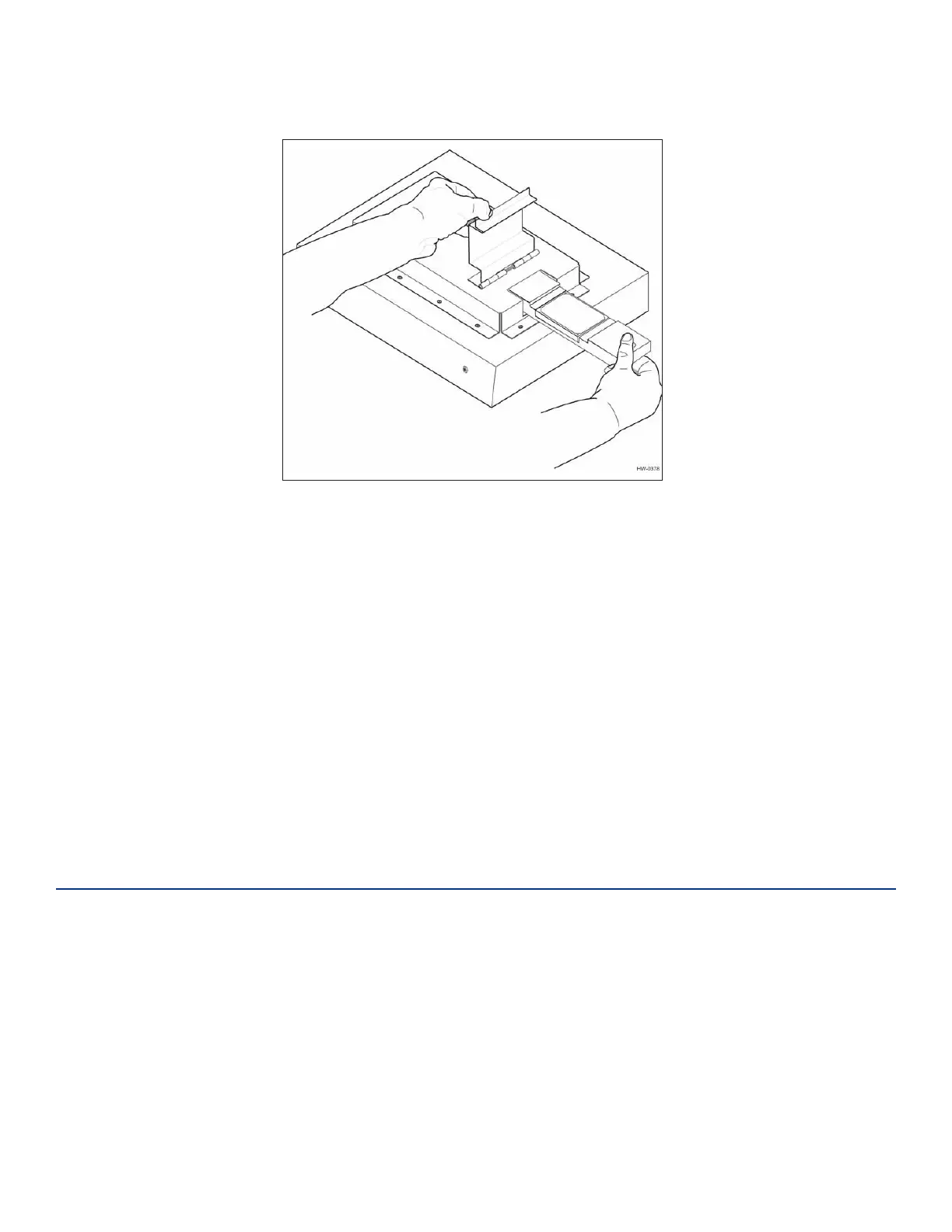
slide the proper tag (using the AT5549 End-of-Train Tag programmer adapter) into the tag holder and
close the door. (Figure 11 and Figure 12).
Figure 12 Programmer Adapter and AT5549 EOT Tag Being Slid into Tag Holder


 To Next Page