Chapter 2 Configuring the Programmer
TransCore Proprietary
2–15
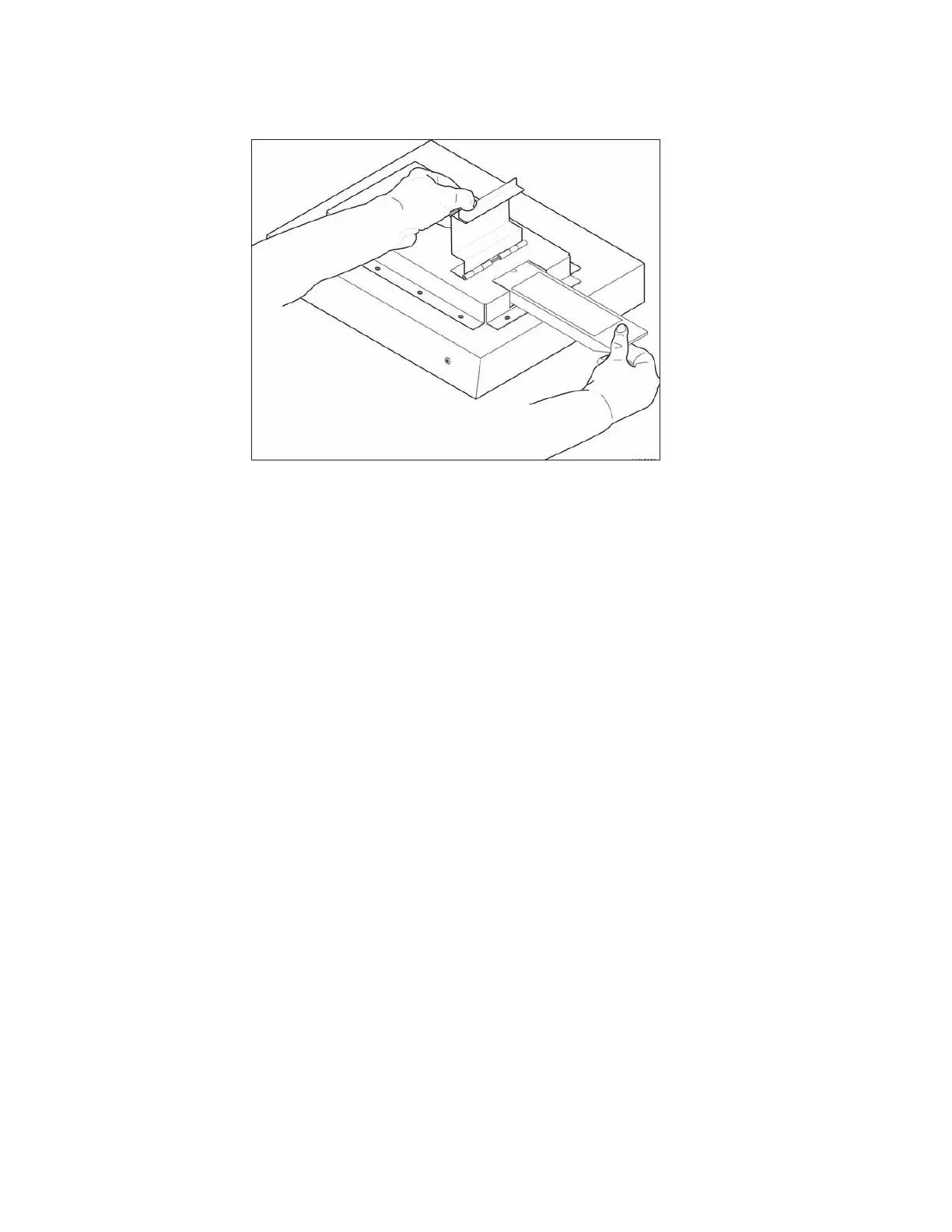
2. Insert the permissions tag into the tag holder and close the door (Figure 9).
3. The Verify LED will illuminate. After the programmer has been properly configured, the programmer
responds with 3 short beeps.
4. Remove the permissions tag from the tag holder.
5. Insert a rail tag into the tag holder and close the door.
6. Start the tag programmer application, such as TransCore’s host software program or a terminal
emulation software program, and test the programmer permissions by writing to and/or reading from
the rail tag. Refer to “Serial Command Set” on page 3–20 for programming and verifying tags.
If the AP4119 tag programmer did not accept the permissions tag, you will not be able to program
rail tags. Check the permissions tag expiration date (etched into the tag face) to ensure the tag is
valid. Enter #44 Request Expiration Date to retrieve the permissions expiration. Refer to
“#44<cr> Request Expiration Date” on page 3–24 for more information. Finally, compare the
permissions tag CN to the tag programmer CN (located on label axed to back of tag programmer)
to ensure they match.
Note: If the permissions tag has not expired and its CN matches the tag programmer CN, contact
TransCore Technical Support.
Permissions Tag/Programmer Control Number Matching
The AP4119 tag programmer checks the permission tag’s CN against its own CN prior to implementing the
permissions tag settings. If the permissions tag CN value does not match or is invalid, then the permissions
tag settings are discarded. If the permissions tag CN value matches, the tag programmer implements the
permissions tag data.
Figure 9 Permissions Tag Being Slid into Tag Holder


 To Next Page