Finalizing the Installation 27
© Travis Industries 4140808 100-01298
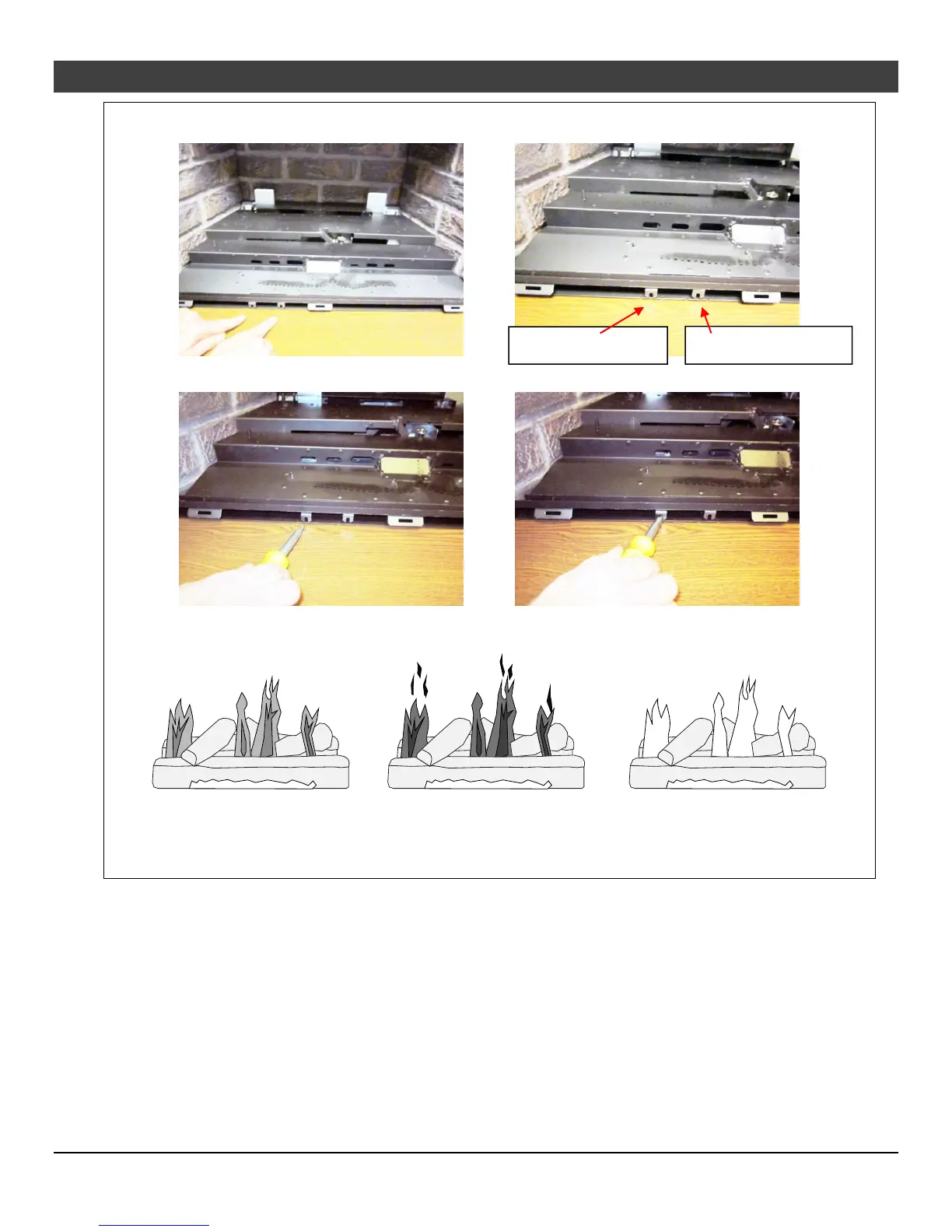
Air Shutter Adjustment
Left = More Air
Let the heater burn for fifteen minutes (make sure the media and glass are in place). The flames should be
yellow with no sooting. Adjust the air shutter, if necessary, to achieve the correct looking flame.
Correct
Flames should be blue at the
base, yellow-orange on the top.
If the flames are too tall or sooty on the
ends, open the air shutter.
Not Enough Air
If the flames are all blue and
short, close the air shutter.
Too Much Air
Rear air shutter (gold)
Front air shutter (red)





 To Next Page