Maintenance 41
© Travis Industries 4140808 100-01298
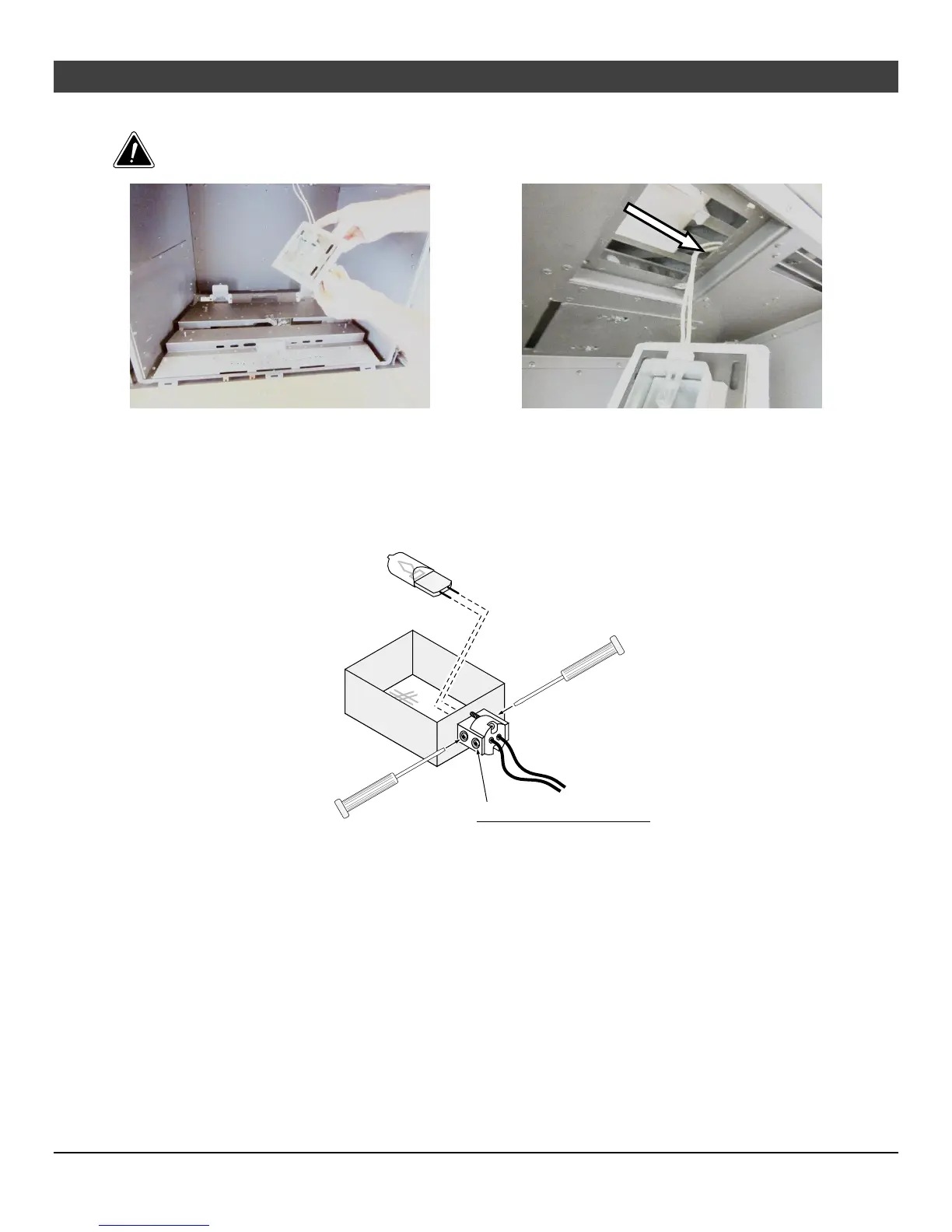
The upper accent light assembly drops down to expose the accent light.
When replacing the assembly, carefully insert the wiring into this cavity to ensure the wiring is
not pinched.
The upper accent light may now be accessed.
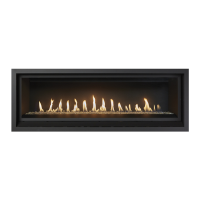
Loosen the two screws nearest the bulb to disengage the bulb from the holder. Remove the bulb from
the holder. Replace the bulb, making sure not to touch the bulb with your fingers (grasp the bulb with the
bulb packaging or a paper towel). Tighten the screws until the bulb is secure (do not over-tighten, this
may damage the electrical contacts on the bulb).
Micro (1/16") Standard
or Philips Screwdriver
Do not loosen these screws
(they hold the wires in place).





 To Next Page