2022 Session Service Manual
6
Adjust the geometry
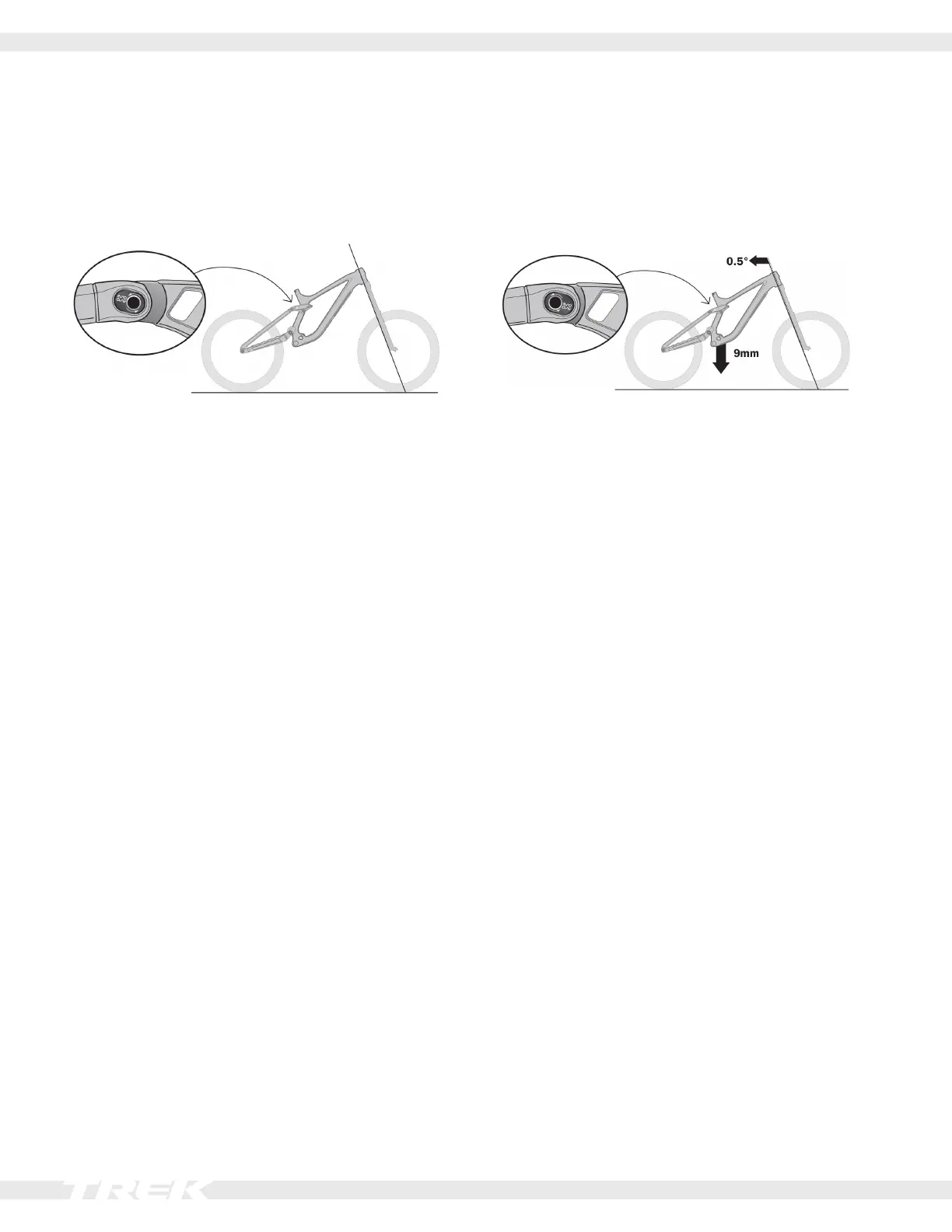
FliptherockerpivotMinoLinkchiptochangethebike’sgeometrytotyourridingstyleortheterrain.FlippingtheMinoLink
chip from the high to the low position slackens the geometry by moving the head tube angle back 0.5° and lowering the bot-
tom bracket up to 9mm.
Mino Link high Mino Link low
Position the chip with the Mino Link logo to the back Position the chip with the Mino Link logo to the front
• Creates a steeper head tube angle
• Pulls in the front fork for quicker steering
• Raises the bottom bracket for improved climbing
Use this position when using 27.5" wheels or a 29" wheel
up front and a 27.5" wheel in the back.
• Creates a slacker head tube angle
• Pushes out the front fork for slower steering that is
more stable at high speed
• Lowers the bottom bracket for more stability
Tools
• 5mm hex tool
1. With the bike on the ground, loosen and remove one Mino Link chip.
2. Loosen and remove the other Mino Link chip.
3. Position the bike:
Mino Link high: Lift the bike by the seat tube. This
will pull the rear triangle up and forward.
Mino Link low: With the chips removed, gravity will
pull the rear triangle down and back.
4. Place one Mino Link chip into the desired position.
Slightly tighten the Mino Link bolt.
5. Install the other Mino Link chip into the same posi-
tion. Slightly tighten the Mino Link bolt.
6. TorquebothMinoLinkboltsto17Nm.






 To Next Page