Using the Web Smart Switch Management Utility
The Web Smart Management Utility allows you to do the following:
• You can easily discover all TRENDnet web smart switches on your network
using the discover feature.
• You can modify the IP address settings, change the admin password, and
upgrade firmware for multiple switches.
System Requirements
Operating System: Windows® 11 and 10 (64-bit)
Installation
1. Download the latest version of the utility by navigating to
http://www.trendnet.com/support and selecting the switch’s model number within
the Product Download drop-down list.
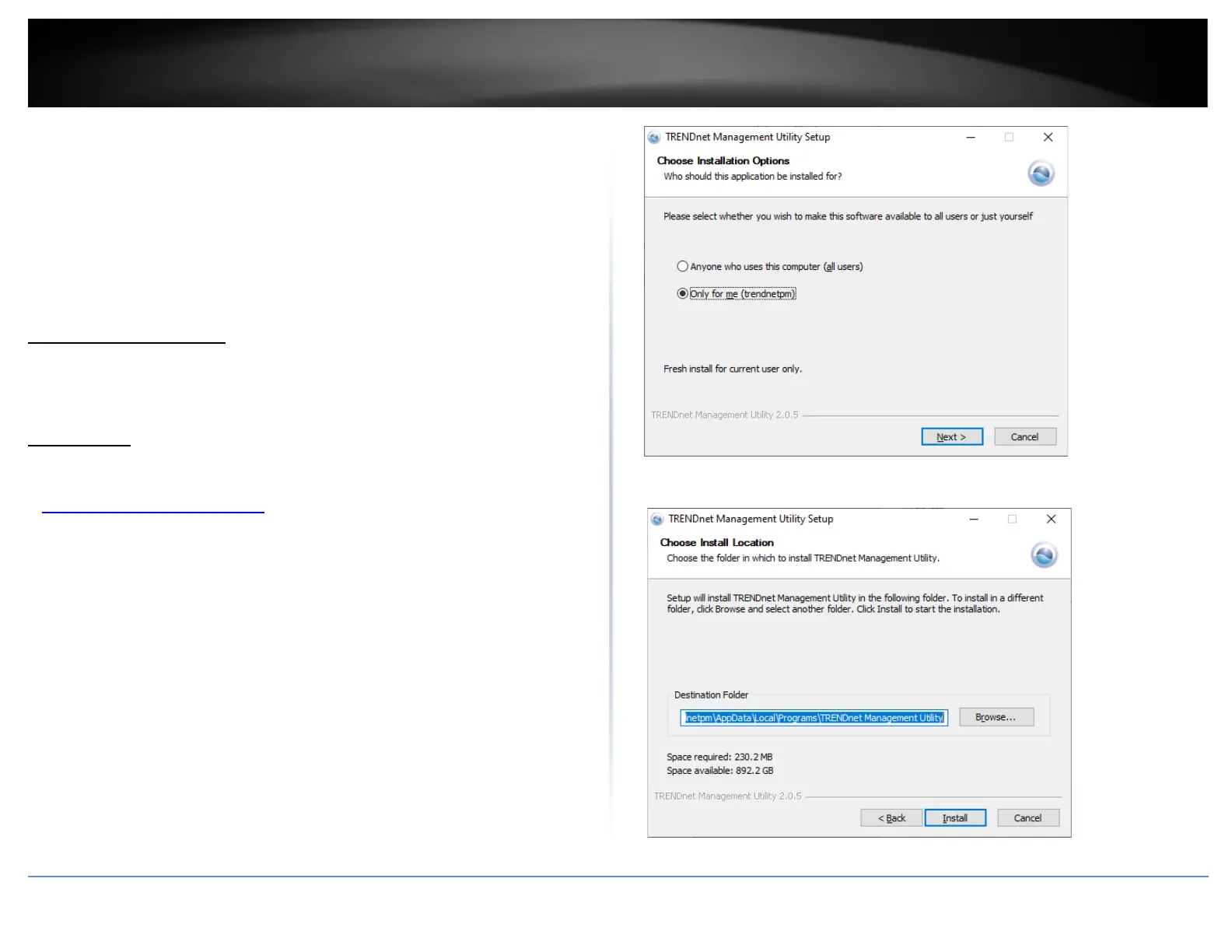
2. Extract the contents of the .zip file and run the .exe installer to install the utility.
3. At the Utility installation window, select the type of installation, then click Next.
4. At the Install Location installation window, click Next.











 To Next Page