Setup Wizard
When the switch is reset to factory defaults, the setup wizard will appear on the first
login to guide through the initial setup process.
Note: Configuration with TRENDnet Hive Cloud Management requires an existing
network with Internet access and DHCP server for automatic IP addressing. The switch
must be configured to reach the Internet in order to connect to your TRENDnet Hive
Cloud Management account.
Initial Setup
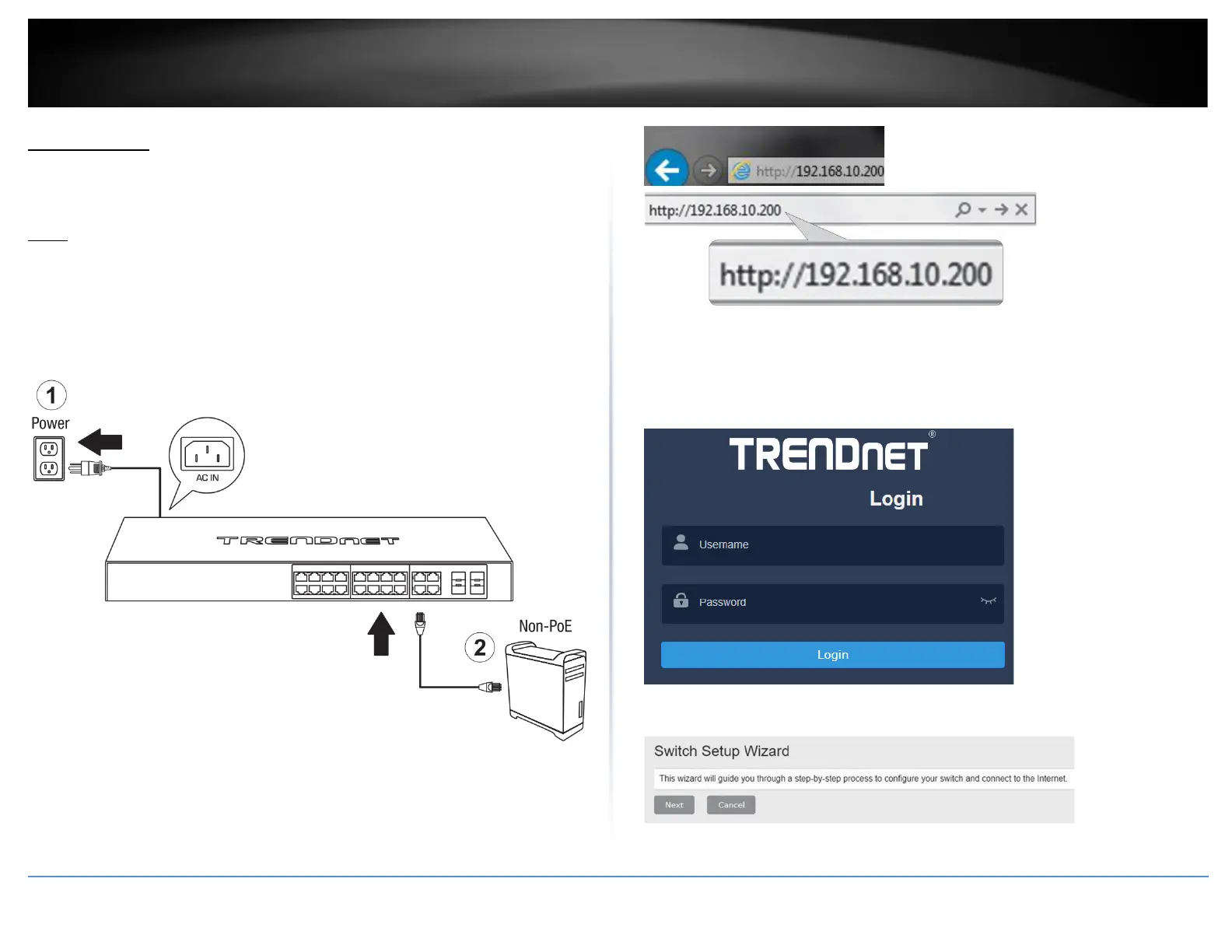
1. Connect the switch as shown in the diagram below:
2. Assign a static IP address to your computer’s network adapter in the subnet of
192.168.10.x (e.g. 192.168.10.25) and a subnet mask of 255.255.255.0.
3. Open your web browser, and type the IP address of the switch in the address bar, and
then press Enter. The default IP address is 192.168.10.200.
4. Enter the User Name and Password, and then click Login. By default:
User Name: admin
Password: admin
Note: User name and password are case sensitive.
5. Click Next on the Switch Setup Wizard.











 To Next Page