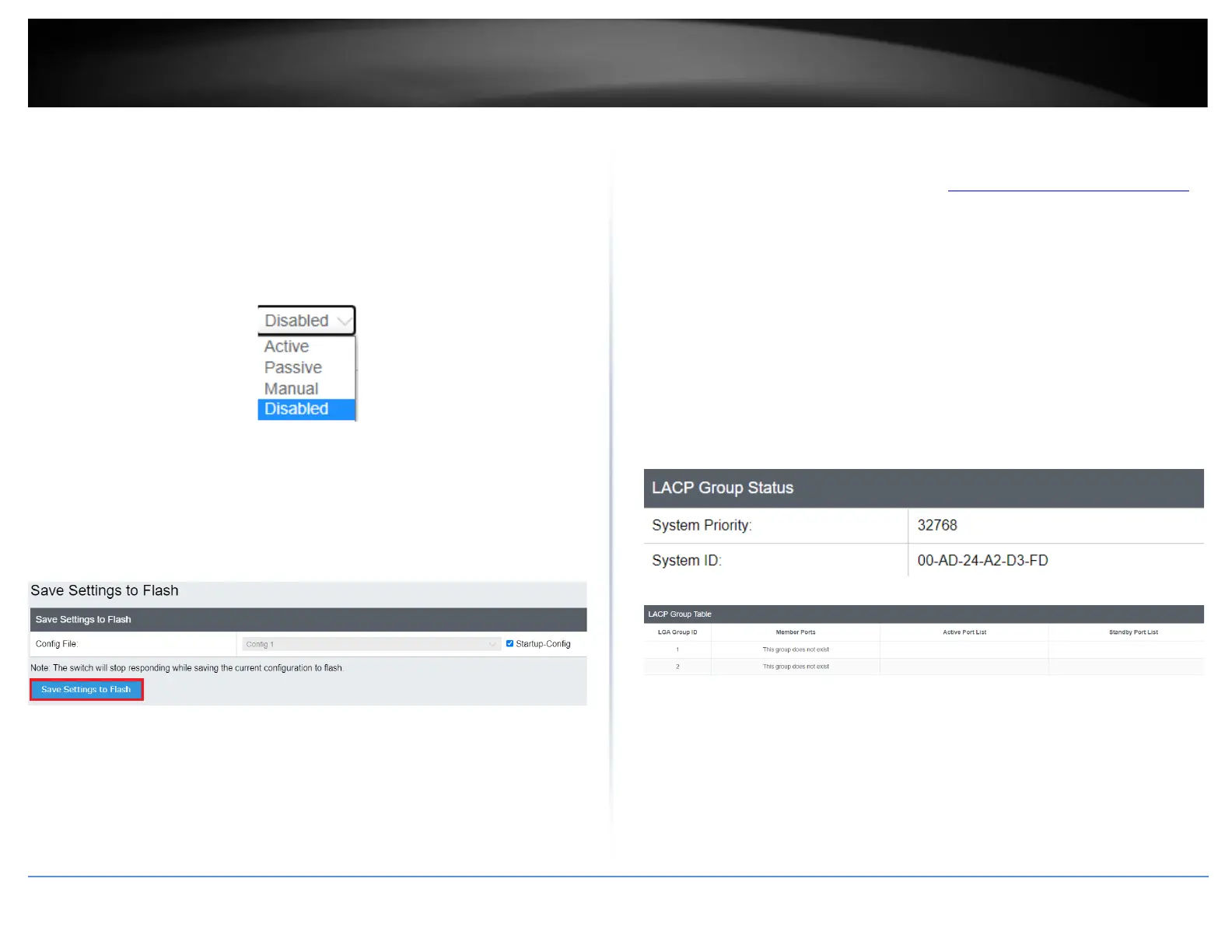
• Active - The specific aggregator will broadcast and respond to LACPDU (LACP
Data Unit) packets. This setting enables the dynamic LACP feature for the trunk.
• Passive - The specific aggregator will not broadcast LACPDU packets, but it will
respond to them. This setting disables the LACP feature for the trunk
• Manual - Enables static port trunking and disables the LACP feature for the
trunk. (Static link aggregation).
• Disable - Disables the static port trunk and disables the LACP feature.
4. At the bottom of the left-hand panel, click Save.
5. Select the Config you would like to save the settings to, then click Save Settings to
Flash.
Note: This step saves all configuration changes to the NV-RAM to ensure that if the
switch is rebooted or power cycled, the configuration changes will still be applied.
Status
Network > Trunk > Status
1. Log into your switch management page (see “Access your switch management page”
on page 5).
2. Click on Network, click on Trunk, and click on Status.
3. View your trunk group status information.
• System Priority - Preassigned setting that cannot be modified. This value
applies to the switch.
• System ID - MAC address value assigned to the individual switch. This value
cannot be modified.
• Group: # The ID number of the trunk (link aggregation group).











 To Next Page