©Copyright2013TRENDnet.AllRightsReserved.
TRENDnetUser’sGuide
TEW‐733GR
46
Protocol: Select the protocol type. Options to choose from are TCP, UDP, Both,
and Other.
Schedule: Select the time schedule option.
Inbound Filter: Select the inbound filter option. Options to choose from are
Allow All and Deny All.
Click the Save Settings button to accept the changes made.
Click the Don’t Save Settings button to discard the changes made.
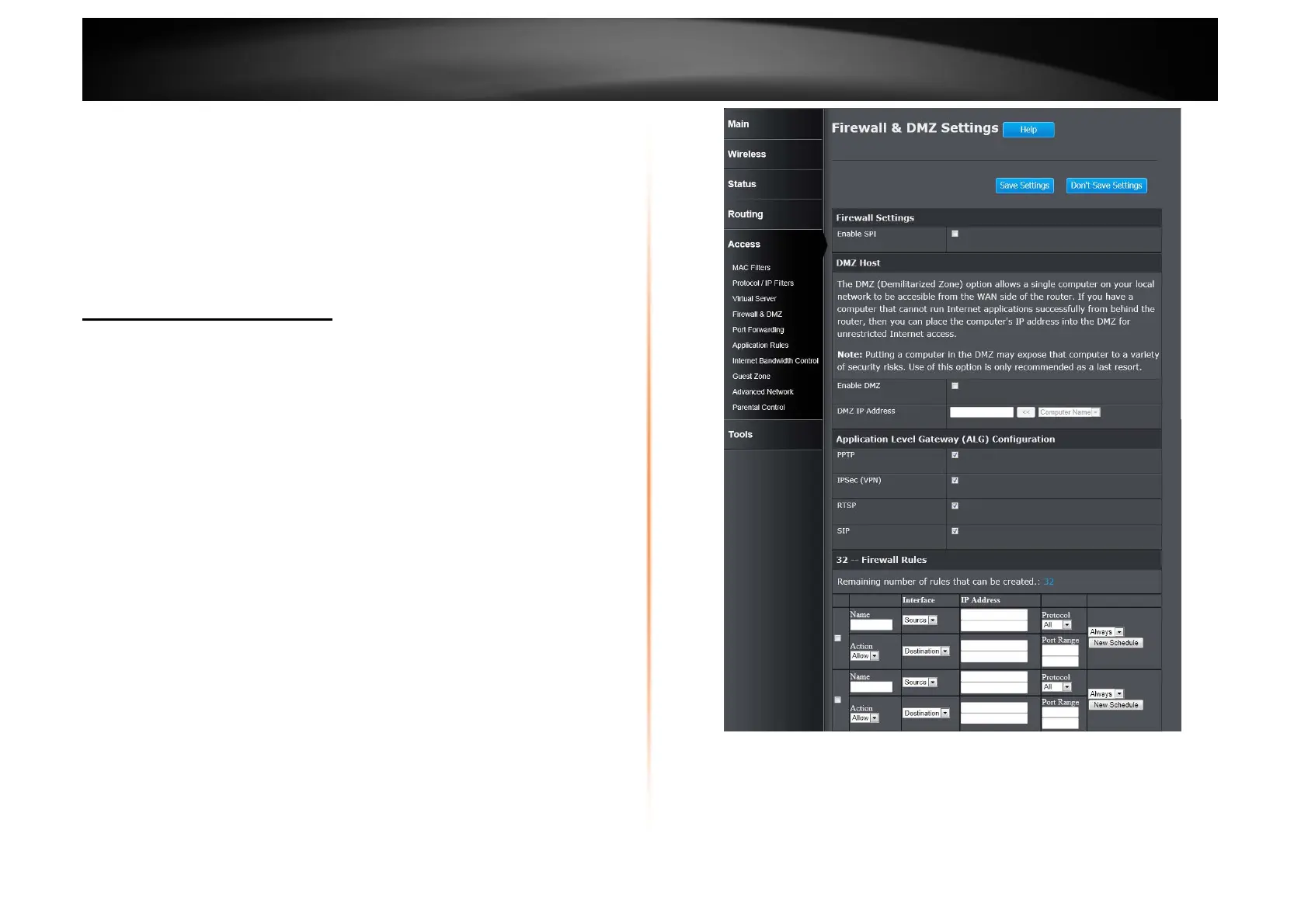
Access > Firewall & DMZ
A firewall protects your network from the outside world. The Router offers a
firewall type functionality. The SPI feature helps prevent cyber-attacks.
Sometimes you may want a computer exposed to the outside world for certain
types of applications. If you choose to expose a computer, you can enable
Demilitarized Zone (DMZ). This option will expose the chosen computer
completely to the outside world.
Firewall Settings
Enable SPI: Tick the check box to enable the Stateful Packet Inspection (SPI)
feature. SPI, also known as dynamic packet filtering, helps to prevent cyber-
attacks. It validates that the traffic passing through the session conforms to the
protocol.















 To Next Page