©Copyright2013TRENDnet.AllRightsReserved.
TRENDnetUser’sGuide
TEW‐733GR
4
Product Hardware Features
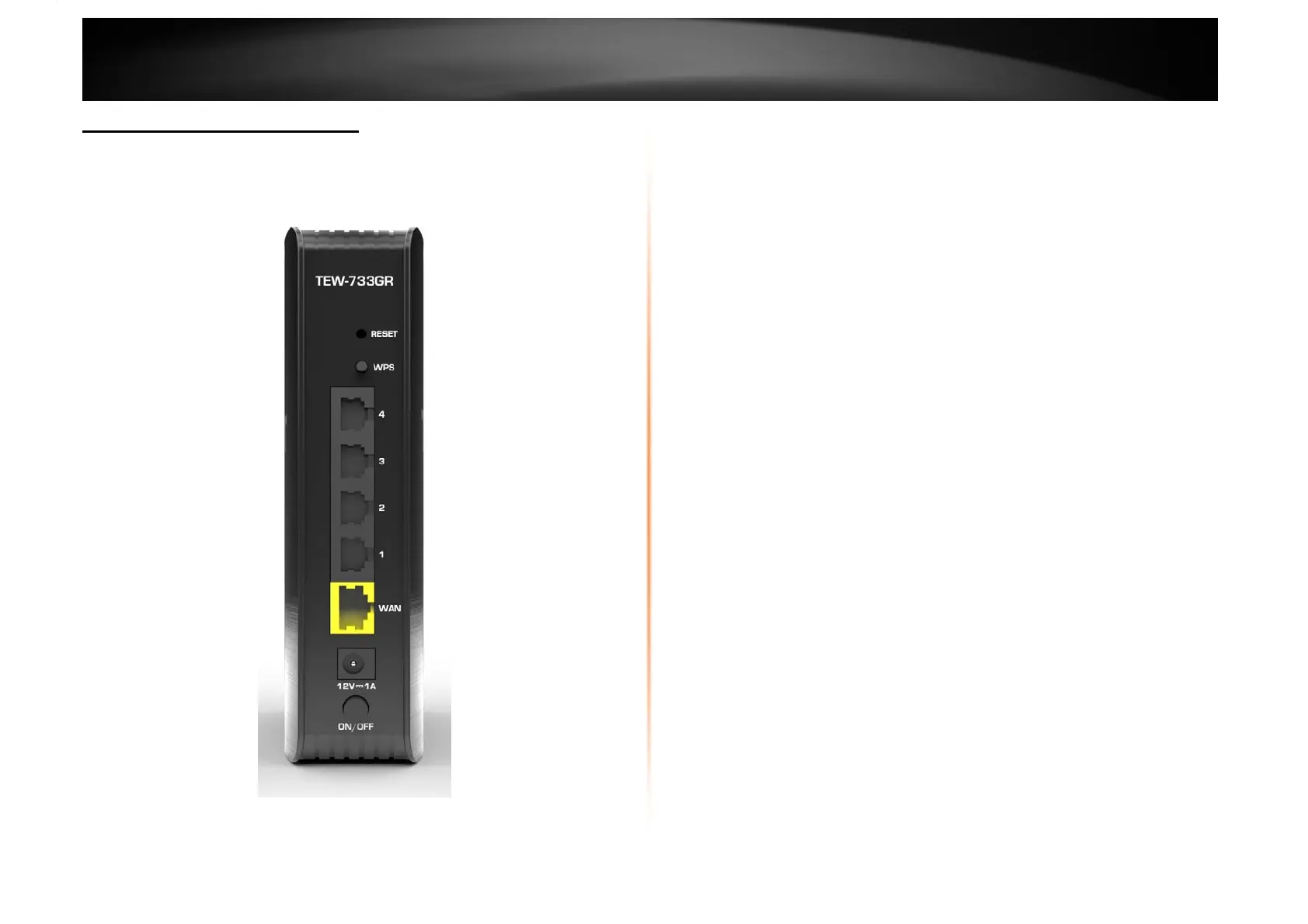
Rear Panel View
• Reset Button Press and hold this button for 10 seconds to reset your
router to default settings.
• WPS Button – Push and hold this button for 5 seconds to activate WPS.
• LAN Ports – Connect Ethernet cables (also called network cables) from
your router LAN ports to your wired network devices.
• WAN Port – Connect an Ethernet cable from your router WAN port to
your modem.
• Power Port – Connect the included power adapter from your router
power port and to an available power outlet.
Note: Use only the adapter that came with the router.
• ON/OFF Button – Press the button to power on and off.
LAN Ports
Reset Button
WPS Button
WAN Port
Power Port
ON/OFF Button















 To Next Page