©Copyright2013TRENDnet.AllRightsReserved.
TRENDnetUser’sGuide
TEW‐733GR
51
Enable IPv4 Multicast Streams: Tick the check box to enable the IPv4 multicast
streams feature. This feature will allow multicast traffic to pass through the router
from the Internet (IPv4).
Wireless Enhanced Mode: Tick the check box to enable wireless enhanced
mode.
Click the Save Settings button to accept the changes made.
Click the Don’t Save Settings button to discard the changes made.
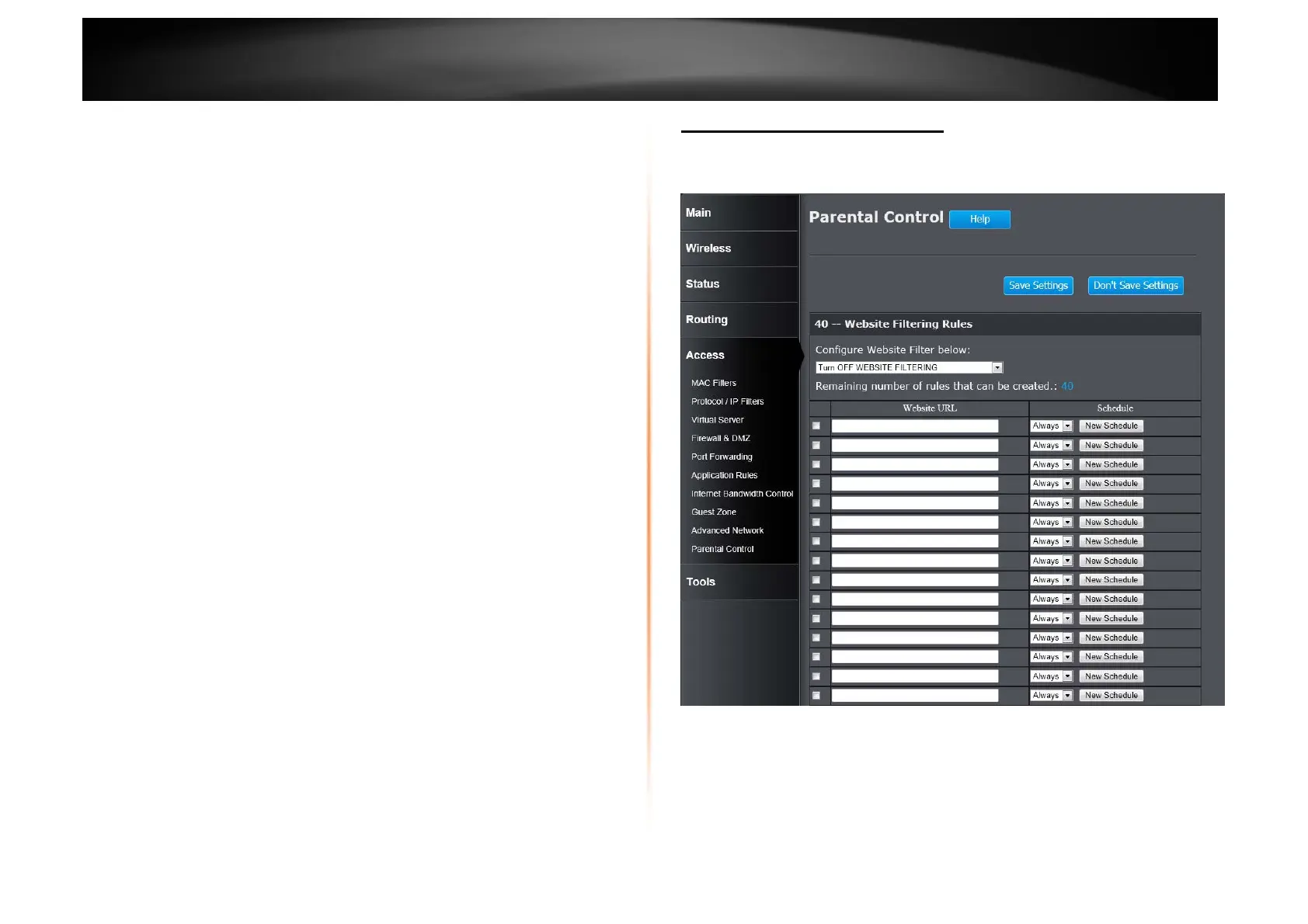
Access > Parental Control
Parental control is a free security option that provides Anti-Phishing to protect
your Internet connection from fraud and navigation improvements such as auto-
correction of common URL types.
Configure Website Filter Below: Turn off website filtering
Configure Website Filtering below: Select the website filtering method. Select
Turn OFF WEBSITEFILTERING to disable this feature. Select ALLOW
computers access to ONLY these sites to enable this feature and only allow
the computers to access the specified URL. Select DENY computers access to
ONLY these sites to enable this feature and only deny the computers to access
to the specified URL.















 To Next Page