©Copyright2013TRENDnet.AllRightsReserved.
TRENDnetUser’sGuide
TEW‐733GR
49
Name: Enter or select the application name for the rule.
Trigger: This is the port used to trigger the application. It can be either a single
port or a range of ports.
Firewall: This is the port number on the Internet side that will be used to access
the application. You may define a single port or a range of ports. You can use a
comma to add multiple ports or port ranges.
Traffic Type: Select the traffic type. Options to choose from are All, TCP, and
UDP.
Schedule: Select the time schedule option.
Click the Save Settings button to accept the changes made.
Click the Don’t Save Settings button to discard the changes made.
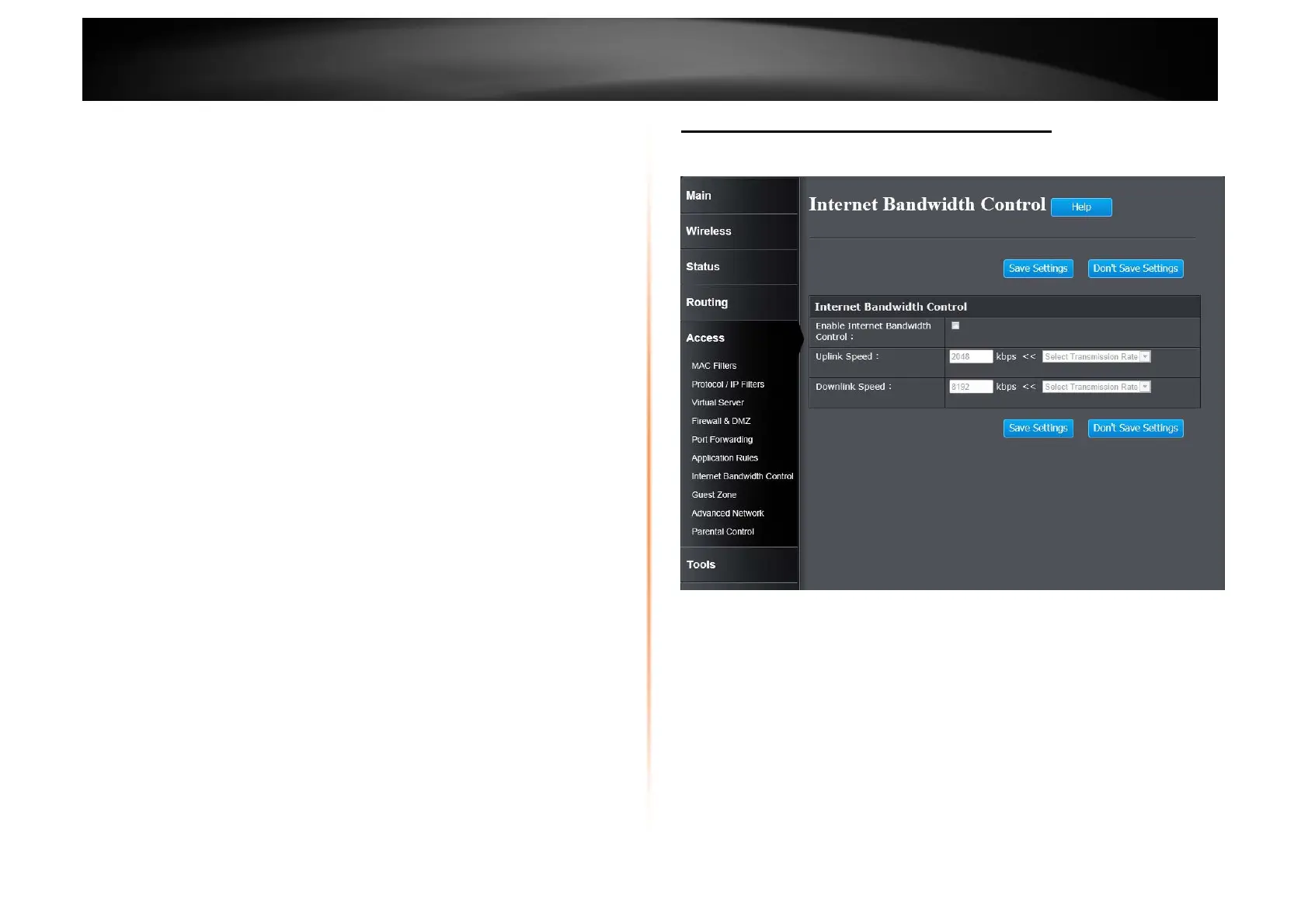
Access > Internet Bandwidth Control
This window is used to configure the Internet bandwidth control used by the
Router.
Enable Internet Bandwidth Control: Tick the check box to enable the Internet
bandwidth control.
Uplink Speed: Enter the uplink speed value or select a predefined uplink speed
option from the drop-down menu.
Download Speed: Enter the download speed value or select a predefined
download speed option from the drop-down menu.
Click the Save Settings button to accept the changes made.
Click the Don’t Save Settings button to discard the changes made.















 To Next Page