©Copyright2013TRENDnet.AllRightsReserved.
TRENDnetUser’sGuide
TEW‐733GR
55
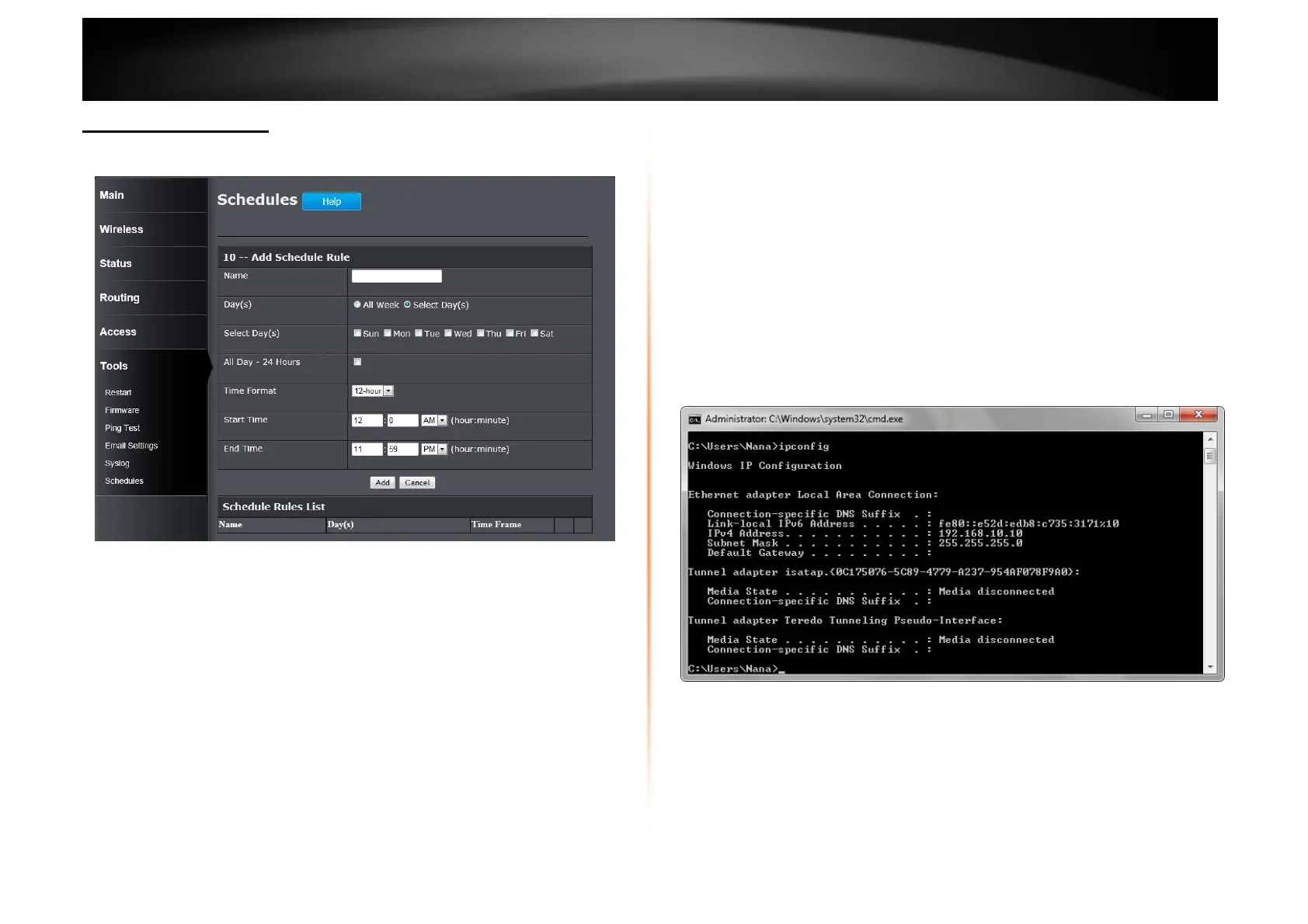
Tools > Schedules
This window is used to configure the time and date schedules. The configured
schedule can be applied to various functions.
Name: Enter the name for the time and date schedule.
Days(s): Click the All Week radio button to use all the weekdays for this
schedule. Click the Select Day(s) radio button to use only the selected days in
the week.
Select Day(s): When the Select Day(s) radio button is selected, tick the check
box to select which day of the week to be used.
All Day – 24 hrs: Tick the check box to use all the hours in a day.
Time Format: Select the time format. Options to choose from are 12-hour and
24-hour.
Start Time: Enter the starting time of a day.
End Time: Enter the ending time of a day.
Click the Add button to add this schedule into the schedule rules list.
Click the Cancel button to discard the changes made.
NetworkingBasics
After you installed your new network or wireless adapter, by default, the TCP/IP
settings should be set to obtain an IP address automatically from a DHCP server.
By default the DHCP server option on your router is enabled.
To verify your IP address, please follow the steps below:
• Click the Windows Start button and open the Run application.
• In the Open check box, type cmd and click OK.
• At the command prompt, type in the command ipconfig and press Enter.
This will display the IP address, Subnet Mask, and the Default Gateway
of your adapter. If the address is 0.0.0.0, it means that your network
adapter did not receive an IP address from the DHCP server. Check your
adapter installation, security settings, and the settings on your router.
Some firewall software programs may block a DHCP request on newly
installed adapters.
Statically Assign an IP address
If you are not using a DHCP capable gateway/router, or you need to assign a
static IP address, please follow the steps below:















 To Next Page