© Copyright 2019 TRENDnet. All Rights Reserved.
Industrial Managed Switch Series
The rate limitation is used to control the rate of traffic sent or received on a network
interface.
Rate Limitation unit: Mbs.
Default Settings
All ports’ Ingress and Egress rate limitation are disabled.
CLI Configuration
This command displays the current rate
control configurations.
bandwidth-limit egress
RATE_LIMIT ports
PORTLISTS
This command enables the bandwidth limit
for outgoing packets and set the limitation.
no bandwidth-limit egress
ports PORTLISTS
This command disables the bandwidth limit
for outgoing packets.
bandwidth-limit ingress
RATE_LIMIT ports
PORTLISTS
This command enables the bandwidth limit
for incoming packets and set the limitation.
no bandwidth-limit
ingress ports PORTLISTS
This command disables the bandwidth limit
for incoming packets.
Example:
[DEVICE_NAME]#configure terminal
[DEVICE_NAME](config)#bandwidth-limit egress 1 ports 1-6
[DEVICE_NAME](config)#bandwidth-limit ingress 1 ports 1-6
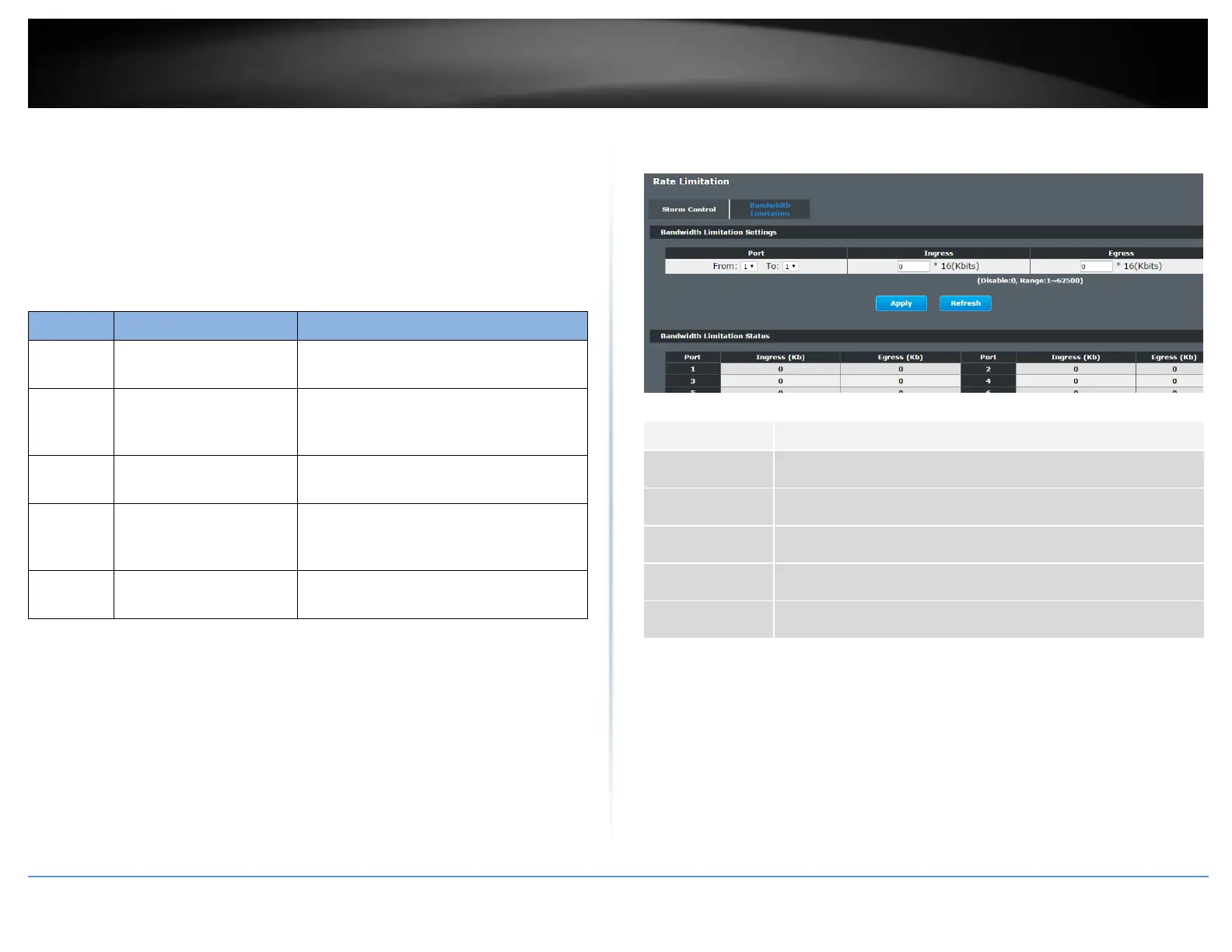
Web Configuration
Advanced Settings > Bandwidth Control > Rate Limitation > Bandwidth Limitation
Selects a port that you want to configure.
Configures the rate limitation for the ingress packets.
Configures the rate limitation for the egress packets.
Click Apply to take effect the settings.
Click Refresh to begin configuring this screen afresh.














 To Next Page