© Copyright 2019 TRENDnet. All Rights Reserved.
Industrial Managed Switch Series
Web Configuration
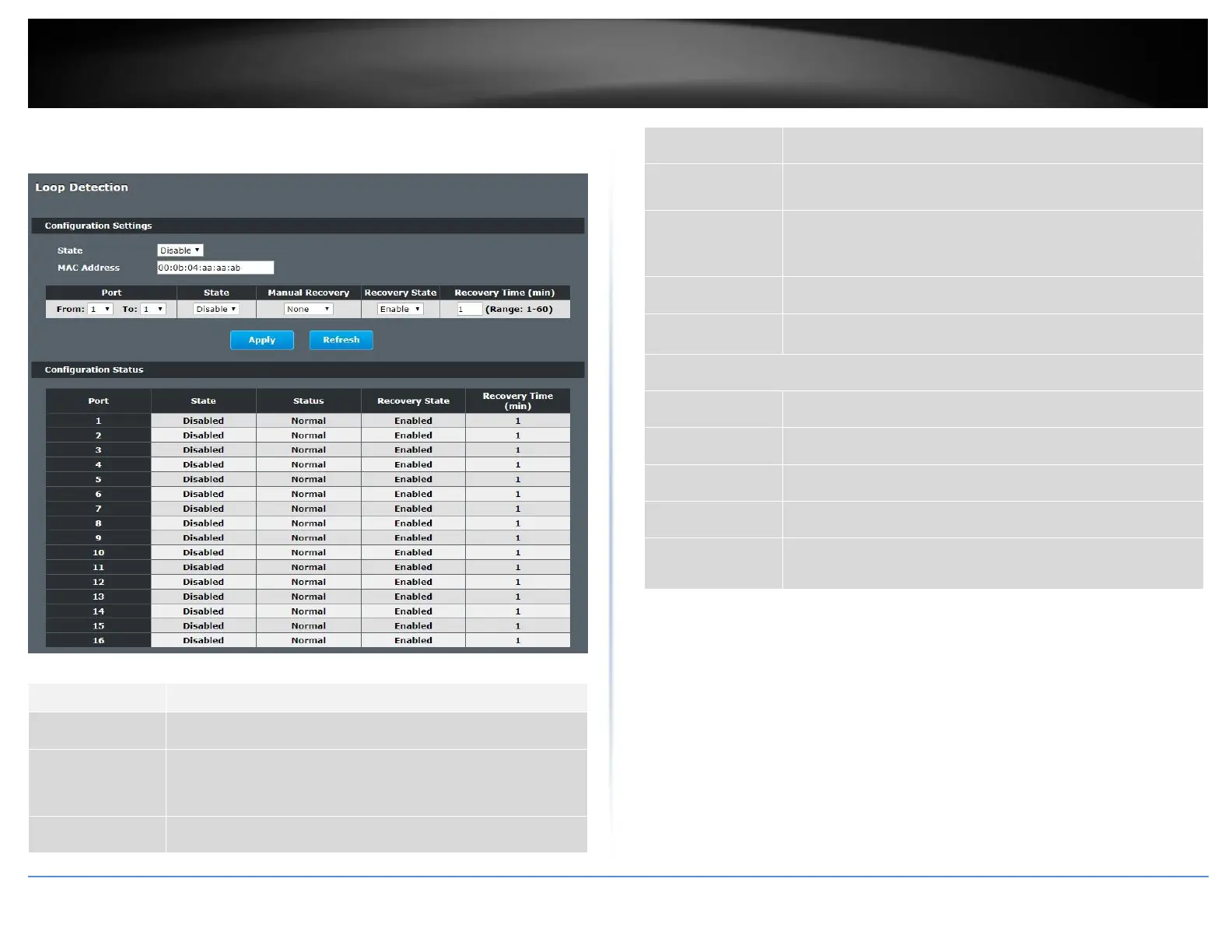
Advanced Settings > Loop Detection
Select this option to enable loop guard on the Switch.
Enter the destination MAC address the probe packets will be
sent to. If the port receives these same packets the port will be
shut down.
Select a port on which to configure loop guard protection.
Select Enable to use the loop guard feature on the Switch.
Select Enable to reactivate the port automatically after the
designated recovery time has passed.
Specify the recovery time in minutes that the Switch will wait
before reactivating the port. This can be between 1 to 60
minutes.
Click Apply to save your changes to the Switch.
Click Refresh to begin configuring this screen afresh.
This field displays a port number.
This field displays if the loop guard feature is enabled.
This field displays if the port is blocked.
This field displays if the loop recovery feature is enabled.
This field displays the recovery time for the loop recovery
feature.














 To Next Page