© Copyright 2019 TRENDnet. All Rights Reserved.
Industrial Managed Switch Series
Word 0 Hi byte = Port ID.
Secondary Port of the Xpress-ring2
Word 0 Hi byte = Port ID.
Role of Xpress-ring1
0x0000 : Forwarder
0x0001 : Arbiter
Role of Xpress-ring2
0x0000 : Forwarder
0x0001 : Arbiter
Primary Port Status of Xpress-ring1
0x0000 : link down
0x0001 : forwarding
0x0002 : blocking
Secondary Port Status of Xpress-ring1
0x0000 : link down
0x0001 : forwarding
0x0002 : blocking
Primary Port Status of Xpress-ring2
0x0000 : link down
0x0001 : forwarding
0x0002 : blocking
Secondary Port Status of Xpress-ring2
0x0000 : link down
0x0001 : forwarding
0x0002 : blocking
CLI Configuration
This command displays the current
Modbus configurations.
This command disables / enables
the Modbus on the switch.
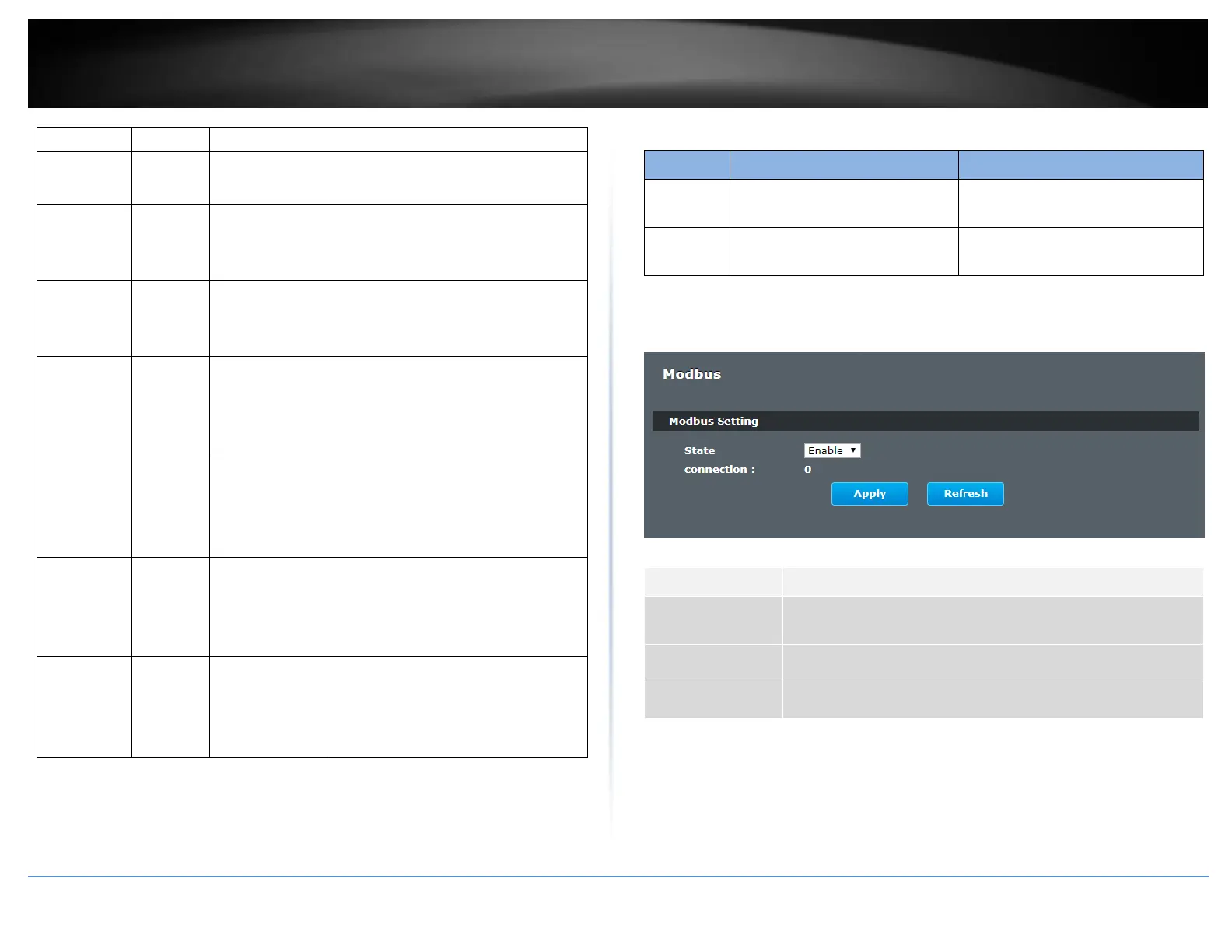
Web Configuration
Advanced Settings > Modbus
Select this option to enable / disable the Modbus on the
Switch.
Click Apply to save your changes to the Switch.
Click Refresh to begin configuring this screen afresh.














 To Next Page