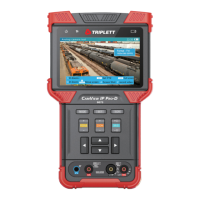
CamView IP Pro, Pro-C, and Pro+ User Manual 25
4.4 Ethernet Cable TDR Test
4.4.1 Overview
This feature is only available on the Pro-C and Pro+ models. It is primarily used to test the approximate
cable length of an RJ45 cable by using a Time Domain Reflectometry (TDR) analysis meth-
od. However, you can also use this feature to test for breaks, Skew, and Attenuation. The
accuracy is to within one meter.
NOTES — Test results can be affected by temperature, moisture, cable diameter, and cable
dielectric. Test results are only for reference, not for formal measurement.
Continuous measure is to help easily test multiple cables, and it will not increase the accuracy of
the test.
When a cable is correctly terminated, there may be a stronger reflection from a cable junction
along the cable’s length. This may result in a measurement that may be shorter than the actual
cable length. We recommend that you disconnect the other end of the cable and measure from
that end if this occurs.
4.4.2 Testing Length Using TDR
To measure a cable’s length, only one end of the cable should be connected to the Tester, and the
other end should be left open.
STEP 1: Power Up the Tester
Press the Power Button on the side of your CamView IP Pro-C or Pro+ Tester to turn it on if it is not
already powered on.
STEP 2: Connect the Ethernet Cable to the Tester
Connect one end of the Ethernet Cable to the Tester’s Network Port 1.



 To Next Page