27
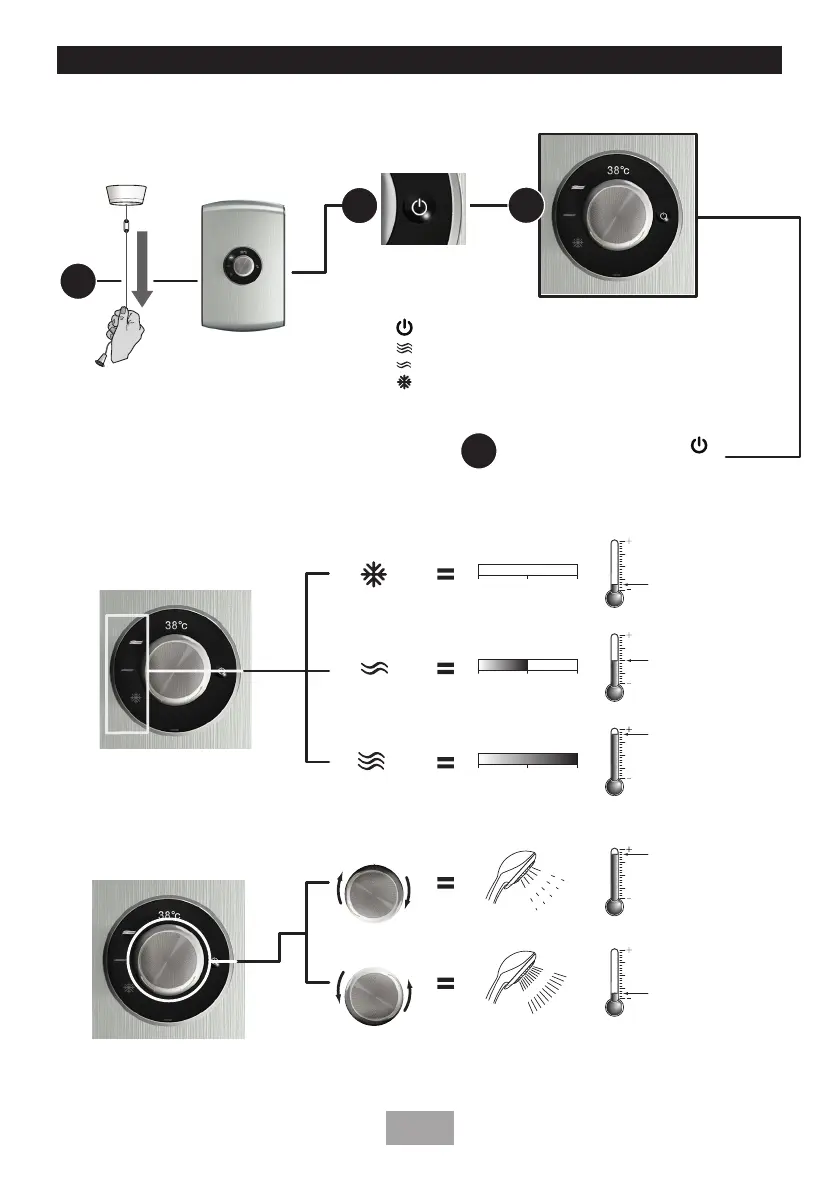
Turn the
main power
isolator switch ON
Select a Power setting
(Touch Control)
Select a Temperature
Flow setting
COLD
ECO power
Max power
HOT
COLD
HOT
COLD
HOT
COLD
HOTTER (slower flow)
COLDER (faster flow)
C
O
L
D
HOT
COLD
0 1 2
HEATER ELEMENTS USED
HEATER ELEMENTS USED
NONE OF THE ELEMENTS USED
0 1 2
1 OF THE ELEMENTS USED
HEATER ELEMENTS USED
2 OF THE ELEMENTS USED
0 1 2
H
O
T
HOT
COLD
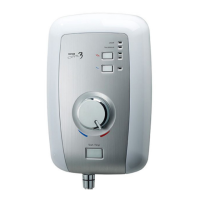
To START the shower - Press the start stop switch
• Press (Start/Stop) automatically defaullts to Max Power selection
• Press (Max Power) the shower will switch to the Max Power setting.
• Press (Economy Power) the shower will switch to the Eco Power setting.
• Press (Cold Water) the shower will switch to the Cold Power setting.
Touch Control selected power will
illuminate a brighter white indicating
the choice of setting.
1
4
To STOP the shower - press button
then turn the isolator switch off.
2
3
SHOWER CONTROLS - QUICK USER GUIDE
To START or STOP your shower.
To alter the FLOW and Temperature of your shower.


 To Next Page