20
USER OPERATING INSTRUCTIONS
10
check list
SECTIONSECTION
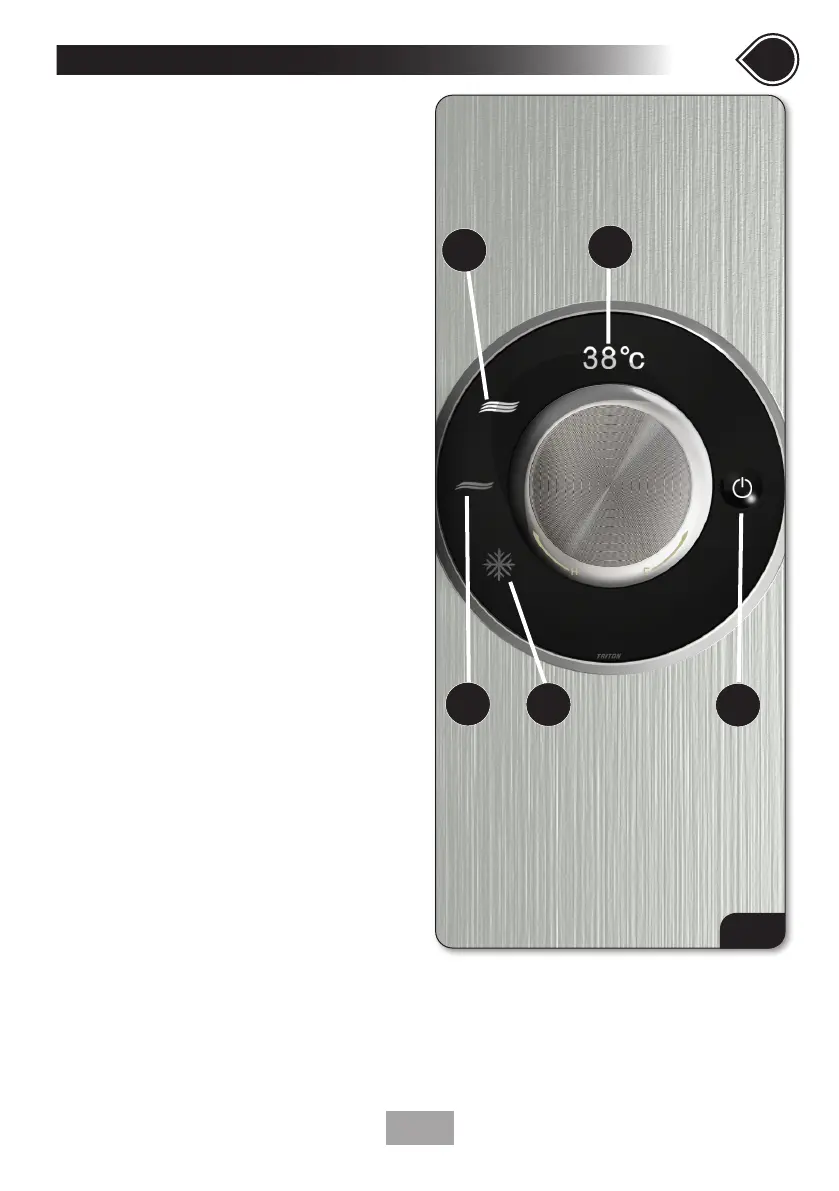
Fig.19
OPERATING THE SHOWER
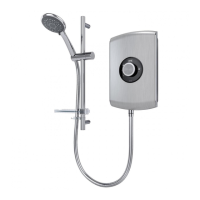
To start the shower (g.19)
• Switch the power on at the isolating switch.
TRITON will show on the screen (1) for a few
seconds and the Start/Stop icon (2) will
illuminate.
• Press the Start/Stop button (2) the screen
will display Hello then the showering
temperature.
The shower will always default to Max setting.
The Max (3) icon will illuminate.
• During showering, the Eco (4), Cold (5) or
Max (3) icons may be touched to change the
power setting.
• After a new power selection is made, the
appropriate icon is illuminated and the screen
will display Cold, Eco or Max to confirm the
selection before reverting to displaying the
showering temperature.
To stop the shower
• Stop the shower by pressing the Start/
Stop button (2). Bye will flash on the screen
(1) and water will cease to flow after a few
seconds. (see phased shutdown process page
22). The screen will turn itself off.
• After shutdown the unit MUST be isolated via
the 45amp-isolating switch.
Cold setting (5)
• No heater elements are operated.
Eco setting (4)
• Only one heater element is operated.
Max setting (3)
• All heater elements are operated.
1
2
5
4
3


 To Next Page